TL;DR: This Ready or Not stress management guide concerns your Commander Mode officers, not a suspect’s momentary agitation. Review the roster after missions, remove struggling officers from the next deployment, use the available therapy assignment, and rotate replacements. Arrest-focused runs and keeping the team alive help address the mission conduct that drives the system.
Start with the individual officer’s file rather than treating the squad as one health bar. Check who is available, who needs recovery, and which traits remain in your active team. Then build the next mission’s roster around those actual conditions instead of sending the same four people into every run.
VOID introduced the persistent officer system with the 1.0 campaign. Later patches changed recovery balance, so old recipes promising a fixed number of missions or an exact recovery timer should not be treated as current rules. The latest selected release is v1.5.3 from October 13, 2026.
On this page
1. Identify which stress system this Ready or Not stress management guide addresses
Commander Mode stress belongs to the officers in your persistent roster. The 1.0 feature changelog describes a campaign loop in which dangerous conduct affects officers, high stress can require benching and therapy, and an officer can leave the team permanently. This is the system you manage between deployments.
Suspect and civilian stress is a different mechanic. VOID’s official FAQ describes that stress as agitation during the mission, while morale concerns willingness to surrender. A suspect becoming more agitated does not show that an officer needs therapy. The suspect surrender mechanics guide explains that encounter-level distinction.
Begin at the roster and inspect the officers who went on the last mission. Read the displayed status and any review rather than guessing from the mission’s grade. An officer’s current condition tells you whether they are a sensible choice for another deployment; the letter grade alone cannot explain every roster consequence.
The November 2023 Commander briefing gives a useful example: arresting all suspects but killing a civilian can still harm your team’s stress. That means an otherwise successful run can produce a recovery problem. Review the civilian outcome and officer casualties alongside the mission objectives when understanding why the roster changed.
Check the mode as well. A quickplay run or a cooperative session should not be treated as proof that a particular Commander save recovered its officers. To test a roster change, use the same campaign and inspect the relevant officer before and after the action. Different sessions are different records.
Do not mix physical loss with stress recovery. The campaign’s officer permadeath is separate from a living officer being unavailable for counseling. Therapy is a response to a surviving officer’s condition; it is not a method to restore a character killed during that Commander playthrough.
2. Rotate the roster and use therapy before another deployment
After returning from a mission, look at each deployed officer’s condition. If someone is showing a serious stress problem, remove them from the next active lineup and use the therapy assignment when it is offered. Select a replacement whose current availability allows them to join the mission.
Confirm the assignment before choosing the next level. An officer selected for counseling is not the same as an officer simply omitted from the active four. The official Commander briefing’s review example explicitly states that officers assigned to counseling are not eligible for mission selection during that period.
Build enough depth in the roster to cope with that absence. Keep useful substitutes available rather than concentrating every mission on one preferred combination. When two officers need recovery at once, replacements allow you to continue without treating an unavailable officer as an essential part of the next plan.
Recheck the resulting team composition. If your recovering officer supplied a trait you relied on, the replacement changes the squad’s capabilities. Read the active officers’ trait descriptions and adjust your plan accordingly. Do not assume a trait continues benefiting the squad after its owner leaves the deployment lineup.
For example, suppose a mission ends with one officer in a crisis state and two others under strain. Bench the officer who needs counseling, assign an available replacement, and review the remaining team before launching. If the resulting lineup no longer suits the next task, postpone that task or revise the approach rather than immediately recommitting the exhausted team.
Rest and passive recovery should also be considered, but not reduced to a universal farming rule. The February 2024 1.0 Hotfix 3 increased passive stress loss in Commander Mode and decreased stress gained from player death. That establishes a recovery system and later balancing; it does not establish today’s exact number of missions for every officer.
When someone becomes available again, inspect their actual status before returning them to the active lineup. A completed counseling assignment is useful information, while the displayed condition remains the basis for the next decision. Check the same officer rather than inferring recovery from a different replacement’s healthier file.

3. Change the mission conduct that is exhausting your officers
Roster rotation addresses the immediate availability problem. To prevent the same situation recurring, examine what happened during the run. VOID ties officer stress to mission conduct, lives endangered or taken, and casualties within the squad. Improve those outcomes rather than searching for an unrelated graphics or input setting.
Use compliance opportunities and supported less-lethal equipment when pursuing arrests. Let a suspect finish surrendering, restrain the contact, and complete the report. Taking someone alive is an outcome you need to finish, not simply an intention expressed by selecting a weapon before the mission.
Give the AI enough time to complete those jobs. An officer approaching a compliant contact may already be restraining them. Avoid replacing that work with another entry order while the contact remains unsecured. The SWAT AI commands guide covers team selection, queued orders, and interrupted actions.
Also review each officer’s loadout. VOID’s FAQ notes that lethal options, including ammunition, can be removed when avoiding unintended lethal use in less-lethal attempts. A less-lethal primary alone does not settle what the officer does after running out of ammunition or changing weapons.
Protect civilian outcomes as carefully as suspect arrests. A civilian who has complied still needs restraint and reporting, while special mission circumstances can require additional interactions. Follow the civilian rescue guide instead of assuming that a completed combat objective means every civilian has been safely processed.
Keep the team alive by giving commands that fit the room and the equipment they actually carry. Inspect a doorway, use an available clearing method, and let the selected element reach its assignment before executing it. Sending a team through an unexamined opening or issuing several competing orders does not become a good plan merely because the roster is healthy.
Officer traits can support your chosen approach. The official Commander briefing describes a Moral Officer trait associated with greater emotional relief from taking suspects alive, along with stress-resilience-oriented team choices. Read the current trait text; do not invent a numerical bonus or assume that one trait cancels every traumatic outcome.
4. Check recovery in the save you are actually playing
Make recovery comparisons specific. Record the campaign, officer, displayed status, therapy assignment, and subsequent deployment decisions. Return to that officer’s file after the relevant campaign progress and compare like with like. This is more useful than claiming that any low-intensity activity resets the entire squad.
If the officer remains unavailable, check whether counseling is still active or whether the displayed condition still prevents the selection you want. Use the information supplied by the roster rather than restarting repeatedly because a favored lineup cannot immediately be restored. Continue with eligible replacements when the campaign permits it.
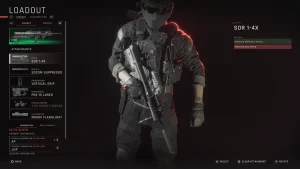
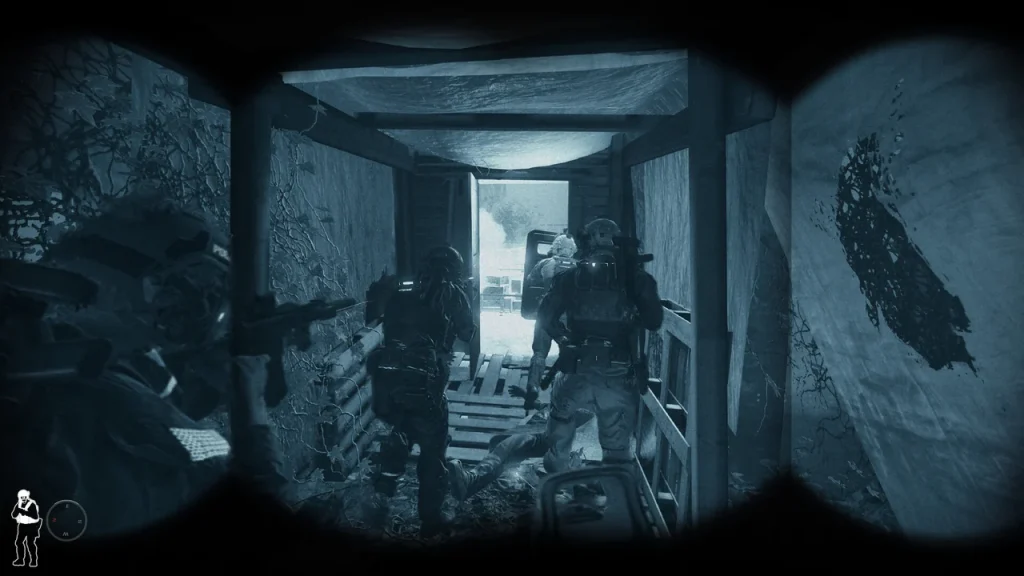
Be cautious with old guides listing exact status names, recovery counts, or trait percentages. The official images shown here are November 2023 development examples marked as work in progress. They demonstrate the campaign concept and review feedback, but they do not prove that the present interface or recovery balance is unchanged.
Mission settings and modifications matter when comparing runs. A custom scenario can change the encounters you create, and a PC mod can change game systems directly. If you are troubleshooting recovery behavior, note those additions and compare with an unmodified campaign before attributing the result to a universal rule.
Ironman adds another reason to avoid experiments that depend on failure. VOID’s launch material describes the save consequence of the commander’s death in that mode. Check the selected campaign option before trying a risky run merely to test how much stress a death adds or removes.
Use the post-mission review as a planning tool. If you repeatedly lose officers, preserve the next eligible team while practicing the troublesome mission in a suitable separate mode. That practice can help you learn routes and interactions without confusing its progress with recovery in your persistent campaign.
The next useful action is usually concrete: assign counseling, rotate a replacement, revise a loadout, or improve one mission outcome. Make that change and inspect the resulting roster instead of chasing a supposed instant stress reset that has no verified basis in the installed build.
| What you are managing | Useful next action |
|---|---|
| Living officer under serious strain | Inspect the file and use the offered recovery assignment |
| Officer assigned to counseling | Select an eligible replacement and review the active traits |
| Squad repeatedly harmed by mission outcomes | Change conduct, arrests, civilian handling, and casualty risks |
| Suspect agitation during a room encounter | Use the surrender mechanics guide; this is another stress system |
| Dead Commander Mode officer | Recognize the campaign loss; therapy is not resurrection |

Frequently asked questions
Is officer stress the same as suspect stress?
No. Officer stress belongs to Commander Mode’s persistent roster. Suspect or civilian stress concerns their agitation during an encounter and interacts with morale. An NPC becoming agitated is not a measurement of your officer’s counseling needs.
How many missions does therapy take?
Use the assignment and availability shown in your current campaign. The selected official sources establish therapy and passive recovery, but do not provide one current duration that applies to every officer and build. Do not infer a universal count from an older guide.
Does a good mission grade guarantee a healthy roster?
No. The developer’s campaign briefing specifically separates mission success from its conduct. Civilian deaths and officer casualties can have longer-term consequences even when other objectives are completed. Review the people and events involved, not only the grade.
Can I restore a dead officer with therapy?
Therapy addresses a living officer’s stress condition. The campaign’s officer permadeath is a different outcome. Check whether the officer is unavailable for counseling or has been lost during the Commander playthrough before choosing a recovery action.


Sources and update scope
Reviewed November 9, 2026: Commander Mode briefing Vol.63, 1.0 campaign features, 1.0 Hotfix 3 recovery balance, official morale, stress, and loadout FAQ, and v1.5.3 update. The November 2023 review images are historical development captures. No current-client playtest, fixed recovery duration, numerical trait bonus, or instant stress-reset method is claimed.
Sources and further reading
- https://steamcommunity.com/games/1144200/announcements/detail/3801661174266563081
- https://steamcommunity.com/games/1144200/announcements/detail/3859085878636601510
- https://steamcommunity.com/games/1144200/announcements/detail/4042612166517371716
- https://steamcommunity.com/games/1144200/announcements/detail/3970553140547184115
- https://steamcommunity.com/games/1144200/announcements/detail/714540024688806127