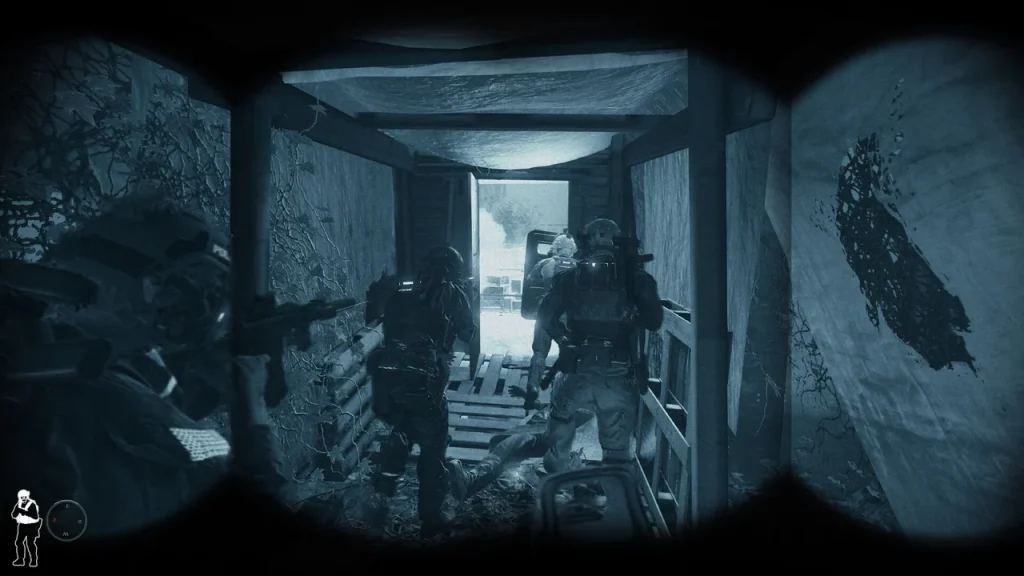
TL;DR: This Ready or Not civilian rescue guide follows the whole contact process: locate the civilian, obtain compliance, restrain and report them, then confirm their movement or collection. A kneeling NPC, an exit command, and a completed civilian objective are different states. Finish the interaction before assuming the rescue is recorded.
Start by reading the mission objectives, then search deliberately instead of chasing the last missing person through random rooms. Keep track of which rooms contain unprocessed civilians and which contacts are already reported. In singleplayer, your SWAT officers can assist with restraints and reports; in co-op, assign those jobs to a teammate.
The guidance below uses VOID’s official launch features, development briefings, and later interaction fixes. The latest selected update is v1.5.3, published October 13, 2026. Mission Editor presets can change civilian behavior and starting conditions, so identify whether your session uses the ordinary mission or a custom setup.
On this page
1. Use this Ready or Not civilian rescue guide to find the missing contact
Before entering, read the tablet briefing and objective list. A mission may include named people or special tasks alongside its broader civilian objective. Use those details to understand what you must complete, while recognizing that a briefing is not a live tracker of every NPC’s current position.
Work through connected rooms in a consistent order. Search the spaces that are easy to walk past: adjoining bathrooms, small rooms off corridors, and accessible hiding places. When you return to a cleared area, check whether a civilian moved while you were occupied elsewhere rather than assuming their earlier location still applies.
Call for compliance during the search and listen for responses. VOID’s January 2024 official FAQ specifically recommends this when finding the final civilians, saying that they should often answer with a voiceline. Treat a reply as a clue to investigate, not proof that every person nearby is visible or already safe.
If you hear someone across a wall, find the connecting route and check the room before moving the civilian. A voice does not show whether the route contains another contact. Conversely, silence does not prove that the area is empty: the official advice says civilians often reply, rather than promising a response from every NPC.
For example, imagine the main hallway is searched but the civilian objective remains open. Revisit its side rooms one at a time, call for compliance, and follow any response to its reachable source. This is more useful than repeating the same shout in the corridor while leaving an adjoining room unexamined.
SWAT AI can check hiding places as part of room clearing, according to the November 2023 AI briefing. Give the appropriate room task and allow the officers to finish their search. Use the SWAT AI commands guide to distinguish a clearing assignment from a follow or hold instruction.
After Bring Order to Chaos is completed, civilians can seek out the player; later patches include fixes to this behavior. It can reduce the remaining search, but do not wait indefinitely expecting every contact to walk to you. Keep investigating the rooms and outstanding objectives that your own sweep has not resolved.
2. Turn compliance into a restrained and reported civilian
Approach the interaction as a sequence. First identify the contact, call for compliance, and observe the response. When the civilian completes surrender and the restraint interaction is available, secure them. Then confirm the report rather than treating the restraint animation alone as the end of the rescue.
A civilian who has raised their hands or knelt is not necessarily restrained. Leaving that person behind creates an unfinished task that can be hard to recognize during the final sweep. If another room demands your attention, tell your teammate which contact still needs processing instead of saying that the room is completely finished.
In singleplayer, SWAT officers can automatically secure and report civilians. Let the assigned officer complete that action before issuing an unrelated movement or room order to the same element. An officer kneeling beside a contact is busy with a job; repeatedly replacing the job can make the team appear less effective.
In co-op, one player can handle the interaction while another continues watching the room. Agree on a short completion call such as “restrained and reported,” and use it only after both steps occur. This keeps a person whom everyone has seen from becoming a person whom nobody actually processed.
Keep the civilian distinguishable from nearby suspects and loose weapons. Reporting a person and collecting a weapon are separate parts of the mission workflow. If a weapon remains beside the contact, follow the evidence collection guide rather than assuming the civilian interaction removed it.
If the restraint prompt does not appear, check the contact’s actual state and your access. Let an ongoing surrender animation finish, move around the blocking prop, or use an offered movement instruction to bring the contact to a reachable position. Repeating the same interaction through a door frame does not correct a bad approach.
Special civilians require their own mission context. The March 2026 v1.4.1 notes document a game interaction for manually defusing civilian bomb vests and a fix for surrender after SWAT disarming them. When that scenario appears, complete the offered vest interaction and reassess the civilian’s compliance and restraint state. Do not apply an ordinary civilian checklist while ignoring the task shown by the game.

3. Move civilians through routes that are actually usable
Ready or Not’s launch command system supports instructions for surrendered and arrested targets to turn around, move to a marked position, or move to the officer. Use the available contact commands to solve a concrete obstruction or repositioning problem, and then watch whether the NPC completes the requested movement.
For a civilian kneeling in a crowded doorway, a nearby clear position can make the restraint accessible. Select a reachable destination on the searched side of the room, issue the movement instruction, and leave the route open. Confirm that the person reaches that spot before continuing the contact process.
Avoid moving a civilian into a room you have not searched simply to clear your path. An exit destination does not tell you that every intervening area is resolved. Finish the nearby search, open the required route, and keep enough space between your squad and the NPC for the movement to proceed.
Move to Exit is another documented option. The launch feature notes describe automatic arrest on arrival, and v1.4.1 later fixed civilians sometimes failing to be automatically arrested at the player’s spawn. Issue the command, observe the departure, and verify the resulting state instead of counting the command itself as a completed rescue.
If the contact stops at a doorway, first examine the route. A closed or obstructed door, your squad occupying the passage, or an unreachable destination can explain the result. Make the path usable and try a nearer movement target where available. This tests the immediate problem without changing the whole mission.
Door traversal also has a repair history. Home Invasion updates and v1.4.1 include fixes affecting NPC movement through doorways. Those notes establish that such problems existed; they do not prove that every current pause is a recurring bug. Record the door, contact state, and movement command when a failure remains reproducible.
Your own movement matters when using a command that brings a contact to you. Choose a stable place on a usable route rather than constantly changing rooms before the civilian catches up. For several contacts, process them in manageable groups so you can still tell who arrived, who was restrained, and who remains elsewhere.
4. Verify extraction and the unfinished civilian objective
Trailer units and your entry team perform different jobs. The launch changelog says trailers enter after Bring Order to Chaos is completed, while the earlier trailer briefing describes carrying secured or deceased contacts and collecting bagged evidence. The practical distinction is that extraction follows the contact work you have already performed.
Do not rely on trailers to supply a report that nobody made. Dark Waters Patch 1 fixed pre-arrested civilians giving the wrong score when trailers collected them before the player could report them. Although that historical issue was addressed, it shows why a restrained starting state, a report, and later collection should be checked separately.
When a civilian is already restrained on discovery, confirm the report interaction and mission result rather than trying to repeat a restraint that is unnecessary. Mission Editor’s prisoner archetype can deliberately spawn pre-restrained civilians. That is a preset condition, not a rule that applies to every civilian in an ordinary mission.
Use a final sweep to resolve the specific outstanding step. If the objective remains incomplete, revisit contacts that were only made compliant, check people you moved, and inspect rooms whose searches were interrupted. If every known contact is processed, look again for hidden or mobile civilians instead of revisiting only the same visible group.
Read the objective status during the run and the mission result afterward. This civilian guide addresses contact handling; completing it does not automatically satisfy separate suspect, evidence, or special mission objectives. The suspect surrender guide explains the different state changes for resisting suspects.
For a repeatable mismatch, record the mission, version, difficulty, preset or mods, contact’s starting state, and the last completed action. A report saying “already restrained, reported, then collected, but the objective stayed open” identifies a narrower problem than “civilian rescue does not work.”
| Civilian state | Next useful action |
|---|---|
| Heard but not located | Search the connected rooms and follow the response |
| Compliant but unrestrained | Complete the available restraint and report |
| Already restrained | Confirm reporting and the mission objective |
| Given a movement command | Watch the route and verify arrival |
| At the exit | Check the resulting restraint and objective state |
| Collected by trailers | Confirm processing and mission results, not only disappearance |

Frequently asked questions
How do I find the last civilian?
Revisit the rooms and hiding places that were not fully searched, call for compliance, and investigate any reply. VOID recommends this approach, but a silent room is not proof that nobody is there. Civilians may also move, so check adjoining spaces again.
Does a kneeling civilian count as rescued?
Kneeling usually shows compliance, while restraint and reporting are subsequent tasks. Complete those interactions yourself or verify that a SWAT officer finished them. Check the objective rather than assuming a visible surrender completed every requirement.
Will Move to Exit finish the rescue automatically?
The feature is documented to arrest contacts on arrival, but the issued command and successful arrival are separate observations. Watch the path, verify the resulting state, and check your mission objective. If the civilian stops, inspect the route before repeating the order.
Can trailer units find every missing civilian?
Their documented role is collecting processed contacts and relevant items after the entry team’s work reaches the required objective state. They are not a replacement for locating civilians, obtaining compliance, and checking reports. Continue your search when the civilian objective remains unresolved.


Sources and update scope
Reviewed November 8, 2026: v1.5.3 update, v1.4.1 interaction and movement fixes, official final-civilian FAQ, 1.0 contact commands and trailer features, SWAT AI development briefing, trailer development briefing, Dark Waters Patch 1, Home Invasion Patch 2, Los Sueños Stories update, and Mission Editor civilian archetypes. Official-source mechanisms and practical game steps are distinguished; no current-client playtest, fixed civilian count, guaranteed response, or extraction timer is claimed.
Sources and further reading
- https://steamcommunity.com/games/1144200/announcements/detail/714540024688806127
- https://steamcommunity.com/games/1144200/announcements/detail/532125218178599594
- https://steamcommunity.com/games/1144200/announcements/detail/3970553140547184115
- https://steamcommunity.com/games/1144200/announcements/detail/3859085878636601510
- https://steamcommunity.com/games/1144200/announcements/detail/3835439444392378670
- https://steamcommunity.com/games/1144200/announcements/detail/3710460111434346510
- https://steamcommunity.com/games/1144200/announcements/detail/527581130405185163
- https://steamcommunity.com/games/1144200/announcements/detail/4357880461176873768
- https://steamcommunity.com/games/1144200/announcements/detail/561377319446381025
- https://steamcommunity.com/games/1144200/announcements/detail/669497686129378006