TL;DR: Plan Ready or Not co op team roles as shared responsibilities among human players. Assign someone to read the briefing, coordinate equipment, track objectives, and confirm when the group is ready to continue. With two players, combine responsibilities; with five, divide them more widely and keep handoffs explicit.
Useful co-op roles tell your friends who is handling a task without pretending that Ready or Not automatically assigns that task to a class. Every human teammate still operates their own character. A role agreement should make communication clearer, and it should be easy to change when someone switches equipment or leaves.
This guide uses the current official player-count description and released multiplayer features, checked November 9, 2026. The group examples are practical in-game agreements, not claims that a particular formation guarantees a mission result. They focus on briefing, equipment, objectives, and session coordination.
On this page
1. Ready or Not co op team roles: agree on responsibilities
Start with the tasks the session needs, then attach names to them. A regular group benefits from knowing who reads the objective list, who checks equipment choices, and who asks whether everyone is ready. You can rotate those responsibilities between missions instead of assigning a permanent rank to every friend.
The official Steam description says Ready or Not supports up to five co-op players and includes crossplay. That is the size of the supported group, not a requirement to fill every slot. Use a smaller set of combined responsibilities when only two or three friends are available.
Give each role a concrete output. “Briefing reader” means someone summarizes the selected mission’s tasks. “Equipment coordinator” means someone checks what the players intend to bring. “Objective tracker” means someone watches the tablet’s recorded progress. Those definitions help more than a collection of dramatic titles with no agreed actions.
| Shared responsibility | What the player contributes | Useful confirmation |
|---|---|---|
| Briefing reader | Summarizes mission context and named tasks | “We also need to find this named contact” |
| Equipment coordinator | Checks intended tools and compatibility | “Tell us if your loadout changed” |
| Objective tracker | Reviews what the tablet records | “That report is still outstanding” |
| Contact-task helper | Handles an agreed interaction when appropriate | “I am doing this interaction” |
| Readiness checker | Confirms the group is ready to continue | “Is anyone still in a menu?” |

These responsibilities overlap during play. The person reading the briefing is still a participant in the mission, and the person checking equipment is not the only teammate allowed to use a tool. The point is to make necessary tasks visible, not to stop another player from helping.
For a first group session, say the assignments out loud or put them in the available chat. Keep the wording short enough that everyone remembers it. If a task remains undone, ask who is taking it now rather than assuming the original assignment still applies after circumstances change.
The 1.0 release documented cooperative commands, tablet team information, and built-in chat. Those features can support communication. They do not turn a human player into an AI teammate that automatically carries out another player’s order.
2. Scale the arrangement from two players to five
Combine roles when the group is small. More players allow more separation, but a five-player session can still be confusing if everyone assumes someone else is watching objectives. Every arrangement needs a named owner for the task and a simple way to hand it over.
For two players, let one person summarize the briefing and check progress, while the other coordinates equipment and asks about readiness. Both still perform interactions and share observations. Before continuing, compare the objective list together if either person is uncertain about what remains.
For three players, separate the briefing and objective responsibilities if that helps. One reads the mission, one checks equipment, and one watches recorded progress. Keep readiness as a quick group question instead of adding another elaborate role. A smaller group needs fewer labels, not fewer confirmations.
For four or five players, you can assign a separate helper for contact-related tasks or let one player concentrate on checking session readiness. Avoid building the plan around an absent fifth person. If that friend cannot join, combine their responsibility with another role before loading the mission.
Suppose your briefing reader has to step away after the first mission. Say who is reading the next one. If your objective tracker becomes unavailable during play, another teammate opens the tablet and takes that responsibility. A clear handoff is more valuable than continuing to use a name that no longer describes who is doing the task.
Set the group’s pace as well as its roles. Friends can agree to a learning session, an equipment experiment, or an ordinary mission run. Those intentions lead to different amounts of explanation and waiting. State the intention before loading so that a newer player does not feel rushed through the controls.
Use the Ready or Not review if some friends are still deciding whether that style of session appeals to them. Co-op’s maximum player count answers how many can join; it does not answer whether the group enjoys the same pace, subject matter, or mission responsibilities.

3. Coordinate equipment and the mission information
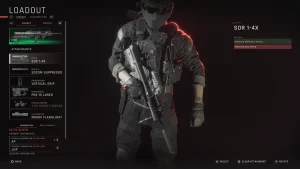
Review the mission and loadouts together before committing to the session. The equipment coordinator should ask what players have actually selected, while the briefing reader identifies the task wording. Avoid building a plan around equipment someone intended to equip but never confirmed in the menu.
The 1.0 announcement described tablet briefings, dispatch calls, available maps, known contacts, and team loadout information. Use those references to keep everyone discussing the same selected mission. A remembered objective from another map or save is not a substitute for the current list.
If the mission names a contact, tell the group the name and the required interaction or report. The civilian rescue guide explains how to follow contact tasks without assuming a fixed spawn. The objective tracker should compare recorded progress with the actual wording instead of treating every completed interaction as the end of the objective.
Equipment checks can stay brief. Ask whether players changed a weapon variant, selected a different rail device, or altered their headgear. The weapon attachments guide separates those loadout choices from activation. The night vision vs flashlight guide explains why teammates may see different details in the same scene.
For example, if one friend cannot read a sign another mentions, check their current view rather than repeating “over there.” They may be looking through goggles, a different optic, or a normal view. Describe the object and acknowledge the difference before assuming the player missed something obvious.
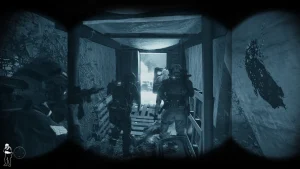
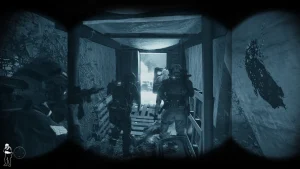
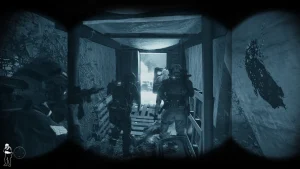
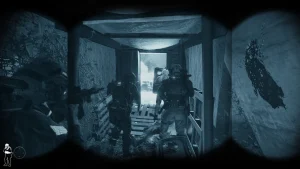
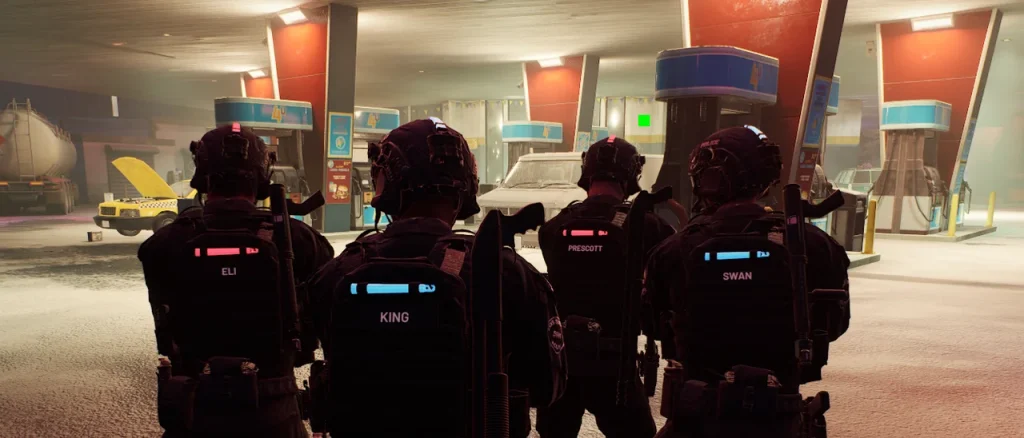
The Dark Waters release added officer name tags and team-colored chemlights to improve identification. The historical image above illustrates those visual aids. Names and colors help identify a teammate, but they do not prove which responsibility that person agreed to handle today.
Also confirm the difficulty and whether the host customized the mission. The Los Sueños Stories release added difficulty choices, while the Mission Editor release added customization in friends-only multiplayer lobbies. If the host changes those conditions, tell everyone before comparing this run with a previous one.
4. Use short callouts and explicit session handoffs
A useful callout describes a current action or missing piece of information. “Checking objectives,” “still in loadout,” and “I cannot hear your voice” give the group something it can respond to. Vague announcements make teammates guess what should happen next.
Keep confirmation separate from intention. “I will check that report” means a task is planned; “the tablet records it complete” means the result has been checked. The objective tracker can make that distinction without claiming that every interaction or report behaves identically in every mission.
When two friends approach the same interaction, one can say they are handling it and the other can confirm. That reduces duplicate effort and helps explain which action produced the result the group sees. If the task does not register as expected, describe what happened instead of announcing completion from memory.
Before a restart or return to the station, ask whether anyone is still checking information or changing equipment. The v1.4.1 release added loadout conveniences while restarting Quickplay or multiplayer missions. Those options are useful, but the group still benefits from knowing that a player has not finished the change.
Test audio and invitations before a long session, especially with crossplay. Check the host’s lobby settings and each player’s intended platform. If voice is missing, verify the selected audio device and settings rather than assuming the role plan failed. The August 2025 patch addressed several historical VOIP and crossplay issues; those dated fixes are not a guarantee about every current connection.
If the session is modded, make sure the group knows which setup the host is using. Official updates can change files that mods depend on. A custom or incompatible setup can explain a different result, and it should be recorded before someone presents that result as standard game behavior.
Human-player roles also differ from the singleplayer roster system. Our Commander mode guide covers a persistent solo campaign, while the SWAT AI commands guide covers computer teammates. Do not promise that a co-op responsibility grants an officer trait or automatically makes the command interface execute another human player’s task.
End each mission with a short group check: what did the objective list record, who is changing equipment, and who owns the next briefing? Adjust the roles as needed. A workable group agreement is one everyone can explain and hand over, even when the player count changes.
Frequently asked questions
Are these co-op roles fixed classes in Ready or Not?
No. They are suggested responsibilities that human players agree to share. Teammates still control their own characters and can help with several tasks. The useful part is knowing who checks a task and who takes over when needed.
Can two players use a role plan?
Yes. Combine briefing and objective checks for one player, and equipment and readiness checks for the other, then adjust during play. Keep the assignments short and confirm handoffs instead of trying to imitate a full five-player roster.
Does a command make my friend perform a role automatically?
Cooperative communication features can help convey a request, but a human teammate chooses and performs their own action. Do not treat player agreements as automatic AI behavior. Confirm whether the person accepted the task and completed it.
What should the group check before starting?
Confirm the selected mission, difficulty, current objective list, intended equipment, player count, and audio. If the host uses Mission Editor settings or mods, state that clearly. Those checks help everyone understand the same session conditions.


Sources and update scope
Human-player responsibilities and communication examples, not fixed classes or automatic AI behavior. Official maximum player count is five. Sources reviewed November 9, 2026.
Ready or Not current US Steam product description (read 2026-11-09).
1.0 Launch Major Feature Changelog, 1.0 Out Now! (2023-12-13).
Dark Waters Release Changelog (2024-12-10).
Los Sueños Stories Update Changelog (2025-07-15).
Los Sueños Stories Patch #2 (2025-08-07).
RoN v1.4 Boiling Point Release Changelog (v1.4.1) (2026-03-12).
RoN v1.5 Update: Mission Editor Changelog (v1.5.2) (2026-09-03).
Sources and further reading
- https://store.steampowered.com/app/1144200/
- https://steamcommunity.com/games/1144200/announcements/detail/3859085878636601510
- https://steamcommunity.com/games/1144200/announcements/detail/525328778479535179
- https://steamcommunity.com/games/1144200/announcements/detail/561377319446381025
- https://steamcommunity.com/games/1144200/announcements/detail/680757319885129886
- https://steamcommunity.com/games/1144200/announcements/detail/532125218178599594
- https://steamcommunity.com/games/1144200/announcements/detail/526476689498177893