TL;DR: Choose between Ready or Not night vision vs flashlight by checking what makes the current game scene readable. Night vision helps you examine a dark scene, while a flashlight illuminates the area its beam reaches. Check your optic view, fitted attachments, and active device state before deciding that one option is always better.
Night vision and a flashlight solve different visibility problems in Ready or Not. Night vision changes the view through your goggles; a weapon light changes the illumination in front of the weapon. The useful choice is the one that lets you identify contacts and read the environment without losing the sight picture you need.
This guide uses official release notes and documented visual changes, checked November 9, 2026. It gives an in-game comparison method rather than a tested brightness score or a universal control binding. Equipment compatibility and custom graphics settings still need checking in your own installed build.
On this page
1. Ready or Not night vision vs flashlight: compare the scene
Start with the scene you actually need to read. If the dark room remains difficult to interpret through your normal view, check night vision. If you need more light on a nearby area, examine what the flashlight illuminates. Keep the comparison focused on identification rather than whether one screenshot looks more dramatic.
A flashlight can make a particular patch of the scene clearer without making the entire room equally readable. Its result also changes as your weapon points elsewhere. Night vision gives you a different overall view, but the overlay, contrast, and optic interaction can introduce their own readability costs.
Compare three things before choosing: the contact’s visible details, nearby objects you need to interact with, and the sight picture when you aim. A setting that makes a wall easy to see can still make a nearby person or optic harder to interpret. That is why a single bright or dark screenshot is a poor complete comparison.
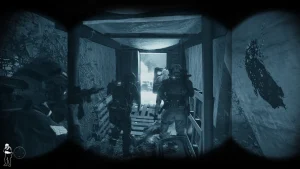
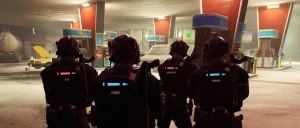
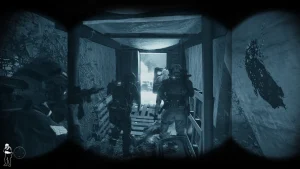
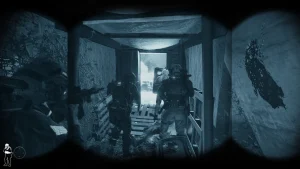
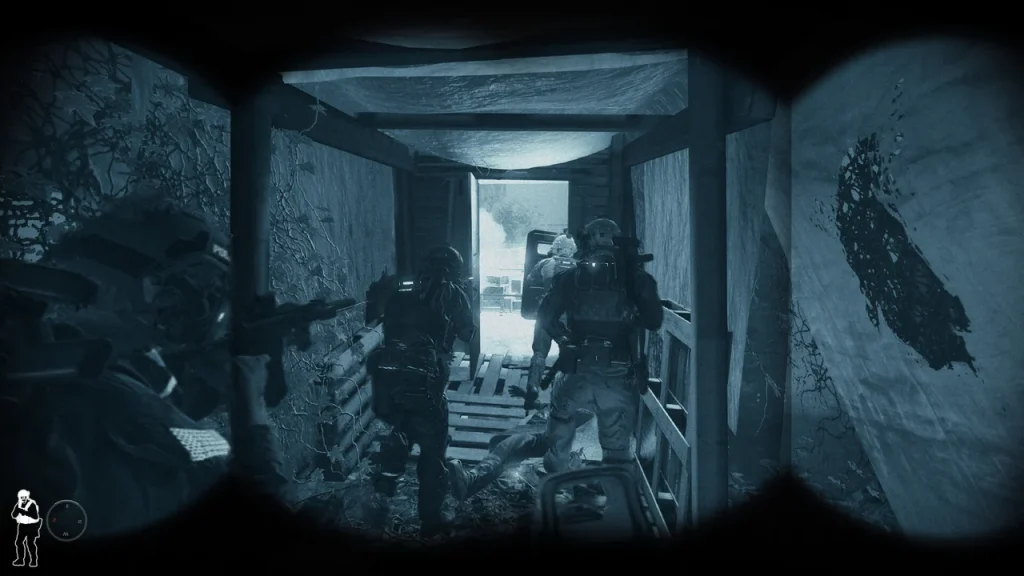
For example, the official night-vision image above shows the distinctive filtered view of a damaged interior. The nightclub image later in this guide contains strong colored lighting. They illustrate different visual conditions, not a controlled test of which device wins on every map.
| Question in your game scene | Check with night vision | Check with the flashlight |
|---|---|---|
| Can I interpret a dark room? | Overall contrast and overlay | Reach and direction of the illuminated area |
| Can I identify a nearby contact? | Visible details through the goggles | Details inside the beam |
| Can I read my optic clearly? | Blur, reticle, and optic compatibility | Normal sight picture with the light active |
| Can my team follow the same callout? | What each teammate can actually see | Whether the relevant area is illuminated for them |
| Is the device functioning as expected? | Equipped goggles and active state | Fitted light and selected rail device |

The table is a checklist, not a measured ranking. If your scene is already readable, you do not need to activate another device merely because it is equipped. Ask what information the change gives you, then keep the view that communicates that information most clearly.
2. Check the goggles, optic, and headgear separately
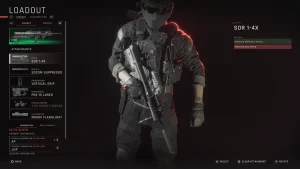
Treat the goggles and the optic as separate parts of the loadout. A readable night-vision view does not guarantee that the same optic is equally readable while aiming. Review the loadout menu and compare the sight picture instead of blaming the goggles for every aiming problem.
The October 2024 development briefing previewed changes to GPNVG and binocular overlays. It described a moving vignette, perspective changes, and blur around nearby objects and ordinary sights. It also identified the EXPS3 as an example of a night-vision-compatible holosight that could mitigate the described optic blur.
That briefing was a preview. The December 2024 Dark Waters release subsequently confirmed improved NVG effects and the GPNVG overlay as base-game changes. It did not list every preview detail individually, so use the preview to understand the design discussion and your current build to check the exact appearance.
When comparing optics, change one item at a time. First compare the normal view with the goggles active and inactive. Then check the optic at the same position. If you also change magnification, field of view, and graphical settings, you will no longer know which adjustment made the view easier to read.
Do not infer night-vision compatibility from magnification alone. A sight with several zoom states has a separate visual role from an attachment that provides illumination. Our weapon attachments guide explains the distinction between weapon variants, fitted accessories, and active sight modes.
Headgear advice also needs a version check. The November 2024 development briefing explained the plan for more flexible headgear combinations and specifically discussed the old NVG-versus-gas-mask choice. That historical design discussion is a reason to inspect today’s available slots, not to repeat a launch-era restriction as a current rule.
Before a gas-equipped group session, verify the actual combination each player’s menu permits. Visibility selection and gas protection address different problems. Our gas vs flashbang comparison discusses equipment preparation; this article does not assume a particular headgear combination from an old preview alone.

3. Verify the flashlight and rail device state
Check whether the light is fitted, selected, and active. Those are three different states. A loadout that includes a light can still appear dark if another rail device is selected or the attachment is inactive. Adding an accessory in the menu does not mean its effect is permanently enabled.
The v1.4.1 release added the ability to equip and alternate between multiple rail attachments, giving a flashlight and red laser as an example. Older advice that assumes a single rail accessory may therefore describe a previous version of the menu.
The wording matters: equipping multiple attachments is not the same claim as every device being active at once. Use the controls and indicator shown in your installed build to find the current selection. Avoid memorizing a key from someone else’s PC setup if you use a controller or have customized your bindings.
A visible laser, an infrared device, and a flashlight also provide different visual information. Seeing an aiming indicator does not mean the light is illuminating the room. When a teammate says the flashlight is not working, ask which accessory they can see and which device the interface says is selected.
Use the station to check the sequence before joining a mission. Confirm the intended weapon variant, inspect the available attachment menu, equip the supported light, and identify its activation control. Compare what happens in the interface with what appears in the scene. This is an equipment check, not a recommendation to change every device during an encounter.
Recent release notes give another reason to check the version. The v1.5.3 update fixed flashlight and laser effects emitting from misaligned weapon positions. An old video showing that problem is evidence about its recorded build, not proof that the same alignment issue is present now.
If a visual effect still looks wrong, record the weapon variant, attachment, build, and whether the session uses mods. Test the simplest supported loadout before changing several graphics options. That produces a useful bug description and avoids interpreting a compatibility or selection problem as a universal weakness of the flashlight.
4. Compare views with your team and keep callouts useful
Agree on what everyone can see before relying on a shared visual cue. One player using night vision and another looking through a normal view may describe the same room differently. Good in-game communication identifies the object or location, rather than assuming every teammate sees the same shade or brightness.
Use concrete callouts such as “tablet open,” “light selected,” or “I cannot read that sign.” These describe the player’s current information and equipment state. Saying “it is obvious” adds nothing when another teammate’s overlay or optic makes the same detail difficult to interpret.
For a two-player group, compare the normal and night-vision views at the same pause point and discuss which details each person can identify. For a larger group, let the person checking equipment confirm the attachment state while the briefing reader checks the objective wording. These are voluntary tasks, not classes that the game assigns.
Our co-op team roles guide gives a simple way to divide those responsibilities. If you are playing solo, the SWAT AI commands guide covers computer-squad controls. Human teammates need to choose their own view and perform their own actions; an AI command label does not automatically change another player’s equipment.
Do not assume a flashlight is invisible to the game’s AI. The Los Sueños Stories release explicitly included fixes to AI flashlight detection. That confirms detection behavior is part of the game’s systems, but it supplies no universal distance or reliable percentage for every mission.
Keep any comparison conditions consistent. Match the game build, difficulty, graphical settings, and whether the mission is customized. If one session uses mods or a different preset, write that down before explaining a difference in visibility or behavior. A useful comparison records the conditions instead of treating every observation as a permanent game rule.
Your final choice should be easy to explain: use the view that makes contacts, interaction targets, and your sight picture readable in this scene. Carry supported equipment when it suits the mission, verify its current state, and change the view when the information you need changes.
Frequently asked questions
Is night vision always better than a flashlight?
No universal winner follows from the official sources. Night vision changes the overall view; a flashlight illuminates the direction it faces. Compare contact details, scene contrast, and optic readability in the current scene before choosing.
Can I equip more than one rail attachment?
The v1.4.1 release added multiple rail attachments with the ability to alternate between them. Compatibility still depends on the weapon and available menu options. A fitted attachment is not automatically the currently selected or active device.
Should I follow an old guide that makes me choose NVG or a gas mask?
Check its build and compare it with your current loadout slots. Official 2024 briefings discussed changing that restriction, but previews alone do not establish every present menu combination. Verify the equipment you can actually fit rather than repeating an old rule.
Why does my light look wrong even when it is equipped?
Confirm device selection and activation first, then check the weapon variant, game version, and mods. Official updates have addressed light and laser alignment issues. Report a reproducible current example instead of assuming all lights behave the same way.


Sources and update scope
Official released visual and attachment features, with preview details clearly dated. Current headgear combinations and exact optic appearance need checking in the installed game. Sources reviewed November 9, 2026.
Dark Waters Release Changelog (2024-12-10).
Vol. 79 – Ready or Not Development Briefing (2024-10-25).
Vol. 80 – Ready or Not Development Briefing (2024-11-22).
RoN v1.4 Boiling Point Release Changelog (v1.4.1) (2026-03-12).
Ready or Not v1.5.3 Update Changelog (2026-10-13).
Los Sueños Stories Update Changelog (2025-07-15).
Sources and further reading
- https://steamcommunity.com/games/1144200/announcements/detail/4520017023194709123
- https://steamcommunity.com/games/1144200/announcements/detail/525328778479535179
- https://steamcommunity.com/games/1144200/announcements/detail/6634459680135446666
- https://steamcommunity.com/games/1144200/announcements/detail/532125218178599594
- https://steamcommunity.com/games/1144200/announcements/detail/714540024688806127
- https://steamcommunity.com/games/1144200/announcements/detail/561377319446381025