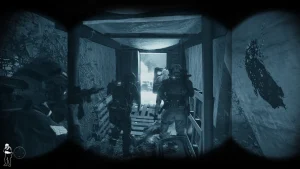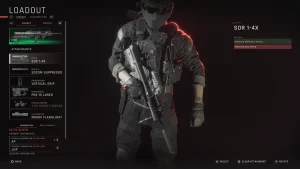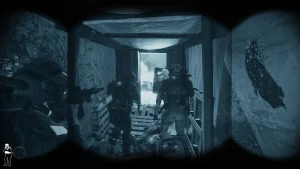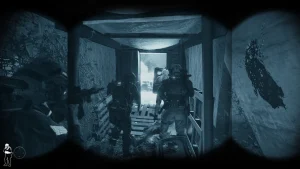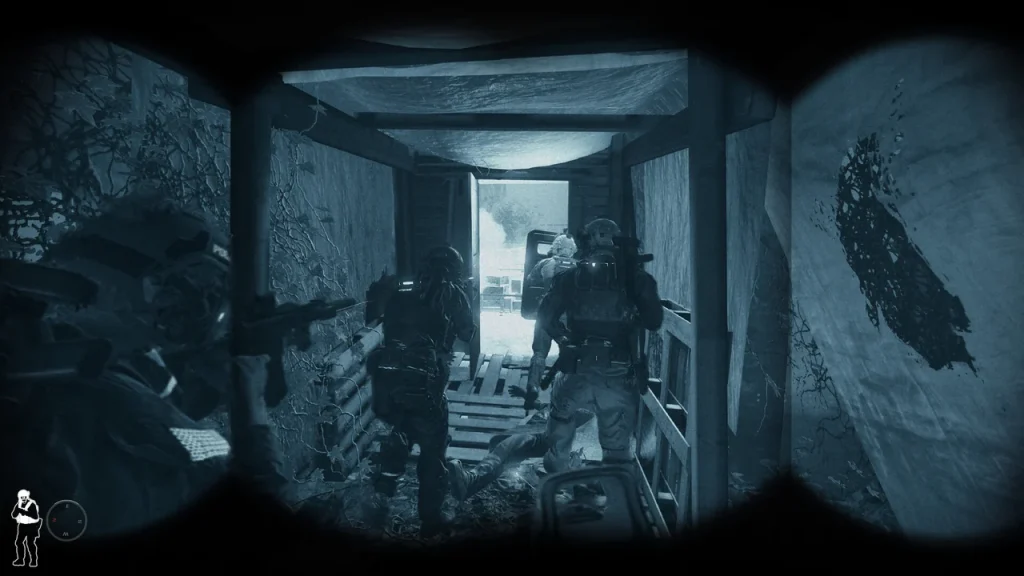
TL;DR: For Ready or Not gas vs flashbang, choose by the effect you need in the game: CS gas creates a lingering area effect, while a flashbang provides a brief burst of disruption. Gas demands attention to the cloud, viewing conditions, and protection; a flashbang requires attention to its deployment and the response it actually produces. Neither guarantees the same reaction from every NPC.
Start by selecting the actual grenade or launcher variant in your loadout, then read its function. A CS device, a flash device, and a pepperball weapon are different items. Keep the comparison focused on their effects in the current mission rather than assuming that everything labeled less-lethal behaves identically.
VOID’s development briefing explains the gas system’s change from a static stun to area-denial behavior. Later release notes improved effectiveness and repaired launcher-related issues. The latest selected release is v1.5.3 from October 13, 2026; difficulty and custom settings can change the conditions you are comparing.
On this page
1. Compare Ready or Not gas vs flashbang by the resulting game effect
CS gas is designed to continue affecting an area after deployment. VOID’s October 2023 briefing describes longer-lasting clouds and a system intended to flush subjects out of dangerous areas. That makes it different from treating the grenade as a single instantaneous stun followed by an immediately normal room.
A flashbang provides a short disruption instead of leaving the same kind of gas cloud behind. Choose it when that immediate effect suits your game task and inspect the response after deployment. Do not assume that a loud effect alone means every NPC in the room was affected in the same way.
Gas can change where NPCs move as they respond to the affected space. Keep watching the resulting movement rather than reading the cloud as a permanent stop command. If someone leaves the affected area, their new position matters to the next game action.
Cloud coverage is not the same as a simple visible circle around the grenade. The developer describes a path-based system that can work around corners and through some small wall openings to a certain extent. That does not establish that gas passes through every solid wall or reaches every adjoining room.
If an object or wall separates the deployment from a target, inspect the actual response. The graphic’s appearance alone cannot establish that the target is included in the effect. An older video showing an NPC affected around one corner is not proof that every corner on another level has identical coverage.
The March 2026 v1.4.1 notes improved gas effectiveness against suspects, particularly on Hard difficulty. Those notes also fixed cases where suspects could step out of clouds before being affected. They establish that both response and coverage have been adjusted, without supplying a universal success rate for your current mission.
Keep timing claims tied to the source that states them. The 2023 development briefing included a cloud-duration example, but this guide does not convert that historical figure into an exact present timer. Use the effect you can observe in the installed build rather than beginning the next action from a memorized countdown.
2. Check the device, launcher variant, and protection you selected
Inspect the equipped item before starting the comparison. A throwable CS grenade and a launcher configured for CS are two ways of producing the game effect, while a flash variant produces a different result. The selected launcher ammunition or variant matters as much as the launcher model.
The July 2025 Los Sueños Stories release introduced the M32A1 with CS gas and flash variants. Its name alone therefore does not establish which effect your loadout will produce. Read the actual variant, confirm the equipment summary, and check it again if you load a different preset.
Launcher behavior also has specific repair history. The v1.4.1 patch fixed an undersized gas radius for launcher-fired rounds, especially on Hard difficulty, and an Xbox issue where launcher-fired gas failed to affect the player. Avoid carrying an older platform-specific observation into every current setup.
Plan your viewing and protection around gas. VOID’s 2025 equipment briefing specifically reminds players to use a gas mask with a gas-focused loadout. Check the equipment selected for the player and any participating officers rather than assuming that the grenade selection automatically changes their headgear.
A device being less-lethal does not mean its visual or gameplay effects are irrelevant to the player. Confirm how the current setup responds to the cloud and avoid using a repaired immunity bug as your plan. The same reasoning applies to a teammate who is inside the effect rather than outside it.
Distinguish a gas mask from other face equipment or ordinary appearance customization. Choose the protective item that the game actually offers for the intended loadout. Do not copy a character’s visual style and assume that it confirms every protection effect.
Pepperball equipment is another separate choice. The non-lethal loadouts guide covers the broader equipment arrangement, while this article compares CS gas and flash effects. A screenshot of a pepperball launcher is equipment context, not proof that its projectile acts exactly like either grenade.

3. Choose between a lingering cloud and a short disruption
Use gas when its continuing area effect is relevant to the mission situation you are observing. The important follow-up is to track the cloud and any NPC movement. A device that continues affecting space changes the game state over time, rather than producing one event that you can immediately forget.
Use a flashbang when you want the brief disruption it offers and do not need the same lingering cloud. Watch whether the intended area was affected, then reassess the visible scene. A missed or obstructed deployment should not be treated as a completed effect merely because the animation played.
Consider a practice-room comparison. Start with the same game setup, choose a flash device, and observe the immediate effect and its end. Repeat with gas under comparable conditions and observe the cloud and later movement. Record what changed rather than converting one attempt into a claim that either device always works.
For a room whose layout is unfamiliar, use the mirror gun guide to understand the inspection tool’s view limits. Seeing one portion of the room does not identify every person or every possible effect path. Keep that incomplete view in mind when evaluating a grenade result.
The same effect can be less useful when it obscures the information you need. Gas and scene lighting can make observation harder, even when the device is functioning. The February 2024 hotfix reduced CS smoke opacity; that is a historical change, not a guarantee that every current cloud will be easy to see through.
Keep the AI order matched to the equipment and effect you intend. If you request a device-assisted action from a selected element, check that element’s loadout and the complete command choice. The SWAT AI commands guide explains recipient selection and equipment-dependent actions.
Avoid turning “gas lasts longer” into “gas is always better.” A persistent effect, the protection it calls for, NPC movement, and the visibility it leaves are tradeoffs. A short flash effect can suit a different game problem. Choose the function that helps with the scene you can actually observe.
4. Compare results without carrying forward old bugs
When an effect seems ineffective, identify the event you expected. Separate a device that was not deployed, one that produced a visible effect, and an NPC that did not react as expected. Those are different observations and should not all become a report that the grenade is broken.
Check the selected device and current command first. A preset may use the wrong launcher variant, or an AI element may be assigned a different item. Confirm those choices before repeating the same test or changing the whole mission setup.
Next, inspect the point of deployment and the surrounding geometry. An effect behind an obstruction and an effect in the intended space are not equivalent comparisons. Record the actual in-game position and visible response instead of assuming that every similarly shaped room shares one coverage rule.
Difficulty is another variable. The official update singles out improved gas behavior on Hard, while custom missions can alter NPC conditions. Compare the same mission, difficulty, and preset if you want to understand a change between builds. Otherwise, the differences may come from the encounter rather than the equipment.
Flashbang-related feedback has also changed through fixes. The September 2025 v1.3.5 notes repaired flashbangs causing friendly-fire penalties when hitting SWAT AI. Do not copy an older claim that every affected officer always produces the same penalty in every current mode.
For a repeatable issue, note the platform, build, selected device or launcher variant, mission, difficulty, deployment position, and visible response. Those details distinguish a weapon configuration problem from a coverage or NPC behavior problem.
Use the resulting comparison to revise one choice: device type, compatible variant, protection, or command selection. Then observe the next attempt under comparable conditions. You do not need a universal effect-duration chart to establish whether the loadout produced the game effect you intended.
| Comparison point | CS gas | Flashbang |
|---|---|---|
| Main game function | Lingering area effect and movement pressure | Brief disruption |
| What to observe | Cloud coverage, NPC movement, and continuing effect | Deployment and immediate response |
| Loadout check | Gas device or CS launcher variant; gas protection | Correct flash device or launcher variant |
| Common comparison mistake | Assuming every wall or corner has identical coverage | Assuming the animation confirms every NPC was affected |
| Version concern | Effectiveness and launcher coverage have changed | Some feedback and penalty issues have been repaired |

Frequently asked questions
Is CS gas simply a longer flashbang?
The developer describes gas as a lingering area-denial system rather than the earlier static-stun approach. Its continuing cloud and NPC movement make it a different tool. Compare those behaviors, not only how long one visual effect remains.
Does gas affect everything through a wall?
No universal through-wall rule is established by the selected official sources. The developer describes path-based coverage around some corners and openings to a limited extent. Inspect the actual location and response instead of assuming every adjacent room is affected.
Does the M32A1 always produce gas?
The released equipment includes CS gas and flash variants. Check which one is selected in your current loadout or preset. The launcher name by itself does not tell you which effect the equipped variant produces.
Should I trust an older video showing no player effect?
Check the platform, device, and build. Official patches have repaired launcher coverage and player-effect issues. An older demonstration can describe that version without establishing a current immunity rule for your setup.


Sources and update scope
Reviewed November 9, 2026: Vol.61 gas-system explanation, v1.4.1 gas and launcher fixes, Los Sueños Stories equipment release, Vol.85 equipment briefing, 1.0 Hotfix 3 smoke adjustment, v1.3.5 flashbang feedback fix, and v1.5.3 update. This is an independent comparison of in-game equipment effects. No current-client test, fixed current duration or radius, guaranteed NPC response, or universal immunity claim is made.
Sources and further reading
- https://steamcommunity.com/games/1144200/announcements/detail/3710460111434346510
- https://steamcommunity.com/games/1144200/announcements/detail/532125218178599594
- https://steamcommunity.com/games/1144200/announcements/detail/561377319446381025
- https://steamcommunity.com/games/1144200/announcements/detail/526467189812756816
- https://steamcommunity.com/games/1144200/announcements/detail/4042612166517371716
- https://steamcommunity.com/games/1144200/announcements/detail/519724460721307736
- https://steamcommunity.com/games/1144200/announcements/detail/714540024688806127