TL;DR: For Arma Reforger infantry weapon zeroing, identify the weapon and selected sight, read its current range setting, and use the assigned zeroing control to change the displayed value. Keep magnification and sight selection separate. Verify the setting again after changing equipment or spawning; this guide does not invent one range table for every weapon.
Zeroing changes a configured sight’s range-related setting inside the game. It is not the same as zooming the view or selecting another sight. The available values depend on the equipment and scenario, so the useful reference is the current selected sight and its displayed controls.
This article explains the software and game interface, without a live aiming test or real-firearm adjustment instructions. The controller keybindings guide helps when an older shortcut disagrees with your installed client.
On this page
Arma Reforger infantry weapon zeroing: source scope
The 1.7 changelog improves a zeroing issue after a character spawns in multiplayer and separately fixes turret zeroing and camera angle. Those are distinct contexts, not a universal infantry default.
The July 2024 notes correct an obsolete Field Manual optics-magnification keybind. The 1.6 changelog adds wind effects to projectiles. We read these documents; we did not measure trajectories, sight values, or current device controls.
1. Identify the infantry weapon and active sight
Inspect the equipment your current avatar is using. A weapon model, attached optic, and active sight are related but different details. Another player’s weapon can look similar while exposing a different sight or configuration.
Read the selected sight’s current interface and relevant information. Do not assume a magnified optic and the weapon’s other sight share identical values. If the game offers sight switching, identify which one is active before changing a range setting.
Keep launcher, vehicle-turret, and helicopter-sight instructions out of an infantry sight check. Official patches discuss those controls separately. A chart for a gunship sight is not evidence that your selected rifle has the same inputs or available distances.
For a modified weapon, read the project’s instructions and the current client entry. The Workshop guide explains why installed content and the chosen session matter. A similarly named community weapon is not proof of the official asset’s configuration.
Record the weapon, sight, displayed setting, and game build before making a change. That small reference gives a later test a clear starting point. It is more useful than remembering only that the scope appeared enlarged.
If no adjustable range entry is exposed, do not invent one from another weapon. Read the available controls and equipment information. An absent setting can reflect the selected configuration rather than a failed keybind.

2. Separate zeroing, magnification, and sight switching
Zeroing concerns the selected sight’s range setting. Magnification changes how large the viewed scene appears. Sight switching changes the active sight context. Performing one action does not prove the other settings changed.
Inspect the current displayed value when you use a zeroing input. A zoomed image or a different view animation alone is not evidence that the range setting moved to the intended value.
Read the available values instead of assuming a universal step size. The sources used here do not provide a complete current table for every infantry weapon, optic, ammunition type, and modification. This guide therefore does not supply a guessed list.
Keep a displayed zeroing value distinct from a target-distance estimate. The setting records how the sight is configured in game; it does not automatically measure the distance to an object you are viewing.
The July 2024 Field Manual correction is a specific warning about older input information. If a remembered optics shortcut differs from the client, check the action’s name and assignment. Do not decide the zeroing system is broken merely because a magnification command changed.
Use the item’s current description and the game’s own reference material when you need a value the interface has not explained. Preserve the distinction between a documented setting and an assumption inferred from an old video.
3. Use the current zeroing input and inspect the result
Find the relevant action in the installed game’s controls or binding menu. Check that the assignment concerns the selected infantry sight, rather than another context such as a vehicle or optic magnification.
Read the whole input, including any modifier and activation behavior. A press and a hold can perform different actions, and one component of a combination may not trigger the intended command.
Make one change, then re-read the setting. The useful result is the final value displayed for the selected sight. An input animation or sound is supporting feedback, not a replacement for inspecting the resulting entry.
If the action changes another setting, identify what actually changed before trying again. A weapon or sight switch can leave you checking a different configuration. Keep the active sight and its current value visible in your notes.
After spawning or changing equipment, inspect the setting again. The 1.7 notes document a multiplayer-spawn zeroing correction, but do not establish the cause of every current mismatch. Rechecking is a practical way to avoid assuming a previous avatar state still applies.
If an entry remains unavailable, record the equipment and exact action context. Rebinding every control at once makes it harder to determine whether the selected sight exposes the intended action in the first place.
4. Verify the game setup without inventing a ballistic rule
Use a controlled game context to check the selected weapon and sight. Keep the scenario, equipment, and input setup stable for that check. This article recommends a validation process; it does not claim we performed it.
Confirm the displayed setting before comparing results. If the sight or ammunition configuration changes between attempts, preserve that change in the record. Otherwise, two different setups can be mistaken for a single inconsistent setting.
The 1.6 introduction of projectile wind effects means a sight value is not a guarantee that every in-game projectile follows an identical path under every condition. This guide does not derive a compensation formula or measured accuracy benchmark from that release note.
| What changes | Check the relevant setting | Avoid assuming |
|---|---|---|
| The scene looks larger | Magnification or view context | Zeroing necessarily changed |
| Another sight is active | Selected sight and its displayed value | Every sight shares one range entry |
| A range-related value changes | The active zeroing setting | The game measured target distance |
| A copied button does nothing | Action context and full binding | One old chart applies to every device |
| A new avatar or loadout appears | Current weapon, sight, and setting | All previous state is unchanged |
| Results differ in another scenario | Equipment and conditions | One value guarantees every trajectory |

Keep your observation narrow. A setting successfully changing is evidence about the interface. A result in one game context is evidence there. Neither establishes a universal range table for all official and community weapons.

Read patch notes by equipment context
Official zeroing fixes can concern infantry, a mounted weapon, a rear sight, or a camera alignment. Read the named equipment and issue together before turning a patch into a general setup instruction.
The 1.7 changelog’s turret-camera correction should remain a turret correction. It does not prove an infantry optic uses a turret’s default control or range. Likewise, a multiplayer-spawn fix does not provide every value the sight can select.
Use a relevant note to frame the symptom, then compare your actual equipment and game build. A historical correction is useful evidence, but it does not identify a present problem without the matching context.

Keep a useful settings record
Consider a session where you changed an attachment and then respawned. The first useful comparison is the new weapon and active sight against your previous note. If the sight changed, inspect its current entry before calling the result a lost zeroing value. If the sight matches but the display differs, retain the old and new states with the spawn transition.
Next check the assigned action in that same equipment context. Confirm that it changes the intended entry, then inspect the final value. A magnification change during this comparison is a separate observation and should not be reported as successful zeroing.
This example gives you a small diagnosis to perform in game, not a tested explanation of every mismatch. The result might identify a changed sight, a different action, or a state worth reporting. It does not require assuming a universal range, default step, or trajectory formula.
Record the selected weapon, optic or sight, displayed range setting, assigned action, game build, and scenario. If a setting differs after a spawn or equipment change, add that transition and the new visible state.
Do not describe a guessed target distance as a measured result or a copied default as a current client value. Those distinctions make an aiming-interface report understandable to another player or a server operator.
Finish an Arma Reforger infantry weapon zeroing check with the correct sight active and its final setting confirmed. Consult the current item and control entries for missing parameters instead of filling them with a universal number the source has not established.
Frequently asked questions
Is zeroing the same as zooming?
No. Zeroing concerns the selected sight’s range-related configuration, while magnification changes the view. Read the actual setting to determine which action occurred rather than relying on image size alone.
Is there one default range for every infantry weapon?
The sources used here do not establish a universal current table. Check the selected weapon, active sight, and available values in the client, especially when a scenario includes modified equipment.
Can I copy helicopter-sight controls for a rifle?
Use the infantry action’s current binding. Official notes treat different equipment contexts separately, and a helicopter chart does not establish your rifle’s input or adjustable values.
Why should I check zeroing after spawning?
The 1.7 changelog documents a multiplayer-spawn zeroing issue and improvement. Inspect your current equipment and value after a state change; do not assume a previous setup or that every mismatch has the same cause.
Sources and update scope
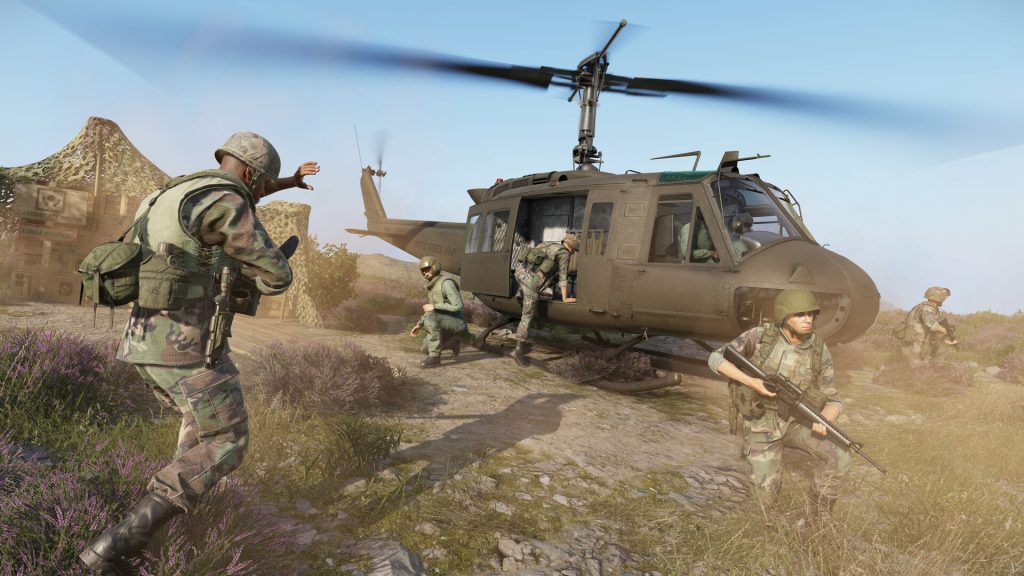
Read on November 8, 2026: 1.7 zeroing and camera corrections, 1.2.0.76 optics-control correction, and 1.6 projectile changes. No live sight range, trajectory, compensation, or aiming benchmark was tested. Official scene images are not proof of a specific zeroing display.