TL;DR: Use this Arma Reforger squad coordination guide to confirm group membership, identify the actual leader, assign one clear game task, and agree on the map and voice reference used to report progress. Recheck the group and available deployment after a reconnect or role change. A shared destination alone does not establish task ownership.
Coordination in Reforger depends on matching information across group, task, map, voice, and resource interfaces. Each answers a different question: who belongs to the group, who has authority, what job is assigned, where it applies, and what result occurred. Keep those answers consistent before adding more instructions.
This guide focuses on multiplayer game roles and interface habits. It does not provide real-world squad tactics or claim a live group test. For the wider mode structure, read the Conflict guide.
On this page
Arma Reforger squad coordination guide: HQC source scope
The 1.6 changelog introduces group types, associated loadouts, group-leader voting, squad support requests, Group Rally Points, and squad-cohesion rewards in the HQC context.
The 1.7 changelog adds control over group-leader volunteering, while 1.9 changes group-related reward and interface behavior. We read official notes without testing current voting, communications, rally rules, or reward conditions.
1. Confirm group membership and the actual leader
Open the current group information and confirm which group you selected. A familiar callsign in a message does not prove your avatar belongs to that group. Reconnecting, changing faction, or selecting a different role can make the previous conversation’s assumptions worth checking again.
Identify the leader shown by the game. Update 1.6 added the ability to vote for a group leader, and 1.7 allows volunteering to be toggled in game modes. Joining the group and being selected as its leader are separate conditions.
Check the group type and available loadout for your selected role. The HQC introduction ties types and loadouts together. Another player’s equipment is not a guarantee that your role has the same items, permissions, or available actions.
Keep the faction Commander separate from the group leader. HQC command posts organize Logistics, Operations, and Combat Support at the faction level. Leading a group does not automatically give you every faction-command interface.
Avoid assuming a Game Master vote grants gameplay leadership or server administration. The Game Master guide explains that separate editing role. Read the actual group role before using a missing command as evidence of a bug.
Finish this check with one known group, its current leader, and the roles actually selected. That shared reference is more useful than several players guessing who is responsible for issuing or updating the next task.

2. Assign a specific game task and name its executor
Read the current task description and identify who is expected to perform it. A Commander request, a group assignment, and one player’s personal plan can refer to the same area without becoming the same task object.
Choose one concrete result for the immediate job. For example, a game supply task needs a named destination and a verified transfer, while a construction task needs the intended completed composition. "Go there" leaves the completion condition unclear.
Use the task’s map reference and author information where available. Update 1.6 adds author names to player-created tasks in the task and map menus. That helps identify the source of a request instead of interpreting every icon as an instruction from the leader.
Confirm the executor before duplicating another player’s work. If one person is loading a vehicle and another is preparing the destination, keep those jobs distinct in the group update. A resource quantity changing somewhere does not prove the assigned destination received it.
Read any role-specific support-request controls rather than assuming every group member can submit every request. The HQC system gives the group a way to request support through the map, but current role and scenario conditions still need checking.
If the assignment changes, update the agreed result and destination together. A conversation can keep using the old place name even after the task interface points elsewhere. Compare the actual task with the new group instruction before continuing.
3. Confirm the voice path and map reference
Agree on the radio device and channel the group intends to use. A working outside voice application or nearby direct voice is not proof that the selected Reforger radio reaches the intended recipients. The radio guide covers that separate check.
Use one clear map reference for the assigned destination. Name the island or scenario context when it could be ambiguous, then the location or complete displayed grid. A shortened label can sound consistent while pointing different players to different places.
Identify the source of the map information. A personal marker, a shared note, a player-created task, and a live base-state icon do not make identical claims. The map navigation guide explains those distinctions.
Check the final audience of an edited marker. The 1.9 changelog fixes private markers becoming public after editing and a duplicate-private-marker issue. That is a reason to inspect the result, not a promise that an intended private note was automatically shared with the group.
Keep progress messages specific. Report the task, observed state, and next relevant check. "At the destination, unload not yet completed" gives the group more useful information than a vague "done" after arriving.
For objective feedback, distinguish presence, contesting, and capture. The 1.7.0.49 explanation identifies a contested state that can exist without a possible capture. Report the actual state rather than promising an outcome the interface has not established.
4. Recheck regrouping and completion after a state change
After a reconnect or respawn, inspect group membership and the deployment options that the current session provides. A previous working arrangement does not prove that the new avatar has the same equipment or that the old destination remains available.
Update 1.6 adds Group Rally Points, but this article does not invent a universal placement, lifetime, or cooldown rule. Use the current group and deployment interfaces to verify whether an intended rally option exists and is available.
Do not substitute deployed-radio spawning for every regrouping option. The December 2025 patch disabled radio spawning in HQC Conflict. That mode-specific change does not remove all communication or all other deployment choices.
| Shared question | Interface or result to confirm | Keep separate |
|---|---|---|
| Who is in the group? | Actual selected group and members | A familiar voice conversation |
| Who leads it? | Current group role or selection | Faction command, Game Master, and administration |
| What is the job? | Task description and intended executor | A marker without a completion condition |
| Where does it apply? | Agreed map reference and source | A guessed personal note |
| Did the action happen? | Actual stock, object, or objective result | Arrival or an animation start |
| How do we regroup? | Current available deployment option | A universal old radio-spawn rule |

Before reporting completion, check the result that defines the task. A reward notification, stock change, object placement, and objective-state update can be related while still describing different events. Report the specific one you verified.

Cohesion rewards and kill-assist rewards differ
The 1.6 HQC notes add squad cohesion as a reward category alongside medical assistance, vehicle repair, and supply unloading. A group can contribute through several game activities; the sources do not justify reducing all useful work to individual eliminations.
The 1.9 changelog separately says squad members within 200m of a member who kills an enemy receive seven rank-progression points for squad kill assist. Those are attributed release values, not our measurement or an unconditional all-server reward promise.
Keep the reward event distinct from the task outcome. Receiving progression does not prove a supply delivery, requested composition, or capture finished. The group still needs the actual completion condition checked.
Do not use a displayed reward as proof of every teammate’s participation. Scenario configuration and qualifying conditions can differ. If you are comparing results, identify which event the game reported and which task the group was performing.

Resource and role handoffs need a named state
When handing a game job to another player, describe the selected vehicle, container, object, or task and its current state. "Truck loaded at the source, destination still needs stock" explains what remains without guessing that another interface is already satisfied.
The supply guide distinguishes cargo, storage, and MSAR. Carry those distinctions into the handoff. A personal allocation is not proof that the group has a loaded vehicle, and a visible vehicle is not proof of a completed unload.
If the next player lacks an action, compare actual role, equipment, and scenario context first. Another member’s permission does not establish their permission. A clear handoff should identify the state without promising controls the receiver may not have.
Keep the group loop understandable
Use a short repeating loop: confirm the task, agree on the reference, assign the executor, perform the game action, and report the checked result. When something changes, update the relevant part of that loop rather than adding contradictory instructions to every channel.
For a troubleshooting record, retain the scenario, group, leader, task, communication path, and exact failed stage. Include the game build if the issue follows an update. That separates a role-selection problem from a radio mismatch or an unavailable spawn.
Finish this Arma Reforger squad coordination guide with an agreed next task and a clear owner. Shared information is useful when everyone understands what was observed, what remains to be done, and which interface decides completion.
Frequently asked questions
Does group leadership grant faction command?
No. The HQC sources introduce group-leader selection and a separate faction Commander with command posts. Check the actual role and available interface before assuming one selection grants all controls.
Does a personal map marker assign a task to the group?
Not by itself. A note, a shared marker, and an assigned task have different purposes and audiences. Read the actual task and agree on its executor and completion condition.
Can the group always regroup at a deployed radio?
The December 2025 patch disabled radio spawning in HQC Conflict. Other options and scenarios need their own checks. Use the current deployment interface rather than a universal rule copied from an older mode.
Does a reward notification prove the task is complete?
No. Identify which event produced the reward and verify the task’s actual result. Supply receipt, completed construction, and objective feedback are separate observations from rank progression.
Sources and update scope
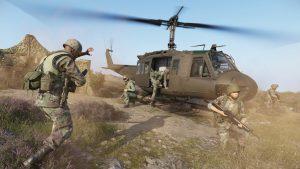
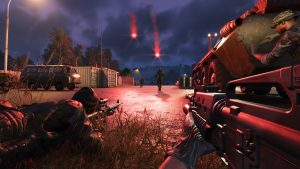
Read on November 8, 2026: 1.6 group and HQC changes, 1.7 volunteering and interface changes, contested-base explanation, HQC radio-spawn revision, and 1.9 group rewards and markers. No current group election, rally behavior, communication audience, or reward rate was tested. Images provide official Reforger scene context.
Sources and further reading
- https://reforger.armaplatform.com/news/changelog-october-30-2025
- https://reforger.armaplatform.com/news/changelog-may-28-2026
- https://reforger.armaplatform.com/news/changelog-november-4-2026
- https://steamcommunity.com/games/1874880/announcements/detail/693137678408876070
- https://reforger.armaplatform.com/news/update-december-5-2025