TL;DR: This Arma Reforger suppression guide distinguishes the documented AI suppressive-fire command from player-observed feedback and suppressor attachments. Check the selected scenario, your command access, and the action the current interface offers. The official notes used here do not provide one universal player aiming-penalty, radius, or recovery-time table.
Bohemia’s Update 1.2 explicitly describes suppressive fire as an AI command and an AI firing behavior. That establishes a game-system context you can inspect. It does not justify turning every screen effect or the word "suppressed" in a patch note into a fixed player-control penalty.
This article explains terminology, command access, and game feedback. It does not claim a current-client suppression test or provide real-world fire-and-movement instruction. Use the squad coordination guide to keep the task and information source clear.
On this page
Arma Reforger suppression guide: the verified mechanism
The official Update 1.2 announcement lists suppressive fire among AI commands and describes updated AI firing behavior. We read the publisher’s actual announcement text through the official Steam news response.
The 1.6 changelog separately addresses commanding-menu access when a player is not the group leader. These sources support checking role and command context. We did not inspect a running AI menu or measure a present player suppression effect.
1. Identify which meaning of suppression you are checking
Start with the actual question. An AI command concerns an order available to authorized control. A player effect concerns what the avatar or interface does. A suppressor concerns an equipment attachment. Those contexts should not be merged into one parameter list.
Read the selected scenario and any relevant content. A community AI or gameplay package can add behavior beyond the official sources used here. Identify the installed package before comparing its instructions with a general Reforger guide.
If the issue concerns a player effect, describe the exact observation: a changed view, unavailable action, or different input result. Do not assign a hidden accuracy percentage or recovery timer simply because the scene looked stressful.
If the issue concerns AI, identify the selected character or group, current command, and resulting behavior. A group acting differently from a previous session can involve a different order, target context, or scenario configuration.
Keep a suppressor attachment out of that command diagnosis. The December 2024 announcement adds suppressors to specified rifles and describes reduced weapon sound and masked muzzle flash. It does not define them as AI suppressive-fire commands.
The useful first result is a named system and observed symptom. "AI command unavailable" and "my screen changed" are different reports and need different next checks.

2. Check AI command access and the selected group
Inspect the current role and command interface before trying to issue an AI order. A player can belong to a group without holding every leader control. The 1.6 notes document an error when opening the commanding menu without being the group leader.
Use that source as a reason to verify access, not a claim that every AI command in every scenario has one universal permission rule. Game Master and community configurations can expose different control paths.
Confirm which AI character or group is selected. A visible AI unit is not proof that you are commanding it. An order given through one context should not be described as controlling every nearby AI.
Read the current list of available actions. Update 1.2 establishes suppressive fire as a documented command, but the selected scenario and current role determine which interface you can use. If the action is absent, retain that context instead of replacing it with an unrelated button.
The Game Master guide explains editing permissions and server content. Creating or selecting AI in an editor and using a gameplay group’s command menu are separate workflows.
If a command is unavailable, record the role, selected unit, mode, and actual message. That provides a specific access question rather than an unsupported conclusion that the game lacks all suppression behavior.
3. Inspect the available order and the resulting AI behavior
When the current interface offers suppressive fire, read its selected target or area information before confirming. Keep the intended command tied to the actual AI selection. This guide does not prescribe a universal shortcut or target radius.
Use one defined game context for an initial check. Keep the selected group and intended order stable, then observe what the interface reports and what the AI actually does. This is a validation process for the player to perform, not a test completed for this article.
Distinguish selecting an order from AI execution. A menu entry highlighted or clicked is an earlier stage. Inspect the current order feedback and resulting behavior rather than reporting successful execution solely from the input.
The 1.2 announcement describes AI suppressive-fire behavior, including behavior toward suspected positions. It does not give a guarantee that every commanded character immediately fires, uses the same weapon, or acts for one fixed duration in all scenarios.
Keep the target context and any observed change in your notes. An AI responding to a different order or a different game situation is not a controlled comparison of one suppression parameter.
If execution differs from what you expected, identify the actual order and current state before changing the whole setup. Equipment, scenario rules, access, and selected group can be separate factors. Do not infer a player-aiming penalty from an AI behavior change.
4. Separate observed feedback from unverified player parameters
If your question concerns the controlled avatar, inspect the actual behavior and current interface. Record what changed and when, then distinguish that observation from a claimed underlying rule.
This source set does not establish a universal player suppression percentage, fixed near-miss radius, or recovery timer. Do not borrow those numbers from Squad, another Arma title, or a community mod and present them as verified Reforger defaults.
Check scenario and addon information when a session advertises a specific player effect. A configured community feature needs its own documentation. The Workshop guide helps identify the content path rather than assuming all downloaded packages are active everywhere.
| Term or observation | Relevant system | What it does not establish |
|---|---|---|
| AI suppressive-fire command | Authorized AI order and current execution | A universal player aim penalty |
| AI changes its firing behavior | Selected unit, order, and scenario | Identical behavior in every situation |
| Player view or input changes | The exact observed avatar/interface state | A hidden percentage or fixed timer |
| Suppressor attachment | Specified equipment and its description | An AI command or complete silence guarantee |
| Patch note suppresses an action | A technical action-state restriction | Psychological pressure or a damage model |
| A mod advertises suppression | That package’s configured mechanics | An official default for all servers |

Use current game information to query missing details: the available action, selected role, scenario rules, and named addon documentation. Where no value is exposed or documented, keep it unverified rather than filling the gap with a plausible number.

The word can describe an internal action restriction
Some official notes use "suppress" for preventing an action. The historical Ground Support changelog, for example, discusses sprint and gesture interactions.
That usage should not become a combat suppression statistic. Read the named action and issue in the note. An input being blocked during another state is a different mechanism from an AI order or a claimed player reaction to incoming fire.
When researching a changed behavior, keep the full sentence and equipment or action context. Extracting only the word "suppression" can produce a false match and an inaccurate guide.

Suppressors have their own equipment scope
The December 2024 release names PBS-4 use with AK-74 and AKS-74U, and Mark 3 use with M16 and M16 Carbine. Those are source-attributed additions, not a guarantee that every current or modified rifle accepts those attachments.
Read the actual item and compatibility in your selected session. Reduced sound and masked muzzle flash should not be expanded into absolute silence, invisibility, or a guaranteed effect on every AI.
Keeping the attachment question separate helps you choose the right evidence. A device description answers an equipment question; the AI command and role interface answer an order question.
Keep the report tied to one tested question
The 1.2 announcement also describes AI reacting toward suspected enemy positions. That distinction matters when interpreting a recording: AI firing toward an area is not proof that a particular player was present there. It can describe the AI’s behavior toward a suspected position under the documented system.
When checking an AI order, preserve the selected unit and command feedback before assigning a target identity to the result. Report where the game order was directed and what behavior you observed. Avoid converting that observation into an exact hidden target location, listener-like awareness, or a universal player penalty.
This gives a report a concrete subject without inventing a numeric model. Another player can compare the same unit, scenario, and order context, while the unexposed AI parameters remain unverified.
Record the game build, scenario, controlled role, selected AI or avatar, action, and exact result. If a mod is involved, include its identity and the relevant advertised behavior.
Finish this Arma Reforger suppression guide with the system identified and one observed outcome recorded. Check AI order execution separately from player feedback, and leave unexposed numeric parameters unverified.
Frequently asked questions
Does Reforger have an AI suppressive-fire command?
Update 1.2 explicitly documents it. Check the current scenario, role, selected AI, and available command interface. This article verifies the published mechanism rather than a live execution test.
What is the universal player accuracy penalty?
The sources used here do not establish one. Do not import a percentage, radius, or duration from another game or a mod. Query the current scenario and relevant package when it advertises a specific effect.
Is a suppressor the same as suppression?
No. The cited equipment announcement concerns specified attachments, sound, and muzzle flash. AI suppressive fire is an order and behavior context; they need different checks.
Why can a patch mention suppressing sprint?
That wording can describe an internal action-state restriction. Read the full named action and context rather than interpreting every occurrence as a combat suppression mechanic.
Sources and update scope
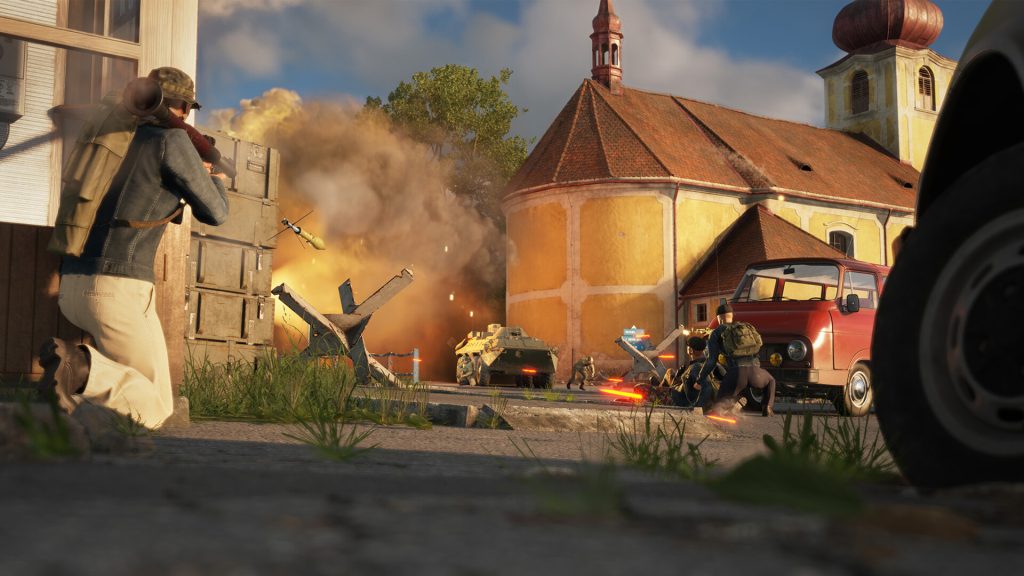
Read on November 8, 2026: Update 1.2 AI commands, 1.6 commanding-menu correction, December 2024 suppressor additions, and Ground Support action-state notes. No current AI execution, player penalty, attachment performance, or modified-server behavior was tested. Official images provide game context rather than a suppression-interface test.