TL;DR: For Arma Reforger Workshop mods setup, open the game’s own Workshop, identify the intended addon, and let the client finish its downloads before starting the matching scenario or server. PC, Xbox, and PlayStation 5 can browse and download Workshop content; publishing a mod requires a PC.
Arma Reforger uses Bohemia’s Workshop for player-created content. A downloaded addon is not proof that every scenario uses it, and platform support for Workshop does not guarantee compatibility for every addon. Choose the content first, check its dependencies and requirements, then confirm that the intended session actually loads it.
This guide addresses installing and using content as a player. Creating assets in Workbench, publishing a project, and configuring a dedicated server are different jobs. For multiplayer discovery, use the server browser guide; for a mixed-platform group, check the crossplay guide.
On this page
Arma Reforger Workshop mods setup: verified features
The official FAQ says players can browse, download, and install content inside Arma Reforger. Its current platform answer includes PC, Xbox, and PS5. We read the FAQ’s published answer text as well as official update notes; this is document research, not a client installation test.
The May 2025 Update 1.4 announcement added PS5 Workshop support. Guides repeating the launch-day restriction are outdated on that point. Menu placement, addon availability, and storage status can change. Use your installed client’s labels and the current addon page when those details differ from an older screenshot.
1. Start with the intended addon and scenario
Open Workshop inside Reforger and search for the content you intend to use. The official web Workshop is also useful for reading a description before launching the game. A browser listing helps you identify an addon; it does not establish that the addon is installed on your console or PC.
Read the title, creator, description, update information, and requirements together. Two projects can have similar names. An equipment pack, terrain, framework, and playable scenario also serve different purposes. A collection of new items does not necessarily provide a standalone mission that appears in a scenario menu.
For example, if your goal is a community mission on a custom island, identify the mission itself and the terrain it requires. Searching only for the island can leave you with terrain assets but no mission selected. If your goal is a particular multiplayer server, use its displayed requirements instead of downloading everything mentioned in an old community post.
Keep a short record of the addon identity and the reason you selected it. That record is more useful during troubleshooting than remembering a cover image. It also stops a similarly named project from becoming the accidental replacement when a creator changes artwork.
Check compatibility information rather than treating popularity as an installation guarantee. Ratings describe a listing’s reception; they do not prove that your current game build, platform, or intended session supports it. Avoid interpreting a page’s available download button as a promise of every possible use.

2. Download the required content and finish the queue
Select the client’s download or installation action for the chosen addon and allow the process to complete. Read any dependency information the interface presents. A dependency is another piece of content required by the selected project; it is not an optional recommendation just because you did not search for it separately.
Watch the status of the requested content, not only the first progress indicator. A successful download of the main package does not show that a separate required package has finished. If the client reports a missing, unavailable, or incompatible requirement, retain its name and message before trying a different session.
Check the storage feedback your platform provides. Update 1.4 originally documented 25GB allocated for PS5 downloads. That is a historical release value, not a promise that every current installation has that amount free, or that the same allocation applies to every platform. The client’s current used and available space is the relevant check.
Do not stack several large downloads while diagnosing a single failed addon. Finish one intended set first so that a stalled status can be linked to a specific request. Repeatedly canceling, selecting a different server, and starting another set makes it harder to identify which package failed.
Wait until the required content is ready before evaluating gameplay. A download failure, a session-loading error, and an addon that loads but behaves unexpectedly are separate outcomes. Write down which one occurred. They require different evidence and should not all be described as "mods do not work."
3. Load content through the correct session
After installation, start the scenario or join the server that actually uses the content. Check the selected mission and any required addon list before continuing. Installing an asset pack should not be interpreted as changing every official scenario or overriding every server’s content.
For a custom single-player scenario, find the relevant playable content rather than assuming a new vehicle or faction will create a mission entry. Read the creator’s usage instructions for the intended scenario or editing context. Follow the client prompts if additional requirements are shown during loading.
For a community server, the server’s selected content is the target. Your locally downloaded version and the server’s requirements need to agree. If the join process asks for an update, examine the named package rather than trying to force a different local selection. Server owners and addon creators can update on different schedules.
Use a session with fewer required addons when you need to isolate the problem. If an unmodified session loads and one particular community set fails, the evidence points toward that content path. It still does not identify a specific dependency as defective without further information.
An item appearing in a downloaded-content list is only one checkpoint. The session must load successfully, and the advertised feature must be available in its intended context. A vehicle absent from an ordinary scenario might reflect that scenario’s content choices rather than a failed download.
Keep testing within the scope of the addon description. Do not assume all projects support every official mode, all three platforms, or arbitrary combinations with unrelated mods. Where a creator lists a limitation, treat it as a requirement for that project.
4. Diagnose the failure stage before removing anything
Use the visible stage to choose the next check. A missing listing, a paused download, a version requirement, and a loaded session with absent content are different problems. A precise symptom gives a creator or server operator something they can investigate.
| What you observe | First useful check | What it does not establish |
|---|---|---|
| The expected project is missing | Verify its identity and current listing | That Workshop is unavailable on your whole platform |
| Download cannot complete | Read the package status and storage feedback | That the game server is responsible |
| Joining asks for another version | Compare the required addon with your installed content | That downloading a similar project will satisfy it |
| Session loads without the expected item | Check scenario usage and creator instructions | That every downloaded addon loads into every session |
| One community set repeatedly fails | Record the exact package or error stage | That all modded servers are broken |

The August 2025 update fixed a case where updating a corrupted addon always failed and required deletion followed by another download. It documents a specific corrected bug. It is not an instruction to erase your entire Workshop library whenever a join attempt fails.
If reinstalling one package becomes necessary, first identify that package and review its dependencies. Use the game’s normal content-management options and preserve anything you need. Broad removal can create additional missing requirements and make the original problem harder to reproduce.

Keep the first mod set small and reproducible
Start with one defined goal: one mission, one server, or one addon used in its documented context. Expanding from a working set gives you a clearer comparison when a later addition causes a problem. Installing a large list first creates many possible explanations for the same failure.
Maintain a simple session note: game build, platform, scenario or server, selected addon names, and the message shown. Record what changed since the last successful load. An update to the game, a new dependency, and a different server are separate changes even if they happened on the same evening.
Stable and Experimental releases also need separate attention. The official FAQ describes Experimental as a testing ground whose features can change before the stable release. Do not treat an addon prepared for a test build as verified for the release you are running.

Downloading, publishing, and Workbench access
Playing Workshop content does not require you to become a mod creator. The official FAQ says a Bohemia Interactive account is not required simply to play Reforger, while mod uploading requires one. Avoid adding an account-registration step to ordinary installation unless the client identifies a specific need.
Workbench is the creation tool, and the FAQ makes it available to Reforger owners on Steam. Publishing is a PC task. Console Workshop access lets players download content; it does not put the PC development toolset on a console.
For a useful Arma Reforger Workshop mods setup, finish one complete content path and load its intended session before growing the library. Save the addon identity and the successful session details so that later updates can be checked against a working reference.
Frequently asked questions
Can PS5 players download Reforger mods?
Yes. The current official FAQ includes PS5, and Update 1.4 enabled its in-game Workshop in May 2025. The December 2024 launch restriction no longer describes general PS5 Workshop access. Individual project requirements and the client’s available storage still need checking.
Does Reforger use the same installation process as Arma 3?
Use Reforger’s own in-game Workshop instructions. This guide does not transfer Arma 3 folder, launcher, or subscription procedures to Reforger. An older tutorial for another Arma title is not evidence that a Reforger package is installed or active.
Why did downloading a vehicle mod not add a mission?
An asset package and a playable scenario are different content types. Read the creator’s intended usage and start a session that includes the package. The downloaded-content entry alone does not promise a new standalone scenario or universal availability in official missions.
Should I delete every mod after a failed join?
Identify the failure and affected package first. A rejected connection can involve session availability, version requirements, storage, or specific content. Removing the whole library without identifying the cause can add missing dependencies and does not prove the original issue is repaired.
Sources and update scope
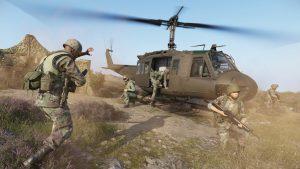
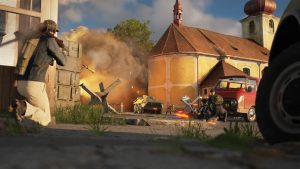
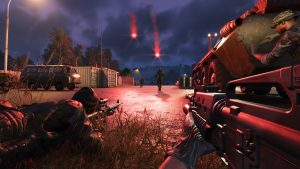
This article uses the official FAQ, Workshop, Update 1.4, and 1.4.0.53 correction, read on November 8, 2026. We did not test downloads, storage allocations, or a particular community addon. Official screenshots supply game-setting context and do not show the installation interface.