TL;DR: Use this Arma Reforger radio frequency guide to identify the game radio or transceiver you are using, match the intended channel’s complete displayed frequency, and test the assigned transmit input with a teammate. Keep voice communication, a base’s radio-network connection, and a deployed radio’s spawn permission separate.
A frequency is one part of Reforger’s voice-radio setup. You also need the intended device, selected channel, appropriate input, and a valid communication path in the current scenario. A working microphone outside the game does not prove that the selected in-game transceiver is transmitting to your group’s intended audience.
This article explains the game’s interface checks. It does not supply real-world radio procedures, a guaranteed faction frequency list, or tested coverage distances. For the mode context behind base connections, read the Conflict guide.
On this page
Arma Reforger radio frequency guide: documented changes
The 1.6 changelog changed radio frequency resolution from 0.5 to 0.2 and added transceivers for Game Master radio use. Those are official release values, not a measurement from our client. They make the full displayed setting more useful than a rounded number copied from an old guide.
Update 1.4 fixed manpack transceiver channel switching and a dropped-backpack transmission issue. The 1.9 changelog includes a radio-route cache correction. We read these notes; we did not test voice transmission or a current range model.
1. Identify the device and channel you intend to use
Start with the actual radio equipment and the control the game exposes for it. A group can discuss a channel while you have a different transceiver selected. Check the device identity and selected channel before changing frequency or repeatedly pressing a transmit button.
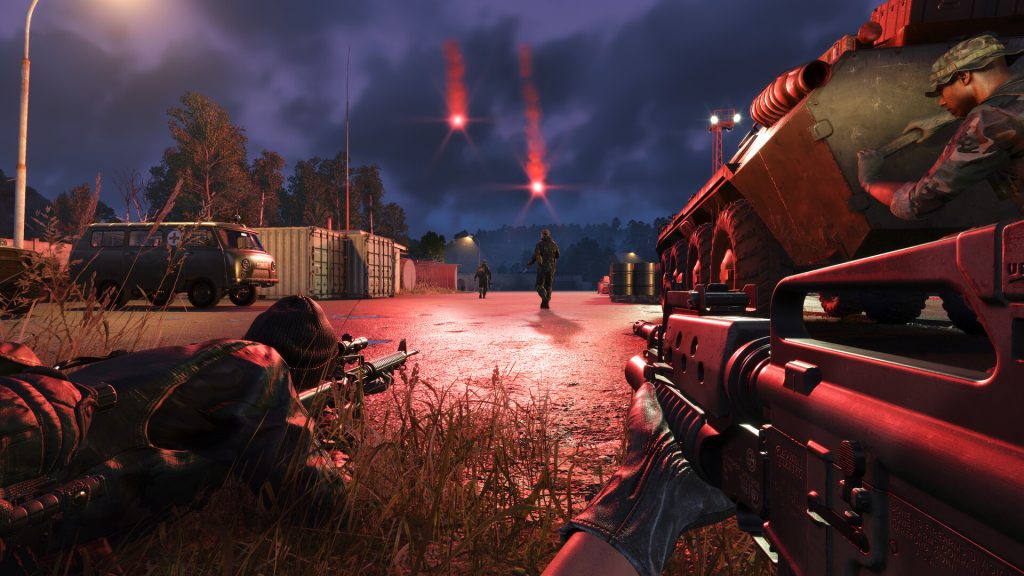
Read equipment and interface labels rather than guessing from the avatar’s appearance. A visible radio backpack is useful scene context, but it does not prove which transceiver your current input controls. Likewise, a character carrying equipment is not evidence that you hold the Game Master radio interface.
Separate local or direct voice from radio voice in your settings and input notes. The current 1.9 changelog explicitly mentions direct-voice performance, while other notes address radio transmission. Testing one path should not be reported as a successful test of all voice paths.
If your group asks you to use a particular radio channel, confirm which device or channel entry they mean. Saying only "use the radio" can leave two players checking different selections. The next useful question is the complete in-game channel information, not an invented universal frequency.
Keep the current assignment with the device identity in your notes. For a multichannel transceiver, switching the selected channel and changing its tuning are different actions. A successful switch does not show that the newly selected entry matches the intended audience.
The 1.4 manpack-channel fix documents a corrected problem in that selection path. It does not establish a present fault in your device or justify deleting all settings. Use the live selection and the actual message or indicator to identify what happened.

2. Match the full displayed frequency, not a remembered label
Agree on the intended game channel with your group and compare its complete frequency display. Read every displayed digit and decimal part. Two shorthand names can refer to different settings, and two players both saying "the squad channel" do not prove they selected the same entry.
The 1.6 change from 0.5 to 0.2 resolution is a useful version example. Do not assume an older stepping pattern or a rounded value describes your current radio’s choices. Use the setting the client shows, without adding units or ranges that a source has not established.
Change the setting through the current game’s exposed controls. The assigned action and modifier can differ by device and setup. Check the controller keybindings guide if an old button instruction does not match your current entry.
Confirm the result after adjusting it. A highlighted control or an input animation is not the same as the channel ending on the intended displayed value. Re-read the selected channel before testing a message so that a missed adjustment does not become a supposed microphone problem.
Avoid changing several players’ settings at once during diagnosis. Keep one known reference and compare the affected player’s device, channel, and display with it. That provides a useful observation without claiming that a particular frequency is mandatory on every official or community server.
Do not publish a universal faction table based on one session’s settings. A server’s content and scenario can change the equipment or intended organization. This guide uses a matching process because the available official notes do not justify one fixed list for every current setup.
3. Verify the transmit input and the receiving result
Find the input that applies to the selected voice path and inspect its full assignment. A modifier, press, hold, or toggle can be part of the command. Copying only one button from a combination may not activate the action you intended.
Make a brief test with a teammate who has agreed to check the same radio path. Identify the channel you are testing, send a short game message, and ask whether they received it. Their reply should distinguish receiving your radio voice from hearing you through another voice application or nearby direct voice.
Check both starting and stopping a held or toggled transmission. A control that remains active after you expect it to end is a different symptom from no transmission. Do not keep repeating the input without noting whether the current voice state changes.
Equipment changes can matter to the diagnosis. The 1.4 notes fixed a case where dropping the selected radio backpack prevented transmission. The useful present check is whether the intended device remains available and selected after an equipment change, not an assumption that the old bug is always responsible.
If a transmission worked before changing equipment or channel, preserve that before/after detail. It narrows the report more than "voice randomly stopped." A change in device, selected entry, or input state is concrete information that a server operator or bug report can use.
Keep platform audio and in-game radio checks distinct. A microphone recognized by the operating system is a useful prerequisite, but the radio test still needs the intended in-game input and receiving result. Conversely, changing a frequency is not a documented repair for an operating system that does not recognize your microphone.
Finish this stage with an observed outcome: the teammate received the intended path, heard another path, or did not receive it. This article supplies a check to perform; it does not claim we completed that test on a current Reforger server.
4. Diagnose the voice path before changing base or spawn settings
Identify which system is failing. "Radio" can refer to personal voice transmission, the mode’s base connection network, or a deployed object used by a scenario. Those systems can interact with gameplay while still having different controls and conditions.
The 1.7.0.49 capture explanation lists a missing radio connection as one reason a major faction cannot capture. That is base-network eligibility. A teammate hearing your tuned voice is not evidence that an objective has the required base connection.
The December 2025 patch disabled deployed-radio spawning in HQC Conflict. That change does not say all radio voice was disabled. Avoid treating the absence of a deployment option as proof that the voice frequency is wrong.
| Observation | Inspect this system | Do not substitute |
|---|---|---|
| Teammate does not receive your radio voice | Device, selected channel, tuning, input, and reported result | A base’s capture indicator |
| Nearby speech is heard but radio is not | Which voice path was actually tested | An outside voice application’s result |
| Selected device changed after equipment removal | Current equipment and transceiver selection | A remembered backpack icon |
| A base cannot capture without connection | Mode’s base radio-network condition | Personal frequency adjustment |
| Deployed radio is absent from HQC spawn choices | Scenario deployment permissions | A claim that all radios lack voice |
| One copied button fails | Full assigned activation and modifier | A universal old controller chart |

Write the exact symptom before changing unrelated systems. A base radio relay, a microphone selection, and a player’s chosen voice channel are not interchangeable fixes. A clearer report often reveals that the first attempted remedy was addressing a different problem.

Newer radio feedback has a limited meaning
The November 2025 patch added an indicator showing whether the speaker has a radio connection to HQ. Read it as the named connection feedback. It is not a full list of listeners or proof that every teammate received a message.
The same update reimplemented task notifications and HQ voice-over radio. An automated announcement and a player’s conversation serve different purposes. Hearing one should not become an unsupported diagnosis that the other path is configured correctly.
The September 2026 update fixed cases where a radio sometimes did not work. Current 1.9 notes later corrected radio-route cache validation. Those changes demonstrate ongoing fixes, not a present guarantee of fault-free voice on every modified server.

Keep a repeatable game-only voice check
After respawning or joining another group, recheck the equipment and selected channel before continuing the old conversation. A successful test with a previous avatar loadout describes that previous setup. It does not establish that the newly selected role carries identical devices or uses the same active entry. Keep the receiver’s feedback equally specific: "I received that message on the agreed radio path" is more useful than "audio works." If the result differs, record what changed between the two attempts instead of changing every channel and input simultaneously.
Use one selected device, one agreed channel, and one intended receiver for the first check. Record the game build, scenario, equipment, displayed setting, input, and result. If equipment or position changes later, compare those details with the working reference rather than rewriting every setting.
Do not invent a fixed maximum distance for that check. The official sources used here do not provide a universal tested range model for every device and scenario. A successful message at one location is only an observation there, not a benchmark for all environments.
Avoid using channel labels as identity claims. A label organizes the conversation your group intends to have; it does not reveal all players listening or certify a private audience. Follow the server’s communication rules and share only game information appropriate to that session.
Game Master radios are a separate role context
Update 1.6 added transceivers for Game Master to use radios. Access to that interface belongs to the role and session configuration. The Game Master guide explains why ordinary player access, editing permission, and administration are separate.
An editor’s ability to communicate should not be presented as proof that an ordinary avatar has the same equipment or radio selection. When reporting an issue, identify whether it occurred through the player character or the Game Master interface.
For a useful Arma Reforger radio frequency guide, keep the final check narrow: correct device, complete displayed setting, intended input, and an observed receiving result. Diagnose network and deployment conditions in their own interfaces instead of turning every "radio" symptom into a frequency adjustment.
Frequently asked questions
Is there one frequency every squad must use?
The sources used here do not establish a universal current list for all equipment, factions, and modified scenarios. Match the intended group’s complete in-game setting and verify the selected device and channel.
Why can I hear direct voice but not radio voice?
Those are separate voice paths. Check which input and transceiver are selected, then test the intended radio channel with a teammate. Hearing a nearby player or an outside voice application does not validate the radio path.
Does a working microphone connect a base to HQ?
No. Player voice and the objective’s base-radio network are different systems. The capture explanation identifies network connection as a mode condition; a voice conversation does not demonstrate that condition.
Did HQC disable all radios?
The December 2025 note disabled radio spawning in HQC Conflict. It does not say radio voice was removed. Read the current deployment and communication interfaces separately.
Sources and update scope
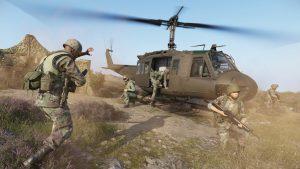
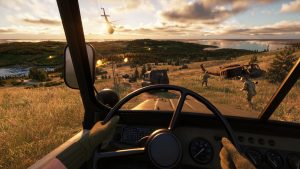
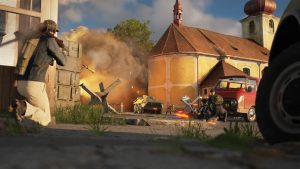
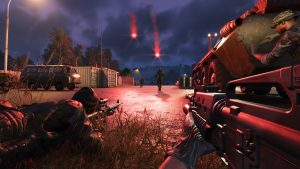
Read on November 8, 2026: 1.6 radio changes, 1.4 radio fixes, HQ connection indicator, HQC radio-spawn change, capture explanation, September 2026 fix, and 1.9 route-cache correction. No live voice, frequency range, private audience, or device test is claimed. Images show official game scenes rather than a measured communication setup.
Sources and further reading
- https://reforger.armaplatform.com/news/changelog-october-30-2025
- https://reforger.armaplatform.com/news/update-may-22-2025
- https://reforger.armaplatform.com/news/changelog-november-4-2026
- https://steamcommunity.com/games/1874880/announcements/detail/693137678408876070
- https://reforger.armaplatform.com/news/update-december-5-2025
- https://reforger.armaplatform.com/news/update-november-11-2025
- https://reforger.armaplatform.com/news/update-september-3-2026