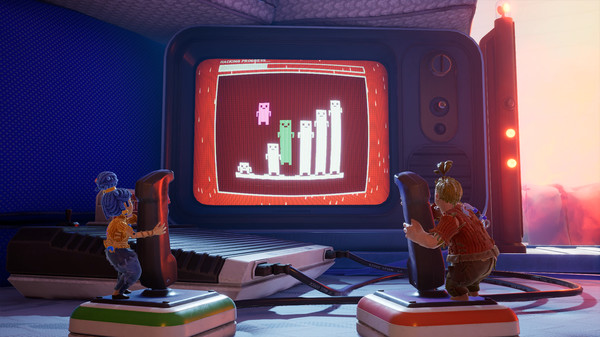
Use one installed copy on one device, connect two independent player inputs, select local play, and confirm both characters respond before loading the chapter.
Friend’s Pass is the guest’s installation, not a standalone full-game license. The owner hosts the full adventure; two pass users can try the first chapter.
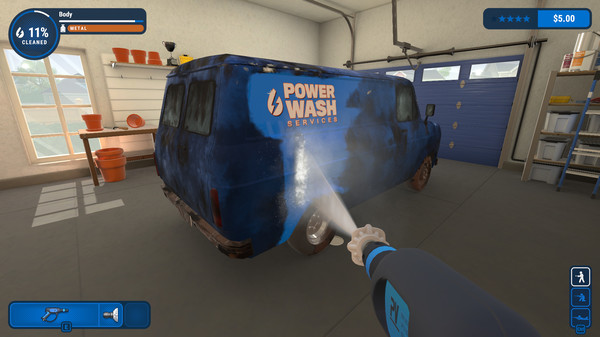
PowerWash Simulator co op explained: choose two-player Career or up-to-six-player Free Play, confirm the exact edition and online access, then divide the cleaning job.
Use wide fans for easy area coverage and narrower jets for stubborn dirt or small details. Check distance and washer strength before assuming soap is required.
Clean one object or section at a time, use the job list to find leftovers, and adjust pressure and angle before spending money on soap or unnecessary attachments.
Move an existing home through Furniture mode, leave clear access at the new position, and check the result after leaving the editor. Upgrading and changing its style are separate tasks.
Give each resource group a home, keep a small travel supply in shared storage, and check whether a new chest creates capacity or only another access point.
Use daily discussions and current favorite gifts, then bring a companion while doing your normal gathering. Read quest requirements separately from the friendship bar.
Follow Merlin’s opening quests, use Goofy’s Stall for coins, and build a small daily loop of duties, gifts, gathering and storage before chasing expensive unlocks.
Buy starter seeds, open the packets in your Sim’s inventory, place their contents, and choose Plant. Water, weed, and treat bugs; then evolve eligible plants. Fertilizing unlocks at Gardening level 3 and grafting at level 5.
In Build Mode, select an object before rotating it. On PC or Mac, comma turns it counterclockwise and period turns it clockwise in normal 45-degree steps. Free rotation uses a held object and a mouse or controller gesture.
Start with H for the hand tool, E for the eyedropper, G for the grid, comma and period for rotation, and Ctrl+Z for undo on PC. Learn tool behavior before adding free placement or cheats.