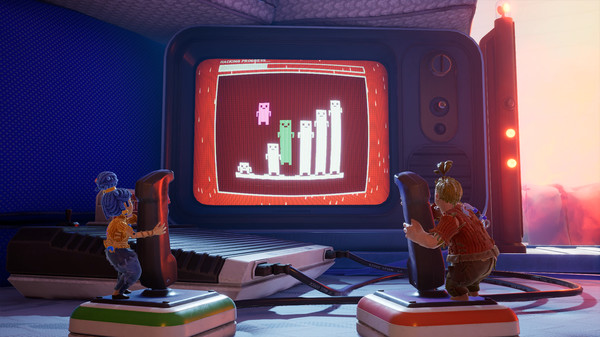
TL;DR: Install It Takes Two on the shared device, connect two independent player inputs, choose local play and let each person join their assigned character. You do not need a second full-game copy for the same-device session. EA confirms that couch co-op does not require an internet connection for play. On PC, two controllers are the simplest arrangement; check that the game recognizes them as separate players before starting.
This It Takes Two local co-op setup guide covers two people playing together on one PC or console. It is different from inviting a guest on another device through Friend’s Pass. Local play uses the shared screen and the game’s split-screen presentation, while each person controls Cody or May independently.

On this page
It Takes Two Local Co-op Setup: Prepare Before Joining
Confirm that the installation is the actual It Takes Two game or the stated first-chapter trial, rather than a store page or a guest installer expected to unlock the entire campaign by itself. One full copy on the shared device is the straightforward route to the full local adventure.
Finish the download and any necessary first-launch prompts before gathering around the television. EA’s offline couch-co-op statement describes the play session. It does not mean that every storefront installation, license activation or software update can be completed without an internet connection.
Charge wireless controllers or use reliable cables. A controller that is recognized in the operating system still needs to reach the game as a usable input. Connect both before selecting the local mode, then keep the connection stable while assigning players.
On a console, use compatible controllers and complete any player or guest profile prompts the system displays. The exact account interface differs across PlayStation, Xbox and Nintendo editions. Follow the visible request instead of copying another platform’s button sequence.
Start a Local Session in Five Steps
First, launch the installed game on the shared device. If the game shows a sign-in or activation prompt, complete that before interpreting the absence of a second player as a controller failure.
Second, select the local-play option in the main menu. Do not select an online invitation simply because you know the other person’s account name. Both people are using the same device in this setup.
Third, have each player press the join or confirm input on their own controller when the screen requests it. Watch the player assignment change. If both controllers move the same selection, stop and inspect input recognition before trying to launch a chapter.
Fourth, choose Cody and May. Each person should confirm their character and then test basic movement when the session loads. The characters have different abilities across the adventure, so character selection is a gameplay assignment rather than a cosmetic choice.
Fifth, select a new game, continue the current save or load an available chapter. Agree on the starting point first, especially when one person has played before. Chapter selection can expose later environments and mechanics to a new partner.
PC Input Choices and Controller Assignment
The Steam edition lists full controller support, including DualShock and DualSense support in its current product data. Two controllers offer a consistent arrangement because each player receives the same style of input. Do not assume that two people can independently share one keyboard simply because the game launches on PC.
Where the installed PC edition offers keyboard-and-mouse input alongside a controller, check the join prompts to see how the game assigns them. Use two independent input sets recognized by the game. The important test is whether Cody and May each respond to their intended player.
If a controller works in menus but not as the second player, inspect the platform’s controller settings and the game’s visible input options. A remapping layer can make more than one physical device appear as the same virtual controller. Change one setting at a time and retest player assignment.
On Steam, avoid blindly stacking multiple controller translation tools. Steam’s controller handling and a separate remapper can both process the same device. Start with the supported configuration for your controller, then add another layer only when it solves a specific recognition problem.
Do not disconnect a working controller repeatedly while the session is active. If recognition becomes confused, return to the menu, reconnect the devices cleanly and join again. That makes it easier to identify whether the problem follows a controller, a cable or a player slot.

Make the Shared Screen Comfortable
It Takes Two uses split-screen play in both local and online co-op. The shared television therefore needs to remain readable from both seats. Sit close enough to identify objectives, prompts and moving hazards on your half of the screen.
Check subtitle and audio options before a story sequence begins. Both players should be able to hear dialogue or read the subtitles, since story context and ability instructions can arrive while the camera is busy. Set the volume for the room rather than one person wearing headphones with the other hearing nothing.
When a puzzle involves separate tasks, briefly describe what you see. One player may notice an object or route that is clearer on their side. Looking at the partner’s screen can help, but it should support their action rather than turn into taking over their controls.
Allow each player a short practice interval when a new ability appears. A returning player’s familiarity can hide how much explanation the other person needs. Demonstrate the immediate interaction, then let them attempt it before increasing the pace.
What Local Play Does and Does Not Require
You do not need Friend’s Pass on a second device when both players use one installed local copy. Friend’s Pass is relevant to a guest installation and the opening trial. Our Friend’s Pass explanation separates those ownership cases.
EA confirms no internet connection is required for couch co-op itself. Online multiplayer subscriptions and invitation compatibility are therefore separate questions from this local setup. Check your storefront’s installation and license requirements before planning completely offline use.
The game is designed for two players. Adding a third controller does not produce a three-person campaign. A larger group can take turns between chapters or minigames, but the active gameplay pair remains two people.
If your free time is brief, choose a known checkpoint or replay an unlocked minigame. Our minigame location guide explains what must be unlocked, while the short-session co-op selection offers other clearly bounded activities.
Frequently Asked Questions
Do both local players need to buy the game?
No. Two people can play the full local campaign using one full installed copy on the shared device. A guest’s separate full purchase is not needed for that same-device session.
Does couch co-op need internet access?
EA says no internet connection is required for couch co-op play. Downloads, first-launch activation and updates may have separate requirements from the session.
Why do both controllers act like Player One?
The devices may not be recognized as separate inputs. Check player assignment, platform controller settings and any remapping software, then rejoin with one clean configuration.
Can three people play at once?
No. It Takes Two is built for two active players. A third person can swap in later, but connecting another input does not expand the campaign’s player count.
Next step: Load a local session and confirm independent movement for both characters. Once that works, choose a comfortable shared-screen position and begin the chapter together.
Sources and Version Notes
- EA: It Takes Two frequently asked questions
- It Takes Two Steam edition and co-op requirements
- EA: It Takes Two Friend’s Pass
Sources read November 11, 2026. Platform features refer to the named edition; this is source-backed guidance, not a personal playtest.