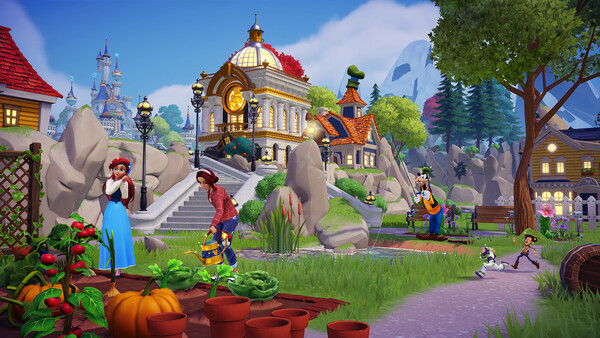
TL;DR: Follow the opening quests, collect the Royal Tools, and start a manageable loop of Dreamlight Duties, gathering, selling and friendship activities. Reserve Star Coins for useful upgrades, keep crafting materials, and choose Realm or Biome unlocks for what you need next. The base game is enough to learn this routine.
This Disney Dreamlight Valley beginner guide starts with the core Valley rather than assuming you own every expansion. Your first goal is to open useful systems and understand the difference between resources. You do not need a finished decorative village or a large pumpkin farm to make meaningful progress.

On this page
Disney Dreamlight Valley Beginner Guide: Follow the Opening Quests
Begin with Merlin’s instructions and complete the nearby opening tasks before planning a long shopping list. The early quests introduce the Royal Tools, the Meadow, the Dream Castle and the characters who explain the game’s economy. Keeping one active objective visible helps you see the exact items still required.
Pick up useful materials as you follow those quests, but avoid clearing an entire area simply because everything is collectible. When your bag is close to full, return to storage or Goofy’s Stall. A short trip with empty inventory spaces is easier to manage than abandoning a required item because every slot holds a different flower.
Read the quest text when a step does not advance. A request to prepare, carry, give or place an item can require a different action. Check the tracked objective after each action instead of assuming that owning an ingredient automatically satisfies every part of the quest.
1. Separate Star Coins, Dreamlight and Moonstones
Star Coins pay for regular shopping, buildings and upgrades. Goofy’s Stall is your dependable early selling point: inspect what you can spare, sell it, and keep enough money for seeds or the next practical upgrade. Selling every resource indiscriminately can leave you buying time back through another gathering trip.
Dreamlight opens Realms and Biomes and also appears in some crafting recipes. Complete the small Dreamlight Duties while doing ordinary work. A duty that asks you to gather or sell something can fit the trip already planned, so check that menu before choosing an unrelated activity.
Moonstones are premium currency in versions that use the Premium Shop. Do not confuse a cosmetic purchase with a requirement to clear the opening story. Current editions have different bundles and benefits; check your platform’s listing before assuming a video’s expansion or cosmetic is included in your purchase.
2. Make Goofy’s Stall Part of a Small Crop Loop
Plant a crop you can buy and afford, water it as required, and return when it is ready. Start with a patch small enough that planting and harvesting remain convenient. Expanding a field before you have a comfortable supply of seeds, energy and storage creates chores before it creates a useful routine.
Keep some ingredients for cooking and current quests. Sell a surplus deliberately instead of emptying your bag on autopilot. The stall’s seed selection depends on its area and progression, so an advanced crop recommendation can be irrelevant to a new save.
Gameloft’s beginner guide highlights pumpkins for later coin farming, but their seeds come from the Forgotten Lands. That is a later destination, not a reason to skip every useful early purchase while trying to rush the most expensive farming advice.
3. Restore Energy Before a Long Gathering Trip
Entering your house replenishes energy according to the official beginner guide. Use that free recovery point while you are close to home. It makes short gathering and storage trips practical without consuming every ingredient you find.
Cooked meals can give energy beyond the ordinary full bar, enabling faster movement such as gliding. Use meals when their convenience suits the trip, but keep quest ingredients out of an impulsive cooking session. An ingredient needed immediately by a character is worth more to that objective than a meal you did not need.
The Ratatouille Realm introduces Remy and cooking. Choose it if those systems are your next priority, then follow his requirements to welcome him. Ingredients available inside a Realm should be understood in that Realm’s context; do not plan your entire Valley pantry around assuming all free Realm supplies become portable stock.
4. Level a Few Useful Friendships
Have the available daily discussion and check each character’s three Favorite Gifts of the Day. Bring gifts you can obtain without derailing your current objective. The favorites change daily, so use the current character profile rather than an old screenshot.
At friendship level two, eligible characters can receive a gathering role and join you through Hang Out. Assign a balanced mix instead of giving everyone the same job without a plan. Hanging out while doing ordinary activities also builds friendship, and the role affects the gathering help you receive.
Check a friendship quest’s requirements if it remains locked after the relationship improves. The level is one condition, and progress with other characters or areas can also matter. Our friendship leveling guide gives a focused routine for this.

5. Add Storage Before Buying Every Bag Upgrade
The official guide lists a starting inventory of twenty-one slots and a maximum of forty-two, expanded one row at a time with Star Coins. A bag upgrade is convenient, but the last rows are a significant purchase for a new economy.
Use the storage already in your house, then separate the materials you keep from the items you plan to sell. Vintage Chests access shared storage; other storage furniture holds its own inventory. Buying another Vintage Chest adds another access point, rather than a separate pile of new storage slots.
A simple material chest and an ingredient chest are easier to maintain than a complicated decorative room with no clear sorting rules. The storage organization guide explains how to expand that system without mixing up shared and individual capacity.
6. Upgrade Your House Through Scrooge’s Quest
Scrooge’s Dreamlight Valley Economy 101 quest becomes accessible at friendship level two. Gameloft identifies it as the gateway to the house construction sign and the upgrade system. Follow that quest before looking for a paid house feature that has not opened yet.
Read what the next purchase changes. House upgrades and interior room changes serve related but different purposes. The official guide connects house upgrading with shared storage capacity, so an upgrade can solve a practical resource problem as well as improving your home.
Moving a building for a better layout is another operation. Use the house moving instructions when you need to rearrange an existing home rather than purchase space.
7. Pick Unlocks for an Immediate Need
Realms bring character quests, while Biomes open areas with their own resources. Check the quest you want to complete and the materials it requires, then choose an unlock that moves that goal forward. The Realm with your favorite character is also a valid choice when you want their story.
Gameloft highlights Dazzle Beach as an early useful Biome and WALL·E’s Realm for the garden you can unlock after welcoming him. These are practical options, not a compulsory universal route. Avoid spending Dreamlight on a new door merely because a guide calls every door essential.
Expansion destinations require the appropriate edition or entitlement. A base-game player should follow the core Valley path first. Apple Arcade is a separate edition with its own current feature set, so check the official help article before following purchase or event instructions written for another version.
Frequently Asked Questions
Do I need an expansion to start?
No. Learn the core Valley systems in the base game. Expansions add their own content and are included only when your purchase or subscription specifically grants them.
Should I buy every inventory row immediately?
No. Buy space for a recurring carrying problem and use home storage for materials you do not need on the current trip. Keep enough coins for seeds and required upgrades.
Why is a friendship quest still locked?
Read the requirements in the quest menu. Friendship level alone does not establish that all required character or area progress is complete.
Next step: Track one opening quest, check today’s gifts, and empty your bag before your next gathering trip. Return to the Disney Dreamlight Valley guide hub for the particular system you need next.
Sources and Version Notes
- Gameloft: Disney Dreamlight Valley Beginner’s Guide
- Gameloft: current Disney Dreamlight Valley editions
- Gameloft: Apple Arcade edition differences
Official pages read November 11, 2026. This guide uses the core Valley mechanics in Gameloft’s current beginner guide. Paid expansions, Apple Arcade entitlements and interface layouts differ. Older event or platform advice should be checked against the current help center. No personal playtest or measured SEO outcome is claimed.