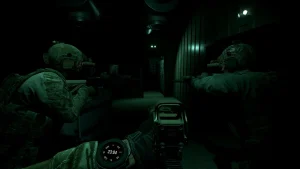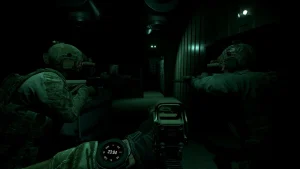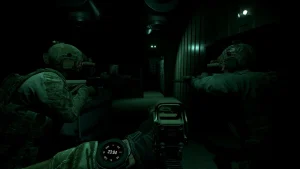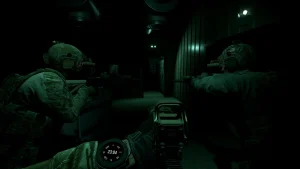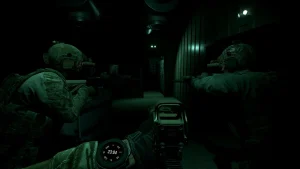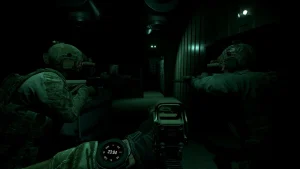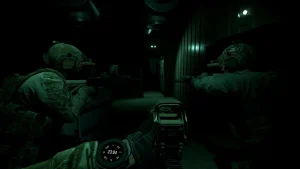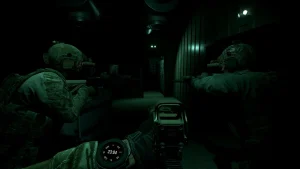
TL;DR: This Ground Branch team communication guide starts with a microphone test in the Ready Room and agreement on simple location names. Use positional voice for nearby coordination and team radio when the whole group needs the update. Say what changed, where it happened and what you need; avoid filling the channel with guesses or continuous narration.
Good communication gives teammates a usable state: your position, the objective’s status, a handover or unavailable equipment. The game provides several methods, so choose the one that fits the recipients instead of sending every message to everyone.

Checked November 9, 2026. This is a source-based game guide using the official Steam description and V1.0 release notes. No personal gameplay test is claimed. Chapter1 andV1.1.0 are announced for November12 and remain upcoming at this check; preview features are not treated as released.
On this page
Ground Branch team communication guide: information with a recipient
The official description includes3Dpositional voice, team radio, text chat and pre-recorded voice messages. These methods have different practical roles. A nearby player and a teammate on another part of the map do not always need the same detail.
The developer has also patched the voice system, including changes in V1.0 Hotfix2.5. An audio problem can therefore involve the game version or settings as well as your communication habit. Check those separately.
1. Test the actual input before deploying
Choose the intended microphone and verify that another player can hear it in the Ready Room. Seeing a device name in a menu is not the same as a successful transmitted message. Use a short test and ask for an audible response.
Check the configured keys for the communication methods you intend to use. Ground Branch advertises highly configurable bindings. A remembered default from another shooter can send no message or use a different action in your current setup.
Keep the test focused. Confirm microphone input, volume and the appropriate channel, then stop troubleshooting once communication works. Repeatedly changing several settings after a successful check can introduce a new problem.
Mic-less players should agree an alternative before the mission. Text and pre-recorded messages are advertised options, but the group needs to know how those updates will arrive. Do not wait for the first urgent handover to establish the method.

2. Use local and team-wide channels deliberately
Positional voice is suited to nearby coordination because it relates communication to the characters’ positions. Team radio is useful when the update matters to players farther away. Choose the audience before speaking rather than treating one channel as correct for every message.
A local movement detail may not help the whole team. Conversely, an objective-state change can matter to everyone. Separating these messages reduces noise while keeping the important shared state available.
Do not assume a nearby message reached a distant player. If the whole group needs a handover, use the method intended to reach them and seek a brief acknowledgement when the next decision depends on it.
When using external voice software, agree how it relates to the game’s channels. The official description says third-party software is not required, but a group may still prefer it. Avoid transmitting the same conversation through several channels if that creates echoes or confusion.
3. Agree location names the group can use
Start with the map’s visible names and recognizable areas. A room or section label that everyone understands is more useful than a personal nickname nobody else has heard. Establish the most important names in the Ready Room or early in the session.
Include your own location when the context is unclear. A warning without a place can force teammates to guess where it applies. The useful message connects the observation to the part of the environment they can identify.
Keep uncertainty explicit. If you are unsure of a location or direction, say what you actually saw rather than inventing a precise label. An honest partial observation is more useful than a confident but wrong callout.
Use the same names across a learning run. Changing terminology midway creates extra interpretation work. After the round, rename confusing areas together so the next session starts with a more reliable shared vocabulary.
4. Report changes instead of continuous commentary
Useful updates describe something different from the team’s last known state: an objective found, a section checked, a player moving or a task handed over. Constant narration of unchanged information can make a genuine change harder to hear.
Keep the observation separate from the request. First state what happened, then what support or acknowledgement you need. That lets the recipient decide whether they can respond without interpreting a long account of the whole round.
Avoid turning an unconfirmed result into certainty. The official description does not promise constant hit markers or kill confirmations. Say what you observed and let the objective or visible result provide confirmation when it exists.
If you made a mistaken callout, correct it promptly and plainly. A short updated state is more useful than defending the earlier statement while teammates continue acting on it. The goal is a shared accurate picture, not an uninterrupted conversation.

5. Coordinate objective roles and handovers
Assign a clear owner for mission interactions when the scenario needs one. Intel acquisition, extraction state or another displayed objective should not depend on several players silently assuming that someone else handled it.
When the owner changes, state the new player and the remaining task. This matters especially after the team separates or a player becomes unavailable. A handover should update the group’s objective state, not merely mention that one person is moving.
Use acknowledgement for actions that the next step depends on. A short confirmation prevents the group from proceeding under an untested assumption. It does not mean every minor movement needs a lengthy exchange.
Keep campaign and quick-mission information distinct. V1.0 provides voiced Operations briefings and mode-specific dialogue. Use the information for the selected scenario rather than importing a remembered objective from a different mode on a familiar map.

6. Troubleshoot audio without confusing it with teamwork
If someone cannot hear a message, first verify input device, volume and the chosen method. A channel mistake and a technical audio failure can produce the same apparent silence. Repeat one short test rather than continuing a mission conversation that may not be reaching the recipient.
Then check the current game version and relevant hotfix notes. The developer has reworked voice components and reverted settings changes that caused cutouts. That dated evidence can explain a problem without proving that every present failure has the same cause.
Avoid changing several unrelated settings simultaneously. Adjust the suspected cause, test with another player and record the outcome. This makes a successful fix repeatable instead of leaving you unsure which change mattered.
If audio remains unreliable, use an agreed alternative for the learning run and preserve the context for a later report. The immediate objective is a workable communication method. The technical diagnosis can continue with the exact version and symptoms recorded.
7. Review whether messages helped decisions
After the round, identify a point where teammates lacked information or received too much of it. Was the location unclear, the channel wrong or the objective handover missing? Those causes suggest specific communication improvements.
Do not judge quality by how much a player spoke. A few accurate updates can help more than continuous commentary. Look at whether the recipient understood the message and could make the next decision.
Choose one habit to practice next: testing input, using consistent names, acknowledging objective changes or reducing unnecessary team-wide messages. Keep the run manageable so the effect can be observed.
The Ground Branch hub and military guide archive provide related lessons. Use equipment and mode guides for their own questions; communication practice should concentrate on the information the group needs to act together.
Team communication questions
Is third-party voice software required?
The official description advertises integrated positional voice and team radio without requiring third-party software. A group may choose another method, but should test it and agree how it interacts with the game’s channels.
Should every observation go over team radio?
No. Match the message to the recipients. Nearby coordination can use local communication, while objective changes and handovers may need a team-wide update. The useful distinction is who needs the information now.
How can the group shorten its pre-mission check?
Use one brief loop: each player confirms the intended microphone, the group agrees a few location names, and one person states the selected objective. Then test a local message and a team-wide message with an acknowledgement. This checks the communication system and the shared plan without turning the Ready Room into a long equipment discussion. Keep unresolved audio symptoms separate from the mission briefing so the group knows whether the problem is technical or simply missing information.
What is a good first practice goal?
Test input successfully, agree a few shared locations and make one clear objective handover. That small exercise teaches a complete communication loop without requiring the group to adopt a long script.