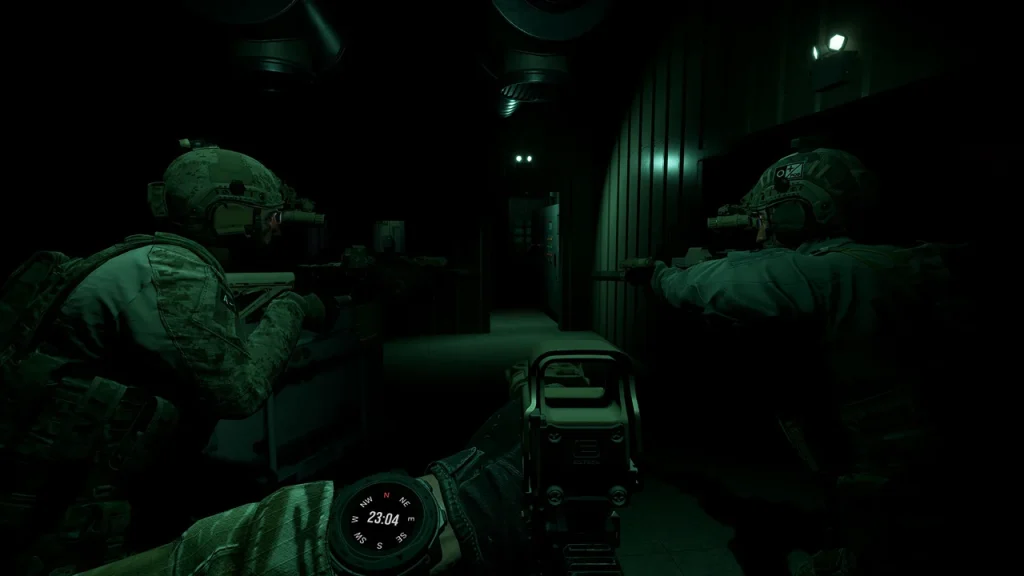
TL;DR: This Ground Branch intel retrieval guide treats the mission as an objective sequence: identify the selected scenario, locate the intel item, follow its current interaction prompt and complete the displayed extraction requirement. In co-op, agree who handles the item and tell the group when its state changes. Picking up the laptop is a transition in the mission, not a substitute for checking the final objective.
Use the current prompts and mode feedback rather than a fixed interaction routine copied from an older build. The developer has patched laptop interaction and extraction behavior, so a dated workaround can explain an old video without being the correct procedure today.

Checked November 9, 2026. This is a source-based game guide using the official Steam description and V1.0 release notes. No personal gameplay test is claimed. Chapter1 andV1.1.0 are announced for November12 and remain upcoming at this check; preview features are not treated as released.
On this page
Ground Branch intel retrieval guide: follow the objective state
The V1.0 release notes explicitly refer to mission-specific dialogue for Intel Retrieval. Listen to or read the actual mission information, then distinguish this quick mission from campaign Operations and other objective modes.
The developer’s V1035 Hotfix4 notes document a temporary laptop pickup workaround and changes to extraction-related AI behavior. Their dated status matters: a temporary fix is not a timeless tutorial for every version.
1. Confirm the selected mission before changing equipment
Check map, mode and displayed parameters in the setup screen. A mission on a familiar map can use a different objective or insertion arrangement from another session. Knowing the map name alone does not tell you what completes the round.
Read the objective through the current briefing or interface. Identify the item and the final task that the mission expects. Do this before choosing a specialized kit, so equipment decisions serve the objective rather than replace it.
In co-op, make sure everyone selected the same session and understands the plan. One player remembering a campaign scene and another expecting a quick retrieval can create conflicting assumptions about the item or extraction.
For the first learning run, keep the configuration manageable. You are learning an interaction and completion workflow as well as the environment. A more demanding setup can be added once those stages are clear.

2. Give the intel carrier a clear responsibility
Agree who will interact with the objective item when the group reaches it. The role can change if a player is unavailable, but the handover should be explicit. Otherwise several people can assume the laptop is already handled while nobody checks its state.
Give the carrier a kit whose basic controls are familiar. Ground Branch’s customization is extensive, but an unfamiliar equipment switch should not become the main obstacle to learning the objective. Use the Ready Room to verify ordinary interactions first.
Keep the rest of the group’s responsibilities simple. They need to know when the item is found, when it has been acquired and what remains to finish the mission. A named carrier does not remove the need for shared objective awareness.
Do not promise a universal loadout for every retrieval map. The selected variant, lighting and available routes matter. This guide focuses on the objective sequence rather than claiming that one weapon configuration guarantees completion.
3. Use item identification instead of guessing from scenery
Locate the item through the mission’s actual information and visible interaction feedback. A laptop-looking object in the environment is not necessarily the active objective. Check the prompt and selected scenario before treating every similar prop as the required intel.
Keep search progress clear in co-op. State which area you inspected and whether you found an interactable objective. That reduces repeated searching and avoids a teammate assuming that an uncertain room has been fully resolved.
The official description says initial enemy placement is randomized. Separate what you learned about the environment from a remembered encounter order. A route shown in a video can help identify a room without guaranteeing the same occupants today.
If the item is difficult to see, compare the problem with the current version’s notes rather than adjusting every setting at once. Record the mode and location. Objective placement and a lighting preference are different questions.
4. Follow the current interaction prompt
The older Hotfix4 announcement temporarily made laptops pickup-capable without hacking and warned of placement alignment issues. That is useful historical evidence of a changed workflow, but it does not justify telling every current player to ignore the on-screen interaction.
Use the prompt displayed by your installed build. Identify whether the mission expects an interaction before pickup and confirm the resulting item state. Do not assume a button press succeeded merely because the animation or sound seemed plausible.
If the interaction fails, check the selected object, proximity and input binding first. A conflicting or unfamiliar binding can produce the same apparent failure as a mode-specific issue. Keep those diagnostics separate before concluding the mission is broken.
In co-op, test whether the intended carrier can interact and whether the group sees the resulting state. Avoid several players repeatedly attempting the action at once, which can make it harder to understand what changed.

5. Treat pickup as a mission transition
Tell teammates when the item is acquired. The remaining task is no longer simply finding the objective. Check the extraction information and ensure the group is working from the updated mission state.
The developer’s dated Hotfix4 discussion describes remaining AI moving toward players or the extraction point after laptop pickup, with the behavior still under development at that release. V1.0 later changes AI substantially. Treat that as a reason to observe the current transition, not a guaranteed exact event script.
Do not remain focused on the room where the laptop was found if the active objective has moved elsewhere. Use the mission feedback to decide the next destination. A successful interaction only helps if the group completes the actual final requirement.
Keep carrier status visible to the team. If the role changes, announce it rather than assuming everyone noticed. A simple state update prevents the group from reaching extraction while relying on an outdated assumption about the item.

6. Confirm extraction with the current marker and requirement
The developer’s V1035.2 Hotfix notes document changes to extraction-point visibility. Use the current marker and mission rules rather than insisting an older screenshot proves where the indicator must appear.
Check the full completion requirement. Being near a remembered extraction location is not the same as meeting the condition shown by the mode. Look for the relevant objective state and confirmation instead of assuming the round should end automatically.
If the group arrives without completion, verify item ownership and the active task before searching for a technical fault. The laptop may not have been acquired as expected, or the team may be using the wrong location for this variant.
Avoid inventing a universal timer, interaction radius or required player count. Those details are not established for every current map by the sources read here. The live mission interface should supply the requirement you must satisfy.
7. Diagnose an unfinished round without resetting blindly
Record the sequence: selected mode, item identification, interaction prompt, carrier state and extraction feedback. That creates a useful explanation of where the workflow stopped. Simply saying the mission would not finish leaves several different causes unresolved.
Check whether the server uses modifications or a custom mission. The objective can differ from an unmodified quick mission even on the same environment. Preserve that context before comparing the result with a base-game walkthrough.
Use a quiet repeat run with the same configuration to test one suspected cause. Change only the relevant input, interaction approach or carrier arrangement. If you change the whole session, the next outcome may not explain the first failure.
Keep the sources’ dates visible when asking for help or reporting a problem. A temporary V1035 workaround and a V1.0 mission are different evidence. The Ground Branch hub and guide archive can keep related lessons together without treating every old instruction as current.
Intel Retrieval questions
Does picking up the laptop always end the mission?
Check the selected mission’s remaining objective and extraction requirement. Pickup is one stage in the retrieval sequence; completion depends on the actual mode feedback and the final task it displays.
Should I follow the old no-hacking workaround?
That workaround was described as temporary in dated patch notes. Follow your current interaction prompt and use the old announcement only to explain historical behavior, not to override the installed game’s instructions.
What should the team say when the carrier changes?
State who has the item and what extraction task remains. An explicit handover is more reliable than assuming everyone saw the change while managing their own part of the round.
What information should I record when extraction fails?
Record the selected map and mode, current build, item interaction result and displayed extraction state. Include whether the session uses custom content. Those details distinguish a missing requirement from a version or mission-specific problem and make a repeat test more useful.