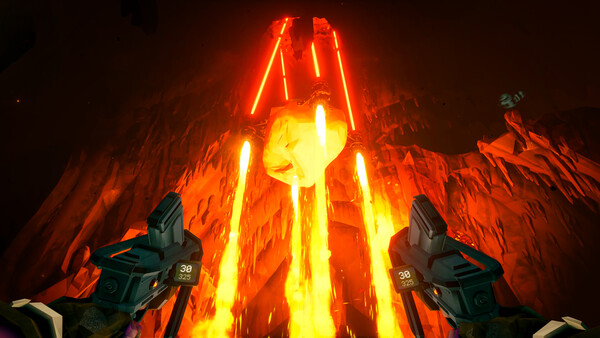
TL;DR: To promote a dwarf in Deep Rock Galactic, reach class level 25, complete that class’s promotion assignment and use the Promotion Terminal in the Memorial Hall. Pay the cost shown for that promotion. The class returns to level 1 while equipment and upgrade progress remain intact.
This Deep Rock Galactic promotion guide is about the original game’s class progression. The red class level is the requirement; your overall player rank is a different counter. Reaching the level cap starts the qualification process rather than automatically applying a promotion at the end of the mission.

On this page
1. Confirm which class reached level 25
Check the class you intend to promote. Scout, Gunner, Engineer and Driller have separate class levels and promotion histories. A level-25 Gunner does not make an underleveled Scout eligible, and a high overall player rank does not replace the selected class’s requirement.
The developer raised the class cap from 20 to 25 in Update 19. Older guides using retirement terminology or level 20 describe an early system. That update also replaced the old loss-of-upgrades behavior, so do not apply a launch-era reset warning to the current promotion route.
Once the intended class is capped, inspect the Assignment Board. If the promotion option is missing, verify the selected class and any unfinished active assignment before assuming your progression is broken. Do not reset the save to make a menu option appear.
2. Accept and complete the promotion assignment
Select the eligible class’s promotion qualification assignment and follow the next marked mission on the map. Work through the chain the current game presents. Completing unrelated missions still provides ordinary play rewards but does not necessarily advance the selected promotion chain.
The assignment’s mission types should be read from your game. Later updates added variety to recurring promotion assignments, so an old fixed sequence is not a dependable list to copy. Choose the highlighted step rather than search for a cave type a historical walkthrough says must come next.
The qualification missions do not have to be played alone. Update 19 explicitly removed the old forced-solo final mission. You can complete the chain cooperatively, and you can use another class during the qualification missions if you want to earn class experience there instead of running a capped dwarf. The eligibility and final promotion still belong to the class that reached 25.
3. Separate assignment completion from the final promotion
Finishing the qualification assignment is not the same as pressing the final promotion action. Return to the Space Rig and check that the chain is complete. If you continue launching ordinary missions without visiting the terminal, the class remains waiting for the final step.
Switch back to the class you intend to promote before checking the final action. That keeps the terminal and the intended dwarf aligned. If you are in another player’s group or the terminal refuses the interaction, return to your own Space Rig with no other players in the lobby and try again after checking the completed assignment.
This distinction explains a common complaint: “I finished every mission but I am still level 25.” Check assignment status, selected class and the final terminal rather than repeat the same mission hoping the promotion will happen automatically.
4. Visit the Memorial Hall and read the cost
Use the Space Rig’s route to the Memorial Hall and interact with its Promotion Terminal. The developer’s Update 29 notes explicitly moved promotion there, so old directions to finalize everything in an earlier character-selection interface are historical.
Read the displayed credit and mineral requirements before confirming. Costs depend on the promotion, so there is no single fixed price that explains every class and rank. Keep enough resources available instead of spending the entire balance on cosmetics while planning to promote immediately.
If the action remains unavailable, compare the displayed missing condition with your class level, qualification status and resources. A lack of one required mineral is a different issue from an unfinished assignment. Resolve the actual condition shown rather than sell random materials or change the save.

5. Keep your equipment and understand the reset
Promotion resets the promoted class’s level so it can gain levels again. It does not delete the weapons, purchased upgrades or other ordinary account progression you have already earned. The official Update 19 change is explicit that weapon upgrades carry over and only the character level resets.
You do not have to re-buy a familiar build just because the class number changes to 1. Inspect the loadout after promoting and continue using the kit you understand. That is the practical difference from the old retirement system, which removed more progress.
The first promotion of a class also opens the second active perk slot for that class. The developer’s perk-system preview describes promoted dwarves receiving that second active slot. Check your loadout and equip a suitable unlocked active perk rather than leave the new slot unused.
6. Follow the first promotion’s endgame path
Your first promoted dwarf opens access to Deep Dives and the Breach the Core assignment. The official endgame update describes Breach the Core as the first-promotion route into Matrix Core progression and the Weekly Core Hunt after completing it. Do not confuse unlocking an assignment with already finishing its rewards.
Promotion also provides the Tritilyte Key used to activate Machine Events. The official Machine Event update explains that a promoted player can activate those events; other teammates can participate even if they have not promoted. Infusing a Blank Matrix Core is a separate reward step, so having access to the event is not the same as owning every possible overclock.
Later promotions and newer tracking systems give you reasons to keep leveling, but the first useful goal is learning those newly opened systems. Season 5 expanded the tracker beyond Legendary III; it did not turn that cosmetic history into a universal combat power ranking. Play a manageable Deep Dive when you understand supplies and mission transitions rather than jump in solely because the terminal now allows it.
Frequently asked questions
Do promotion missions have to use the level-25 class?
You can progress the accepted assignment while playing another class. That is useful for earning experience on a class that is not capped. Return to the intended eligible class when applying the final promotion, and keep its qualification chain selected.
Do I lose weapon upgrades or cosmetic purchases?
No. The developer removed that earlier retirement behavior. Class level resets, while earned equipment progression remains. Check your loadout after promoting instead of planning to purchase everything again.
Is Legendary III the end of all recorded promotions?
No. Season 5 added an expanded tracker for promotions beyond that earlier visible endpoint. This guide focuses on the eligibility and first-unlock route rather than claiming a particular long-term promotion history is required to play well.
Next step: Confirm the level-25 class, complete its marked qualification chain and read the Memorial Hall terminal’s exact requirements. After the promotion, fill the new perk slot and start Breach the Core before planning the next progression project.
Sources and version notes
- Deep Rock Galactic on Steam
- Deep Rock Galactic
- UPDATE 19: GUNS! LOTS OF GUNS!
- UPDATE 29: The End of the Beginning
- Preview of Update 28: Feeling Perky
- UPDATE 25: ENDGAME – PART ONE
- Update 26: Endgame Part 2!
- Season 05: Drilling Deeper is OUT NOW!
Official developer, publisher and storefront pages plus separately identified community references read November 11, 2026. Recommendations reflect documented features and editorial fit; no personal playtest, price comparison, benchmark or measured SEO score is claimed. Platform and mode limits refer to the editions named in the article.