Quick answer: Investigate Terraria or Stardew Valley for two-dimensional co-op, Portal 2 for spatial puzzles, and the two squad shooters if their current requirements fit both PCs.

On this page
Best co op games for low end PC: check both computers first
Terraria and Stardew Valley are useful candidates when a group wants two-dimensional cooperative play. Portal 2 offers a different direction for two people who prefer spatial puzzles. Left 4 Dead 2 and Alien Swarm: Reactive Drop are options for squads that want action, provided their current requirements fit the actual computers. None is a promise of a particular frame rate on an unspecified low-end laptop.
This shortlist uses official system requirements and documented cooperative modes. The comparison considers perspective, hardware requirements, session structure, hosting, and the impact of extra content. No performance benchmark or hands-on laptop test was conducted. Before choosing a game, identify each computer’s processor, graphics hardware, memory, operating system, and free storage. A model name such as an old office laptop is too vague to establish whether its graphics and drivers meet the game’s needs.
| Game | Group or focus | Play arrangement | Decision factor |
|---|---|---|---|
| Terraria | 2D building and combat | Online co-op | World size and modifications |
| Stardew Valley | 2D farming | Online or local options | Version and farm setup |
| Portal 2 | First-person puzzles | Two-person co-op | GPU and controls |
| Left 4 Dead 2 | Action horror | Online campaign co-op | Effects and group pace |
| Alien Swarm: Reactive Drop | Top-down tactics | Online or LAN co-op | Official versus custom maps |
Terraria: investigate a flexible two-dimensional world
Terraria’s official description combines digging, crafting, exploration, building, and combat, and its PC storefront confirms online cooperation. It offers a wide range of group activities without requiring first-person camera movement. Choose it when friends want a continuing world and prefer a two-dimensional view. Match the PC edition and game version, and start with an ordinary unmodified world so unexpected add-ons do not complicate the hardware check.
Its apparent visual simplicity should not be mistaken for unlimited performance headroom. Large constructions, many effects, world settings, and modifications can change the workload. Those are practical reasons to begin with conservative choices rather than immediately loading a friend’s elaborate modded save. Another drawback is progression coordination: one player using advanced equipment can change the shared experience for everyone else. Decide whether outside characters and items belong in the group world. Evaluate both play comfort and technical compatibility before making Terraria the permanent weekly choice.
Stardew Valley: choose cooperative routines over constant combat
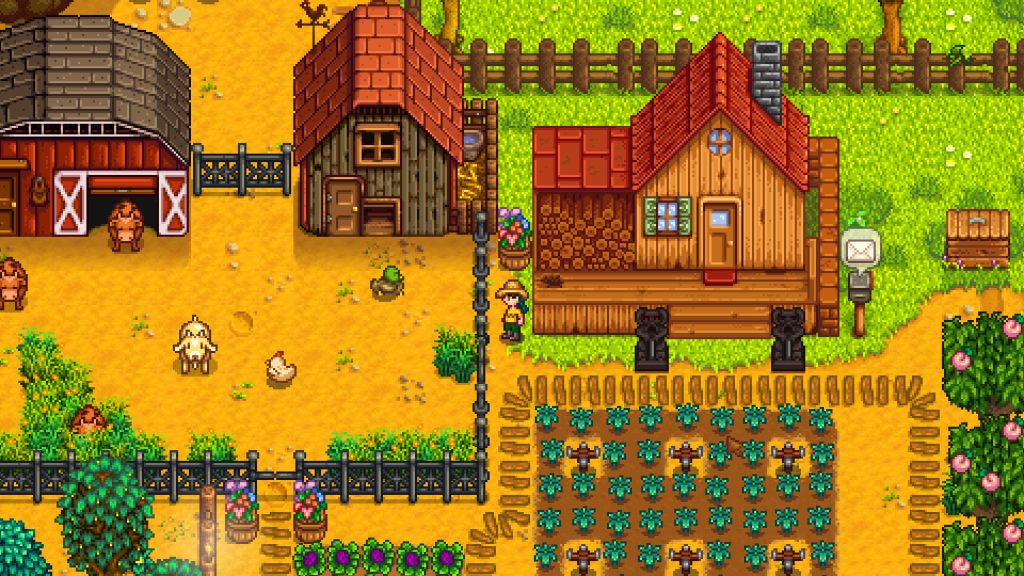
Stardew Valley’s official listing describes farming, fishing, relationships, exploration, and cooperative play. It includes online, LAN, and split-screen categories for the PC release. The two-dimensional presentation and shared farm make it a candidate for friends who want a continuing project with several useful activities. One person can focus on the farm while others pursue different goals, provided the team understands how its shared day is being spent.
The practical limitation is the farm setup and version arrangement. Online participants need a compatible release and a usable place in the cooperative save; the presence of a split-screen category does not solve every online setup question. A heavily modified farm adds a separate compatibility and performance burden. Begin without modifications when diagnosing a limited computer. Agree on spending and end-of-day expectations too: comfortable hardware does not prevent a shared farm from becoming frustrating if one participant changes plans or spends common resources without discussion.
Portal 2: a two-person alternative to a survival world
Portal 2 has a dedicated two-person cooperative campaign, and the Steam listing includes online and split-screen cooperative support. It is a candidate when the group consists of exactly two people who want a sequence of defined puzzles rather than an open-ended save. The first-person view creates a different control requirement from the two-dimensional games, so check whether both players are comfortable navigating and inspecting the same space.
The drawback is the fixed pair size and the need for graphics hardware that meets the actual minimum specification. An older game is not automatically compatible with every older computer. Start with the official cooperative campaign rather than an unknown custom chamber, and adjust supported graphics settings if performance is inconsistent. If only one machine is capable of running the game, local or streamed arrangements create a different test involving input devices and connection quality. Do not assume an online recommendation proves a streamed session will feel equally responsive.

Left 4 Dead 2: choose a coordinated action campaign
Left 4 Dead 2 is a cooperative action-horror shooter with online campaign play. Its official listing and requirements make it worth investigating for a group attracted to objective-based action on older capable hardware. Campaign cooperation gives the team a clear reason to move together. Pick an early official campaign and a comfortable difficulty while new players learn to read the environment and support one another.
Combat effects and the horror setting are real drawbacks for a group seeking a quiet, gentle game. Performance should be assessed in actual busy gameplay rather than only the main menu. Custom campaigns and modifications introduce another variable, so exclude them from the first compatibility check. The source lists legacy minimum operating-system wording; treat that as a game specification, not evidence that the present Steam client supports every old operating system. Verify the current client and drivers separately. Avoid promising a fixed frame rate or a particular integrated-GPU result without a real measured test.
Alien Swarm: Reactive Drop: try defined tactical missions
Alien Swarm: Reactive Drop is free and supports tactical top-down co-op for up to eight players. Its official description makes it a candidate for a small squad that wants a mission-based alternative to a long-term building game. It also includes Workshop support, but official missions are the better starting point when assessing basic compatibility. Keep the group’s first objective simple: join, understand movement and roles, and complete an introductory mission.
The limitation is that the published old hardware minimum does not establish a complete modern-computer guarantee. Drivers, operating system, client support, and installed community content still matter. The store notes that disk requirements depend on Workshop additions, which is a concrete reason not to subscribe to a huge set of maps immediately. Its Windows listing also differs from the broader platform availability of some other choices here. Check every participant’s operating system before organizing downloads, and let a newcomer learn the tactical view rather than assuming that top-down controls are automatically easier.
Use a controlled first-session performance check
Compare the current product requirements with the slowest computer before anyone purchases a paid game. Then install the same version and try ordinary built-in content with conservative supported settings. If the game offers resolution, effects, or quality options, change one relevant setting at a time so you can recognize what helps. Distinguish a stutter on one computer from network delay affecting the whole session; they may need different remedies.
Avoid introducing several modifications while you are still checking the base game. For a host-managed world, compare performance when joining and hosting because those arrangements can place different demands on a machine. Record the actual problem, such as unreadable movement or long loading, rather than describing the computer simply as slow. If one participant cannot play comfortably, select a different candidate or setup. A recommendation only becomes useful when every active person can participate.
Questions about limited PC hardware
Does low-end mean integrated graphics?
Sometimes, but it can also mean an older dedicated graphics card, limited memory, or an unsuitable processor. Identify the exact components. The requirements of a particular game and current client matter more than a general label, and no integrated-GPU performance was measured for this article.
Should we lower resolution first?
It can help when the graphics workload is the issue, but it will not repair an unsupported operating system or every hosting problem. Use the settings the game actually provides and change them systematically. Observe a representative scene instead of judging only a quiet menu.
Is Remote Play automatically easier for a weak PC?
A streamed setup can shift some rendering work to the host, but it adds network, decoding, and input considerations. Confirm that the selected mode supports the arrangement and test it with both people. An online co-op listing is not a measured guarantee of streamed responsiveness.
Sources and method
Official sources checked November 11, 2026. Recommendations compare documented play arrangements and practical fit. Exact current prices, measured hardware performance, and personal playtests are not claimed.