Quick answer: Use online co-op in Portal 2 for a pair, We Were Here Forever for separated clues, or Valheim, Raft, and Terraria for a group sharing a world from individual PCs.

On this page
Best co op games with separate screens: define the setup
For two people with their own PCs, Portal 2 offers a dedicated online puzzle campaign and We Were Here Forever makes separate information part of the challenge. Valheim, Raft, and Terraria are choices for friends who want individual viewpoints in a shared world. The intended arrangement here is each person running a compatible game client on their own computer and display, then joining the documented online cooperative mode.
Separate screens can mean several different things: two online clients, two local displays connected to one computer, or a remotely streamed local game. Those arrangements are not interchangeable. This comparison uses official online-co-op descriptions and considers player count, shared information, host availability, version matching, and the kind of progress being saved. It does not claim that every game can spread one local split-screen session across two monitors or that a streamed connection has been tested.
| Game | Group or focus | Play arrangement | Decision factor |
|---|---|---|---|
| Portal 2 | Two online players | Own view on each PC | Dedicated puzzle campaign |
| We Were Here Forever | Two online players | Different information | Microphones required |
| Valheim | Online shared world | Individual exploration views | Persistent hosting plan |
| Raft | Online voyage | Individual game clients | Shared floating home |
| Terraria | Online world | Individual 2D views | Match versions and equipment |
Portal 2: keep a full personal view while solving together
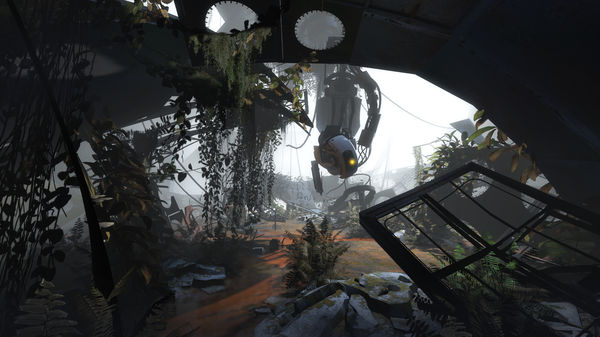
Portal 2’s dedicated cooperative campaign is designed for two players, and its Steam listing includes online co-op. Each participant can operate their own game client and view while coordinating the same test chamber. Select this when the pair wants a defined sequence of spatial puzzles rather than an open-ended exploration world. Before a complicated attempt, explain the intended portal locations and timing so both people understand their part of the solution.
The limitation is the pair size. A third person cannot join the campaign as a third active robot. The listing also includes split-screen, but that is another mode rather than proof that your proposed two-monitor arrangement will work without additional configuration. Use online cooperation when you have two capable PCs and want the clearest documented personal-view setup. Verify controls and invitations before beginning, and start with official campaign chambers so custom content does not add unknown requirements to an already unfamiliar connection arrangement.
We Were Here Forever: use the separation as a mechanic
We Were Here Forever asks two partners to communicate while solving different pieces of a shared mystery. Its official description requires an internet connection and a working PC-compatible microphone for each person. Personal screens are useful because the game deliberately gives players different information. The right habit is to describe a clue precisely rather than assume the partner is looking at the same symbol, room, or device.
The drawback is dependence on communication. A poor microphone, background noise, or unreliable voice connection can make a puzzle seem harder for reasons unrelated to its logic. Test audio and agree on clear names for repeated symbols before starting. It is also a cooperative-only two-player campaign, so it cannot include a larger friend group in the same adventure. Confirm the exact product and platform instructions; a store’s cross-platform category by itself does not identify every edition or invitation condition that your pair might need.
Valheim: explore independently inside a shared world
Valheim supports one to ten players according to its official description and lists online co-op. Separate clients give each participant an individual view while the group builds and explores the same world. Choose it when friends want to divide tasks without having a shared camera constrain their movement. Still plan group expeditions and major progress, because independent viewpoints can turn a cooperative evening into several unrelated adventures if nobody communicates.
The continuing world is the main setup drawback. Decide who hosts it and whether it needs to be accessible when that person is absent. A dedicated server is a possible arrangement with separate configuration and operating responsibilities, not a guarantee built into the words online co-op. Match game versions and use the official connection guidance for the exact storefronts and platforms involved. Keep the first test ordinary and unmodified so a failed join is easier to investigate. Add complex hosting or modifications only after the basic group connection works.

Raft: share one vessel from several viewpoints
Raft’s PC description lists online cooperation and a common voyage built around a floating home. It suits friends who want individual movement and inspection while contributing to the same raft. Separate screens let people gather, inspect, and manage different parts of the scene, but the group’s base and travel decisions remain shared. Announce an island excursion or a major layout change so another player’s independent viewpoint does not leave them out of the plan.
Its drawback is that individual screens do not make progression independent. The group still needs a workable hosting arrangement and agreement about shared facilities and exploration. The official Steam facts establish online co-op for the PC release; they do not prove that an arbitrary console copy can join that PC world. Check the exact release before asking friends to purchase it. Choose a modest first-session objective and test that everyone can reconnect, rather than spending the whole opening evening building a base before discovering a recurring invitation problem.
Terraria: use personal views for different shared tasks
Terraria’s online cooperative world is a useful alternative when a group prefers a two-dimensional perspective. Friends can work in different areas while still contributing to the same building, exploration, and combat goals. Personal views help a builder inspect a construction while another participant explores underground. Set a shared objective for the evening so the separate viewpoints support cooperation rather than merely placing independent players on the same server.
The drawback is the character-and-world relationship. Participants may bring different inventories into the shared world, and powerful outside equipment can change the new group’s progression. Agree on what is allowed before joining. Match PC game versions and decide who will keep the world available. The Steam listing supports Windows, macOS, and Linux, but that platform list does not establish console or mobile crossplay. Similarly, a game being visible on several stores is not enough evidence that every release uses compatible saves, networking, or update timing.
Choose online clients, local displays, or streaming deliberately
Write down your actual arrangement before selecting a game. With one capable computer per person, check the online cooperative mode, required copies or guest entitlements, invitations, and exact version compatibility. If you have only one capable computer and two monitors, read the local mode’s display and input support separately. Two connected monitors do not automatically turn a game with one rendering view into two independent full-screen players.
Streaming creates another arrangement in which a host may run the game while another person receives video and input. It adds connection quality and input-device considerations, and a local cooperative mode may still share a camera or split the rendered image. Test the selected arrangement before purchasing several accessories. When the whole group successfully joins, verify how progress is saved and who owns the host world. Separate displays solve view space; they do not solve version mismatches or save ownership by themselves.
Questions about separate-screen cooperation
Does online co-op always need one copy per person?
Often each participant needs a compatible entitlement, but guest-pass rules can create exceptions in particular games. Check the exact game’s official purchase and invitation instructions. None of this shortlist’s mode descriptions should be read as a universal rule for every product or store family-sharing arrangement.
Can I put each half of split-screen on a different monitor?
That depends on the game’s actual display support and your configuration. An online-co-op listing does not answer the question. This article recommends separate compatible online clients, not an unverified method of stretching a local split-screen image across multiple physical displays.
Which game makes different screens essential to the idea?
We Were Here Forever deliberately separates information between its two partners, making clear descriptions central to the puzzles. The other choices use personal viewpoints mainly for movement and inspection. Pick based on whether you want separated clues or a shared world with freedom to roam.
Sources and method
Official sources checked November 11, 2026. Recommendations compare documented play arrangements and practical fit. Exact current prices, measured hardware performance, and personal playtests are not claimed.