TL;DR: The original PowerWash Simulator supports online co-op. Career is a two-person job: one host and one helper. Free Play is the option for a larger group, with up to six players total. There is no built-in local split-screen, so two controllers on one console do not create a co-op session.
The most useful Powerwash Simulator co op explained answer is to choose the mode before sending an invitation. Career helps the host tackle their current business jobs. Free Play replays jobs the host has already completed. This guide covers the first game, not PowerWash Simulator 2 or the separate VR edition.

On this page
PowerWash Simulator Co Op Explained: Choose Career or Free Play
Pick Career if you and one friend want to clean a job in the host’s active campaign. Pick Free Play when three or more people want to join the same cleaning session. The publisher’s Steam description expressly separates helping your closest pal in Career from the six-person Free Play option.
| Mode | Co-op size | What you are cleaning |
|---|---|---|
| Career | 2 total | A job in the host career |
| Free Play | Up to 6 total | A completed host job replayed |
| Same-device split-screen | Not supported | Use separate online-capable devices instead |
The Free Play wording is easy to misread. The supported group limit is six people in the session, not a host plus six guests. If the last person cannot enter a room that already contains six cleaners, changing network settings will not create another supported slot.
Do not confuse an online party invitation with the game mode’s capacity. A platform voice chat can hold more people than a Career job. Keep the voice chat if you like, but move the game session into Free Play for the larger cleaning group.
2. Let the intended host select the job
The host should open the intended Career job or select a completed job in Free Play before inviting helpers. Once the co-op option is enabled, use the invitation or room-code flow displayed by your edition. Menu labels can differ across platforms; follow the current game prompt rather than an old screenshot from another release.
For a first attempt, use an ordinary base-game job both players recognize. A downloadable pack adds an extra variable: each player should verify that their edition has access to that pack. A successful base-game connection is a cleaner diagnostic than trying to solve account access, a purchased level and a network problem at once.
In Free Play, the host’s completed jobs define the useful replay choices. A friend having finished a location on their own profile does not automatically make that location available in your host’s replay list. If the desired job is missing, check who is hosting and whether that person has completed it.
3. Treat online access and cross-platform access separately
Everyone needs their own running copy or other legitimate access to the game, a supported online connection and the relevant platform permissions. Local controller pairing alone is insufficient. Paid-console online access may also require that console’s subscription; review its current store requirements before arranging a remote session.
The Steam page lists cross-platform multiplayer, but that label is not evidence that every PC, PlayStation and Nintendo combination can share a lobby. The official pages reviewed here do not provide a complete current platform-pair matrix. For a mixed-platform purchase, verify the exact pair through current publisher support before paying. A same-platform session is the straightforward choice when that verification is unavailable.
Also name the exact game. A player using the first PowerWash Simulator cannot join a second-game lobby simply because both games feature a pressure washer. The separate VR release is another product, and this guide does not claim that its multiplayer connects to the flat-screen release.

4. Agree on progress and split the cleaning work
Decide whose Career job you are helping before starting. The official description frames Career co-op as lending the host a hand. Do not promise that completing their job also advances every guest’s separate Career file. A helper who wants to check their own unlocks should inspect their own Career afterward rather than assume identical progression.
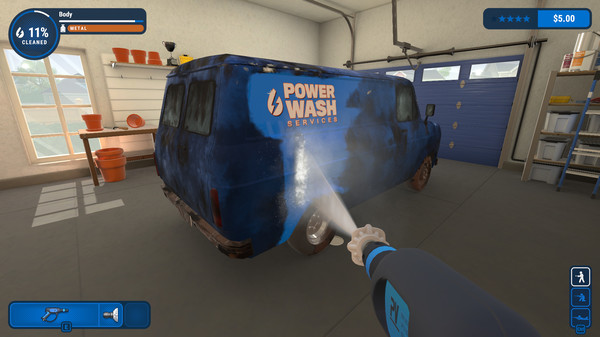
For an efficient session, give each person a visible area: one cleans the vehicle body while the other handles wheels and underside edges, or one handles an exterior wall while the other works on steps and railings. This prevents both players repeatedly washing the same patch while another object remains untouched.
Take advantage of the relaxed pace. Career has no countdown or final score according to the official description. One person can talk through nozzle choices while the other experiments. There is no reason to turn a shared job into a speed contest unless your group wants that extra challenge.
When a job appears almost complete, identify the remaining object through the available job list and dirt-highlighting tools instead of respraying the entire scene. Check small seams, undersides and separate components. The official game page provides the game’s overview and genuine artwork; our PowerWash Simulator hub links the related cleaning guides.
5. Troubleshoot the smallest failed condition first
If the invite does nothing, confirm that both players launched the same game and updated it, the host enabled co-op, and the selected mode has an open slot. Then check the platform account’s multiplayer permissions and whether other online services work. Keep these checks separate so you know which change fixed the failure.
If a room code fails, have the host display the current code again and compare every character. Do not keep trying a code from a previous session after the host has recreated the room. If a friend can join one job but not a special pack, investigate content access before blaming the entire multiplayer service.
For an unstable session, try one host and one helper on a base-game job. If that works, add the other guests in Free Play. This narrows the problem without deleting saves or reinstalling immediately. Stop washing and let the host save before ending the session so the agreed progress remains easy to find.
Questions players ask about co-op
Can two people play on the same TV?
The original flat-screen game does not offer built-in split-screen. Two people can play online on separate supported devices, but connecting a second pad to one device does not add another cleaner. Streaming or unofficial workarounds are outside this documented setup.
Can six people play Career together?
No. Career is for two players. The larger six-player cleaning group belongs in Free Play, using a job the host has already completed. Check the mode if your group sees fewer slots than expected.
Is this also a PowerWash Simulator 2 guide?
No. Check the exact title on the launch screen before applying these mode limits. Multiplayer features of the sequel should be checked against its own documentation, and the same caution applies to the separate VR game.
Next step: Choose the host, confirm the mode and try one ordinary job with one helper. Once that connection works, move a larger group to Free Play and pick a completed location everyone wants to clean.
Sources and version notes
Official developer, publisher and storefront pages read November 11, 2026. Recommendations reflect documented features and editorial fit; no personal playtest, price comparison, benchmark or measured SEO score is claimed. Platform and mode limits refer to the editions named in the article.