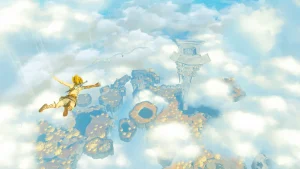
Quick answer: To use Autobuild in Tears of the Kingdom, unlock it in the Depths during Josha’s quest line, then press the Autobuild button and pick a saved schematic or a recent build. The game reassembles it instantly, using parts from your inventory first and charging Zonaite for anything you are missing. Save your good vehicles to the favourites list so you can rebuild them anywhere.
What Autobuild does
Autobuild is the ability that turns a one-off construction into a reusable blueprint. Instead of placing every fan and platform by hand with Ultrahand, you select a build and the game assembles it in front of you. That sounds like a convenience feature, and for simple builds it is. For anything with more than four parts, it changes how you travel.
The ability has three inputs: your saved favourites, recent builds from your history, and your Zonaite balance. Understanding that triangle is the whole skill.
| Element | What it does |
|---|---|
| Favourites | Builds you deliberately saved; the reliable library |
| History | Recently assembled builds, including ones you never saved |
| Inventory parts | Consumed first when a build is assembled |
| Zonaite | Charged for parts you do not have on hand |
| Cost display | Shows what the build will consume before you confirm |
That last row matters. Autobuild tells you the cost before it commits, so a look at the number is the difference between a cheap rebuild and accidentally spending a large amount of Zonaite on a machine you did not need.
Step 1: unlock Autobuild in the Depths
Autobuild is not available from the start. It is tied to the Depths storyline that begins with Josha at Lookout Landing, who sends you underground to investigate. Following that thread takes you to a Construct who grants the ability.
Do this early. The Depths are hostile and dark, so bring brightbloom seeds, some healing, and a plan for getting back out. The reward is one of the most useful abilities in the game, and it makes every later Depths trip easier because you can rebuild a light-bearing vehicle on demand.
Once you have it, the ability appears alongside Ultrahand, Fuse, Recall, and Ascend. If you are not sure whether you have unlocked it, check your ability wheel before reading further; if it is missing, the quest is the answer, not a bug.
Step 2: save the builds worth keeping
Build something useful, then save it to favourites while it is still assembled. A basic fan platform, a light-bearing cart, and a simple flying machine cover most needs. Save them at the moment they work, not later from memory.
Keep the favourites list short. A long list of half-remembered builds is worse than three reliable ones, because you will spend more time scrolling than building. Name or recognise them by silhouette; you select from a visual list, so a distinctive shape helps.
If you find a schema stone in the Depths, those pre-made builds can also be registered, which is a fast way to acquire designs you would not have thought of. Registering a schema does not cost anything beyond the trip to find it.
Step 3: watch the part cost
Autobuild prefers real parts from your inventory and charges Zonaite for the rest. That means the same blueprint can be cheap or expensive depending on what you are carrying. A build made of fans is cheap when you have fans and costly when you do not.
Carry a stock of common Zonai devices when you travel: fans, a steering stick, a light, and maybe a rocket. Device dispensers refill these, and a full stock means Autobuild builds from inventory instead of charging Zonaite.
If a build is only for a short hop, consider whether you need it at all. Autobuild is fast, but it is not free, and repeatedly summoning a large machine to cross a small gap drains resources that are better spent on the trip that actually matters.
Step 4: use Autobuild for traversal, not combat
The strongest use is bridging terrain: a gap, a canyon, a river, a climb. Autobuild plus a saved flying machine turns a twenty-minute route into a two-minute flight. That is the payoff that justifies the Zonaite.
It is also excellent for repeatable tasks. If you are ferrying objects for a quest, a saved cart that holds the object is faster than rebuilding each time. The same logic applies to farming runs where you need to carry material back.
Combat builds are possible but fragile. A device-based turret can work, but enemies move and the device consumes power, and you usually spend more effort than a sword would take. Use Autobuild for movement and logistics; fight with weapons.
Step 5: fix the common failures
If Autobuild refuses to place a build, the ground is usually the problem: the space is occupied, the terrain is uneven, or the build would intersect a wall. Move to open ground and try again before assuming the schematic is broken.
If the build appears but does not move, check orientation and power. Fans facing the wrong way, or a build with no battery left, produces a machine that sits there. Autobuild reproduces the design exactly, including any mistake you saved, so a build that was marginal when you made it will still be marginal now.
And if the cost is higher than expected, you are out of the parts. Go restock at a dispenser rather than paying Zonaite for every component.
Frequently asked questions
When do I get Autobuild?
During the Depths quest line that starts with Josha at Lookout Landing. It is not available from the start of the game.
Does Autobuild cost anything?
Yes. It uses parts from your inventory and charges Zonaite for missing pieces. The cost is shown before you confirm.
Can I save my own builds?
Yes. Save them to favourites while assembled, and they stay available anywhere in Hyrule.
Can I use Autobuild in the sky or the Depths?
Yes, anywhere Autobuild is available. That is precisely why a saved flying machine is so useful underground.
Why does my Autobuild fail to place?
Usually because there is no room. Try open, flat ground and check that nothing is in the way.
Do schema stones cost Zonaite to register?
Registering a schema is a discovery reward rather than a purchase; the ongoing cost is the Zonaite spent when you actually build it.
A saved flying machine needs a battery that can carry it; see the battery upgrade guide. For reaching the islands themselves, the sky island guide covers the routes.