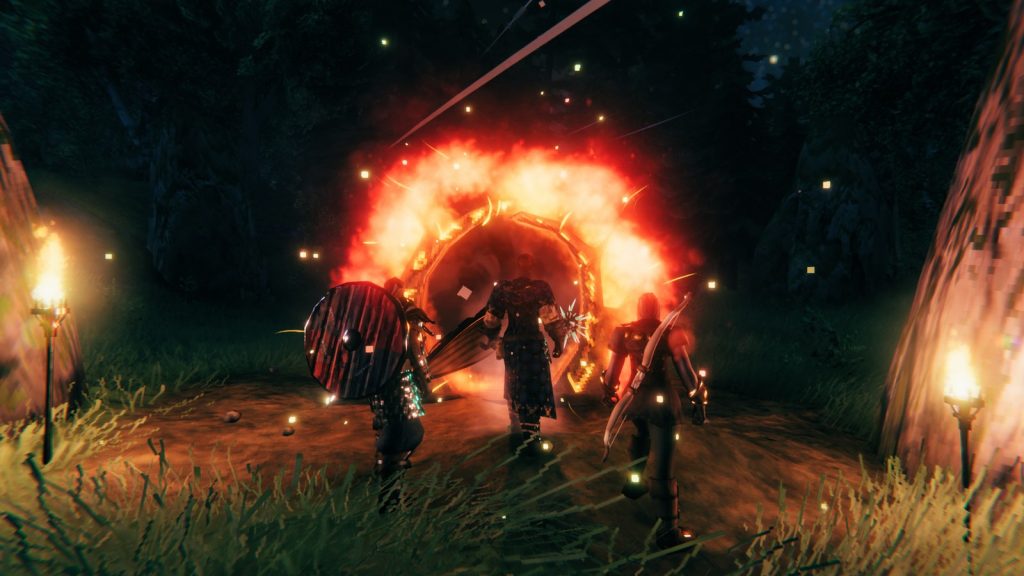
TL;DR: Valheim portal restrictions depend on the world’s Portal modifier and the portal you enter. With default rules, an early wooden portal blocks flagged cargo such as metal ores and bars, while crafted metal equipment can normally travel. The later stone portal changes metal transport, and custom worlds can allow more cargo, restrict boss-time travel, or disable portals.
To solve Valheim portal restrictions, check the world setting first, then your carried items and the departure portal. Dropping one restricted item can fix a wooden-portal cargo warning; renaming the portal cannot. A portal that never connects is a separate tag or endpoint problem.
This guide distinguishes standard unmodded behavior from optional world settings. It does not assume that every server uses the same preset, that a Public Test feature is available everywhere, or that an old no-metal guide describes every current portal type.

On this page
Valheim portal restrictions: 4 checks before your next trip
- Ask the host or inspect the world menu for the active Portal modifier.
- Check whether the departure portal is wooden or the later stone type.
- Inspect carried cargo for a teleport restriction icon or warning.
- Verify the connection separately, using matching tags and a working destination.
Use these checks before mining or loading a ship. If the world blocks your cargo, the return plan needs storage, a physical transport route, or a later portal solution. Finding that out after a long expedition turns a simple preparation task into a stranded inventory.
Default wooden portals block specific cargo
In a normal early world, wooden portals do not accept restricted raw materials such as copper ore, tin ore, scrap iron, silver ore, and their restricted metal bars. The restriction belongs to the item, so smelting a restricted ore does not automatically make it teleportable.
Crafted equipment is a different category. A metal pickaxe, armor piece, or weapon can generally pass through the standard wooden portal even though its recipe used metal. That allows a useful workflow: store restricted cargo at an outpost, return home for repairs and food, then teleport back with your tools.
Do not assume every valuable object or every ore-like material is blocked. Inspect the actual tooltip. Some later items have their own restrictions, and a custom world can override what an old list says. The warning from the installed game is more useful than a remembered rule about all items that look metallic.
Carry only the materials you need for an exploration portal, and check them before leaving. If the wooden portal rejects you after mining, put the restricted stack in secure storage, step away from loose drops, and test again. Automatic pickup can otherwise put the same problem item straight back into your inventory.
World Modifiers change the transport rule
Hildir’s Request added World Modifiers, including portal, resource, raid, and difficulty settings. A preset is a bundle of settings, so read the individual Portal setting after selecting a difficulty preset. Combat difficulty alone does not fully explain whether cargo can teleport.
Depending on the selected setting, the host can allow normally restricted items, keep standard behavior, impose additional limitations around boss encounters, or disable portals. Labels and available combinations can vary with version; read the description shown for that world instead of guessing from the preset name.
On a world that allows all cargo, a wooden portal can be a practical ore-delivery route. On a world with portals disabled, building and matching tags does not override the restriction. If boss-related travel is blocked, wait until the relevant encounter condition ends rather than dismantling a correctly linked portal.
For a dedicated server, have the host confirm the active saved settings. A setting seen in your own single-player world does not prove the server uses it. Mods can change cargo or portal behavior further, so compare an unexpected result against the host’s configuration before calling it a game bug.
The stone portal is a later progression option
The Ashlands release added the stone portal. Under standard rules, this later portal can transport metal cargo that the early wooden portal cannot. It is a distinct build piece from later progression, not a portal upgrade you unlock merely by mining your first iron.
Use a same-type stone-portal pair when planning a later metal-cargo route. The sources reviewed here do not establish every direction rule for a mixed wooden-and-stone connection, so this guide does not rely on that setup. Test the intended cargo under the actual world settings before committing an expedition.
For a simple two-way cargo route, build the appropriate same-type pair at both ends and test each direction with the intended load. A standard early wooden pair remains subject to its cargo restrictions; the later stone pair belongs to a different progression stage.
Check placement and support requirements when building the stone version. Later patches changed supported placement surfaces and fixed its stairs. Those changes are another reason to distinguish the released version from an old launch-week video. World settings and mods still take priority over an assumption that a stone portal must solve every restriction.

Separate cargo warnings from connection problems
A portal pair needs matching tags. Use a short, deliberate naming system and check spelling, capitalization, and accidental spaces. If a portal connects to the wrong place, inspect other endpoints with the same tag before creating another duplicate.
Wait for the connection state to update after changing a tag. Walk clear of the activation area and try again when it reports a connection. A destination needs to exist and be accessible; a remembered map pin is not proof that the portal survived a raid.
If you have connection trouble, test without restricted cargo. If the portal works empty but refuses your usual load, focus on the inventory. If it never connects, focus on tags, destination condition, world settings, and server behavior. These are different failure paths and benefit from different fixes.
Keep a backup home tag or another escape plan before changing an expedition portal. Renaming your only return endpoint from an isolated island can leave you with no working route while the home side still has the old tag.
Plan iron transport with an outpost and a return route
For a first Swamp iron expedition with default wooden portals, use the portal for the player and supplies, and move scrap iron by ship or another prepared physical route. A chest beside a secure outpost separates ore waiting for transport from the food and tools you can teleport.
Smelting beside the swamp can reduce the processing trip, but the resulting bars remain restricted in the early default setup. Local forging can turn some metal into teleportable equipment, yet it does not solve every future crafting need. Choose the processing location around the actual items you intend to make.
Our iron farming guide covers the complete crypt-to-forge route. If travel settings are deliberately more convenient in your world, use that convenience and spend your preparation time on the threats that remain.
FAQ
Can I teleport iron in Valheim?
Yes in the appropriate setup. Default wooden portals block scrap iron and iron bars, while the later stone portal and permissive world settings can change that. Check the departure side and the active modifier.
Does raising combat difficulty always disable portals?
Do not infer that from combat alone. Presets can change several modifiers together, and custom settings can mix them. Read the actual Portal modifier for the world you joined.
Can I bypass a restriction by changing the tag?
No. Tags determine the connection; they do not remove cargo or world restrictions. Store restricted items, use an allowed transport method, or change the world configuration if that is the host’s intended playstyle.
What should a new player build first?
A reliable home portal and a tested exploration partner are useful once the materials are available. Start with our beginner guide and browse the Valheim hub for the supporting preparation steps.