Quick answer: Buy a pylon from the NPC who lives in that biome, place it in the matching biome, and make sure at least two town NPCs are housed close enough to it. Do that in several biomes and you can teleport between any two placed pylons by standing near one and choosing a destination. A pylon that refuses to work is almost always missing its two nearby NPCs, or it has been placed in the wrong biome.
Pylons are the single biggest quality-of-life upgrade in Terraria and also the system players misunderstand most often. The item is easy to buy and easy to place, and then it sits there doing nothing, because the requirements are about the town around it rather than the pylon itself.
What a pylon actually does
A pylon is a teleport anchor. Stand next to a placed pylon, open it, and you get a list of every other valid pylon in the world. Pick one and you arrive beside it. There is no cost per trip and no cooldown worth worrying about, which makes a completed pylon network the fastest way to cross a large world.
The restrictions are what define the system. Pylons only connect to other pylons in the same world, so they are useless across worlds. Each pylon type can only be placed once per world, so you cannot blanket the map with Forest Pylons. And a pylon only functions when the town around it qualifies.
| Pylon | Biome it must stand in | Notes |
|---|---|---|
| Forest Pylon | Forest | The easiest one to get, and usually your first |
| Desert Pylon | Desert | Needs a real desert, not a sandy patch near spawn |
| Jungle Pylon | Jungle | Place it somewhere you can actually reach safely |
| Snow Pylon | Snow | Pairs well with an ice-themed base |
| Ocean Pylon | Ocean | Save a long walk to the world edge |
| Cavern Pylon | Cavern layer | Enormously useful for mining trips |
| Mushroom Pylon | Surface mushroom biome | Requires a mushroom biome to exist up top |
| Hallow Pylon | Hallow | Only possible once Hardmode begins |
| Universal Pylon | Anywhere | A completion reward rather than a biome purchase |

Buying the right pylon from the right NPC
Each biome pylon is sold by a specific NPC, and that NPC has to be living in the matching biome before the pylon appears in their shop. This is the part that confuses people: the pylon is in a vendor’s inventory only under the right conditions, so a player who checks a shop in the wrong place concludes the item does not exist.
The reliable method is to move the relevant NPC into the biome first and then open their shop while standing there. Do not buy a pylon and then try to make it work somewhere else, because the placement rules are strict about the biome it sits in.
Two useful anchors on this: the Mushroom Pylon comes from the Truffle, who can only live in a mushroom biome in the first place, and the Universal Pylon comes from the Zoologist once your Bestiary is complete, which is a long-term goal rather than an early purchase.
Pylon prices are affected by the NPC happiness system, so an NPC who dislikes their neighbours charges more. Keep towns small and let each NPC live with someone they like, and the pylons get cheaper along with everything else in that shop.
The two-NPC rule, which is the real gate
A placed pylon needs a functioning town around it. In practice that means at least two town NPCs housed close enough that the pylon registers as part of a settlement rather than a lonely prop in the wilderness.
This is why a pylon you just bought and dropped in an empty biome does nothing. It is also why moving a single NPC next to an existing pylon can suddenly make it work, and why demolishing a house to reuse the materials can break a pylon you had working five minutes earlier.
The test is visual and immediate: stand next to the pylon and try to use it. If the teleport menu opens with destinations, the town qualifies. If nothing happens, the town does not.
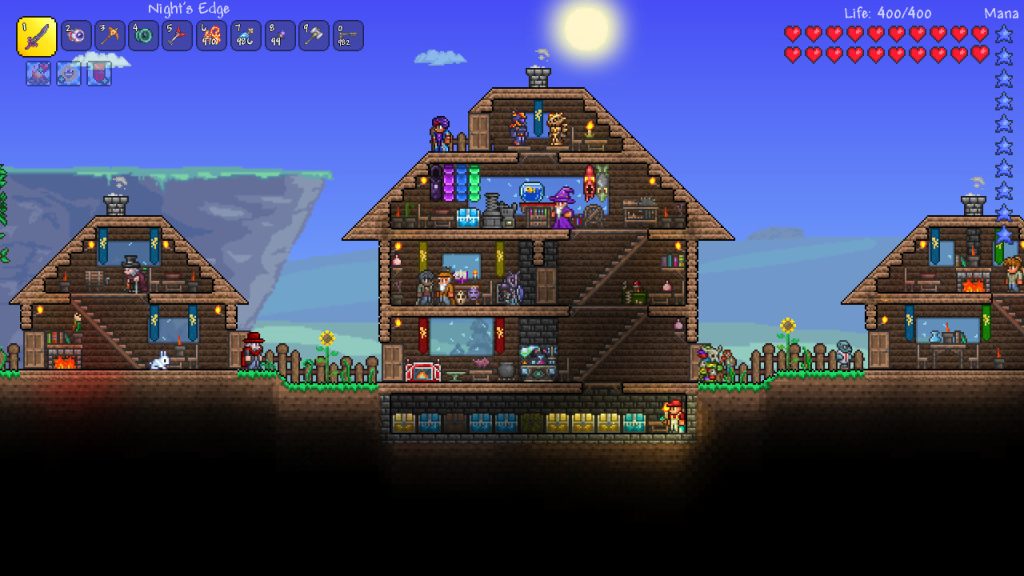
Practical consequence: budget for two houses per pylon, not one. A pylon outpost is a small village with two residents, a light source and a door, and once you accept that, the whole system becomes predictable.
Placing a pylon so it stays valid
- Pick a flat, defensible spot inside the target biome, well inside the biome’s boundaries rather than on its edge.
- Build two small houses nearby, each with walls, a light source and a door, and assign one NPC to each.
- Place the pylon on solid ground in the middle, where you can stand next to it without falling.
- Clear enemies from the immediate area. A pylon surrounded by hostile spawns is not a place you want to arrive.
- Test the teleport from a second pylon to confirm the link works in both directions.
Biome boundaries matter more than they look. A pylon placed a few tiles outside a snow biome is a pylon in the forest, and it will refuse to work. If a pylon will not cooperate, the first thing to check is which biome the game thinks the tile is in.
Designing a network that is actually useful
Pylons pay off in proportion to how you distribute them. A few patterns work well.
Put one pylon in each biome you visit often, not in each biome that exists. A Hallow pylon is nice to have; a Cavern pylon saves you ten minutes every mining trip and is close to mandatory.
Combine pylons with beds. A pylon gets you to a biome; a bed sets your respawn. Together they mean death costs you seconds rather than minutes, and you stop dreading exploration.
Keep the number of outposts small enough to maintain. Every pylon needs two NPCs, and every NPC needs a valid house, so a network of eight pylons is sixteen houses. Build them as you need them rather than all at once, and reuse NPCs you have already rescued.
Common problems and questions
My pylon is placed but the menu is empty
Either the town does not qualify, meaning you need two nearby NPCs, or there is no other valid pylon to travel to yet. A single working pylon has nowhere to go, so the first pylon you complete always feels broken until you build the second.
Can I place two of the same pylon?
No. Each pylon type is limited to one per world, which is why the network is built from different biome pylons rather than repeats of the cheapest one.
Why is the pylon in the shop one day and gone the next?
The vendor’s stock depends on their biome and their happiness. If the NPC moved, or if crowding changed their mood, the pylon can drop out of the shop. Re-settle them and check again.
Can I use a pylon during a boss fight?
Do not plan on it. Pylons are travel infrastructure between towns, not an escape hatch, and treating one as a panic button mid-fight is a good way to lose the fight and the walk back.
Do pylons work in Hardmode?
Yes, and the Hallow pylon only becomes available then. Existing pylons keep working as long as their towns survive, which is one reason to build outposts with solid walls before Hardmode spreads.
Build the first two outposts early, keep each one to two residents, and treat the network as infrastructure you extend when a biome becomes annoying to reach. That is the whole system.
Scope note
Written for the current PC version of Terraria. No external pages were fetched for this draft, so the exact radius a town must occupy and current shop prices are described as behaviour to verify in-game rather than as fixed numbers.