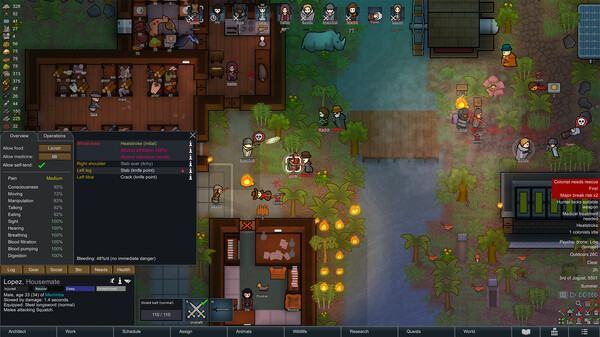
TL;DR: Enable manual priorities in the Work tab. One is the highest priority, four is the lowest, and a blank disables that work type. Tied priorities are checked from left to right. Give essential care and emergencies appropriate attention, make each specialist’s main job outrank their routine errands, and ensure someone actually covers hauling and cleaning. A high number of checked jobs does not guarantee an efficient colony.
This RimWorld work priorities guide covers the ordinary colonist work system. DLC roles, titles, children, mechanoids and mods can change the visible work types or eligibility. Read the installed interface and each pawn’s restrictions before copying another colony’s entire grid.

On this page
RimWorld Work Priorities Guide: Understand the Ordering
Standard mode uses checks to enable work and gives left-hand types precedence. Manual mode adds the one-to-four priority values. The pawn completes available work at a higher priority before moving to a lower one, with left-to-right order deciding ties.
That makes a row of ones a poor general instruction. It says everything is urgent while still allowing the column order to decide which work happens first. A cook with a tied earlier job may continue doing it while the stove sits idle.
Assign priority according to what the colony needs this pawn to accomplish. High-priority care and emergencies have a different purpose from routine production. The exact numbers can vary across your colony, but the ordering must produce the behavior you intend.
1. Keep Emergencies and Medical Roles Clear
Make sure capable colonists can respond to fires and critical patient needs. The wiki explains that firefighting applies within the home area, so an unmarked area can affect response even when the work priority is high.
Assign the strongest appropriate doctor to medical work and name a backup. A single doctor is vulnerable to injury, sleep, a caravan departure or their own treatment needs. The backup does not need to outrank every other job permanently, but the role must be enabled and practical.
Patient and bed rest are different work entries. Patient addresses treatment needs, while bed rest concerns recovering from injuries. Do not disable medical recovery indiscriminately simply because you want the pawn to complete more construction.
2. Give Specialists a Main Job
Inspect skill levels and passions before choosing the primary cook, grower, builder or researcher. The Work tab’s outlines and flame indicators help show proficiency and passion. A passion can support learning and mood, while current skill affects how well a task is performed now.
For each specialist, make their essential production outrank routine errands. A researcher assigned hauling above research can spend the day moving items while the bench remains unused. The work system is following the row you set rather than refusing your intended research plan.
Use a small number of main roles per pawn. A good cook who is also your only capable doctor needs an arrangement that lets urgent care interrupt cooking. A pawn responsible for every production chain cannot perform all of them simultaneously just because they are skilled.
3. Treat Hauling as an Actual Responsibility
Hauling moves materials, fuels equipment and supports other tasks. It is not merely a leftover job that can be ignored until a colonist has nothing else to do. A production chain can stall even with a skilled worker when supplies are not reaching the relevant place.
The wiki warns that a pawn with hauling at top priority can haul every available object before lower jobs, including distant items. Keep that in mind when the colony has a large hauling backlog. Raising hauling can solve a local shortage while creating a new absence elsewhere.
Give at least one appropriate pawn clear hauling coverage and organize stockpiles near the work they support. Shorter routes reduce the amount of time the priority grid must spend compensating for an inefficient layout.
4. Keep Cleaning Where It Matters
Cleaning removes filth that harms room quality and can matter to useful workspaces. A colony with cleaning enabled only at the bottom of every busy row may technically have cleaners while never receiving much cleaning.
Assign deliberate coverage and inspect the allowed areas and home area. A high cleaning priority can spend labor in places you did not mean to maintain. A focused area for an available cleaner can be more useful than a broad emergency change to every colonist.
For mood consequences and room priorities, see our colonist mood guide. Work assignment and colony environment interact: efficient production is less stable when the workers repeatedly reach break risk.

5. Check Eligibility Before Raising a Number
A pawn can be incapable of a work type because of backstory, traits, status, titles or ideology-related roles. The Bio tab lists incapabilities. A missing box is not the same as a skill level of zero.
A zero-skill pawn may still attempt eligible work poorly. An incapable pawn generally cannot do that work at all, with documented exceptions. Increasing a priority does not remove an incapability, so diagnose the restriction before trying several numbers.
Also check allowed areas, reachable materials and the target’s requirements. The Work priority only matters when an available job can actually be performed. A forbidden ingredient, inaccessible room or unsuitable bill remains a separate obstacle.
6. Use Direct Prioritization for a Specific Task
Select a capable pawn and right-click the target to see the available prioritized action. The wiki states that direct prioritization still requires an assigned work type. If no suitable action appears, examine eligibility and the target rather than assuming the command is broken.
Shift can queue multiple jobs. Use that when a short sequence makes sense, such as completing several nearby tasks. Avoid queuing an entire day of forced errands while the colony’s food, rest or medical needs change around the pawn.
Direct orders are a useful diagnostic. If the pawn can perform the task manually but never chooses it automatically, inspect the competing priorities. If they cannot perform it manually, investigate access, materials, bills or restrictions first.
7. Recheck Coverage After a Change
A new colonist, injury, growing season or caravan can alter the workload. Revisit the grid after such changes instead of treating it as a permanent setup. A specialist leaving the map can remove the only effective coverage for an essential job.
Before sending travelers, identify who remains to cook, tend injuries, maintain crops and perform basic logistics. Our caravan preparation guide includes the home-colony side of that decision.
Inspect output after adjusting a row. Check whether meals are produced, construction advances and supplies circulate. The practical result matters more than the grid looking symmetrical.
Frequently Asked Questions
Is one or four the highest manual priority?
One is highest and four is lowest. A blank disables the work type for that pawn.
How are equal priorities resolved?
Available work types with the same value are checked from left to right. This is why assigning everything the same number does not produce equal attention.
Why does a colonist haul instead of researching?
Hauling may outrank research or keep producing available jobs at a tied higher position. Check the row, then inspect research access and requirements.
Can priority overcome an incapability?
No. Check the Bio tab and work eligibility. A restriction is a different issue from low skill or a competing enabled task.
Next step: Choose one stalled essential job, identify its capable worker and compare their competing priorities. Change the smallest necessary part of the grid, then verify the colony’s actual output.
Sources and Version Notes
- RimWorld Wiki: manual work priorities and job eligibility
- RimWorld Wiki: mood target and management
- RimWorld Wiki: caravan formation, supplies and travel
Sources read November 11, 2026. RimWorld Wiki is a community reference; DLC, roles and mods can alter work columns. No personal colony test is claimed.