TL;DR: This Hell Let Loose Warfare mode guide explains a reversible contest for territory. In the standard rules described by the developer-reviewed handbook, a team wins by taking all sectors or holding the majority when the match timer expires. Read the active objectives, their ownership and the timer together; personal scores do not identify the winning team.
Warfare begins with a neutral central objective and then becomes a contest between adjacent friendly and enemy sectors. A captured sector changes which objectives are eligible next. A locked objective remains a map reference, but it is not an active capture opportunity. This distinction explains why a visible objective does not necessarily show capture progress.
The guide uses the official publisher’s developer-reviewed Update 10 handbook, later official patch notes and information checked on November 8, 2026. We did not test a current client. The handbook establishes the documented model; current match displays and updated Field Manual entries should settle any later revision. This page covers original Hell Let Loose Warfare, rather than Vietnam, Conquest or Offensive.
On this page
Hell Let Loose Warfare mode guide: read three match states
Three states organize the interface: the neutral opening, the active frontier after an objective changes ownership, and the final result. At each state, the same map can show different eligible objectives. Read the labels again after a capture instead of assuming that the objective you inspected earlier remains active for the rest of the match.
The Update 10 handbook describes five sectors and a standard match timer of one hour and thirty minutes. Those are sourced documentation values, not measurements from our own game. The timer visible in your match identifies the time currently remaining. A screenshot showing a shorter countdown can simply come from a match already underway; it does not prove a different total duration.
The handbook explicitly distinguishes Warfare from a ticket-based victory system. Territory and the timer determine its described win conditions. A resource counter, a respawn event or an individual scoreboard statistic therefore needs its own interpretation. Do not read one of those numbers as though it were the opposing team’s remaining tickets or a direct progress bar toward victory.
1. Identify the neutral opening
At the documented standard opening, each team already owns territory on its side, while the middle sector is neutral and active. The neutral label matters because this first capture establishes the ownership boundary used for the next stage. Friendly territory elsewhere is already owned; its color does not mean all its objectives are simultaneously open to an opponent.
Open the tactical map through your configured Map control and compare the objective chain with the ownership shading. The handbook identifies M as its PC example, but use your current keybinding if you have changed it. You are looking for the central active entry and the distinction between that entry and the locked objectives on either side.
A visible countdown can also describe a preliminary phase. Keep a phase timer separate from the main match’s remaining time. Official Update 9 introduced a Warfare staging period, and later testing notes describe revised warm-up behavior. This guide does not fix a current warm-up duration from those older values. Read the actual phase label before interpreting a temporarily unavailable objective as a malfunction.

2. Follow the reversible frontier
Once the middle sector gains an owner, the handbook describes two adjacent active sectors: a friendly one and an enemy one. Other strongpoints remain locked until adjacent territory changes hands. This is the core distinction between a visible map and an eligible objective chain. Ownership determines the current relationship, rather than the objective’s position on a static map image alone.
Warfare allows territory to change hands in both directions. A friendly active sector can become enemy-owned, and an enemy active sector can become friendly-owned. Either transition changes the next pair of relevant objectives. The resulting frontier is a game-state boundary, not a permanent list of locations you can memorize before a match.
Suppose the interface shows an owned middle sector and the next enemy sector as active. If ownership of the middle sector reverses, the earlier view is no longer a complete description of the match. Reopen the map and read the new active pair. This is a fictional interface example, not a claim about a specific map, server or match we observed.
Connect capture feedback with the eligible area
The documented Warfare capture area includes the strongpoint and the four grid squares surrounding it. The handbook’s diagram distinguishes that local area from the rest of the larger territorial sector. It also gives players inside the strongpoint three times the ordinary capture weight. A sector’s ownership shading therefore covers more than the area that contributes to its current capture calculation.
This makes two separate questions necessary: is the objective active, and is the game counting presence in its capture area? A map coordinate answers location, while a capture indicator answers a particular game-state question. A player can see the same named sector from outside the relevant local area. Seeing the label is not equivalent to being counted by its capture system.
Read the current status text and progress display rather than trying to reconstruct the complete player count from map icons. The handbook describes capturing, losing and contesting states, with chevrons representing capture strength at a strongpoint. Those indicators are summaries of the game’s calculation. They do not display a verified identity list of every opposing player or establish precise hidden positions.
For the differences between the broader Warfare area and Offensive’s strongpoint-only rule, use the sector capture guide. This page keeps the focus on how those states fit into the whole Warfare match. Detailed weighting and boundary interpretation belong on the separate mechanism page, rather than being repeated as an additional mode tutorial here.
Read the match display without mixing its counters
| Display or label | Question it answers | What it does not establish |
|---|---|---|
| Territory ownership | Which team owns this sector? | Whether every location in it contributes to capture |
| Active or locked objective | Is this objective eligible in the current sequence? | A permanent status for the whole match |
| Capture feedback | Is progress changing for this eligible objective? | The final match winner by itself |
| Match timer | How much of the displayed phase remains? | Your personal score or a ticket total |
| Results screen | Which team the completed game declared victorious | Every cause of that result |

The displays work together because each answers a different question. A capture event changes ownership, ownership changes the active frontier, and the remaining time constrains how the match can end. Personal effectiveness categories remain separate. An individual can earn a visible score while the team’s territory position moves in an unfavorable direction; the score is not the win condition.

3. Understand the two documented endings
The handbook describes an immediate territorial ending when one team captures all enemy territory. It also describes a timer ending in which the side holding the majority of sectors wins. Under its five-sector model, majority means more than half. That is why possession at the end matters even when the objective chain has changed repeatedly during the match.
A capture bar approaching completion is not itself the final result. The ownership transition and the end-of-match declaration remain separate interface events. Likewise, a screenshot taken before the timer expires cannot certify the winner. If you are reviewing a match afterward, use the completed results display rather than projecting a result from an earlier map view.
Do not import the Morale rules from Conquest. Official Update 21 added that mode, and Dev Brief 221 explicitly says it is not intended to replace Warfare. Conquest’s all-active objective structure and Morale system belong to a different ruleset. If the match interface shows those features, revisit the selected mode instead of applying this Warfare explanation to it.

Why the same map can present a different objective chain
An objective name is not a universal slot in a fixed route. Official Update 15.2 introduced server-side custom capture-point selection while retaining the required objective count for Warfare and Offensive. This explains how players can encounter a familiar map name with a different selected set of points. The selected chain should be read from the current match.
The update also documented filters for map, game mode, time of day and weather. Those are separate descriptors of a match configuration. A lighting variant does not automatically establish different win conditions, while selecting another game mode does. Use the map grid guide when you need help separating a coordinate, an objective label and a base map image.
If you want the one-way attacker/defender structure instead, read the Offensive mode guide. The useful lesson to retain for Warfare is reversibility: ownership can move back and forth, and the currently eligible objectives must be interpreted after each transition. That understanding connects the opening, the active frontier and the result without requiring a fictional playtest story.
Frequently asked questions
How do you win Warfare in Hell Let Loose?
The developer-reviewed handbook describes two routes: capture all enemy territory, or hold the majority of sectors when the match timer ends. Its standard model contains five sectors. Read the completed game’s declaration for the actual result, and check the current Field Manual if a later version revises the documented rules.
Can every Warfare objective be captured at once?
No, that is not the handbook’s Warfare model. The middle objective is active at the opening; afterward, adjacent friendly and enemy sectors form the active frontier while other strongpoints remain locked. Conquest’s all-active objectives should not be substituted for this mode’s sequence.
Do you have to be inside the black circle in Warfare?
The handbook describes a broader local capture area covering four grid squares, with greater capture weight inside the strongpoint. This differs from Offensive’s strongpoint-only contribution rule. Eligibility still matters: a visible location in a locked sector is not an active capture opportunity.
Is Warfare decided by tickets or player score?
The handbook explicitly describes territory and a timer rather than tickets. Personal scoreboard categories do not replace those win conditions. Resource counters also have separate purposes. Verify the selected mode before interpreting a number as a team-loss counter, especially when comparing Warfare with Conquest.
Sources and update scope
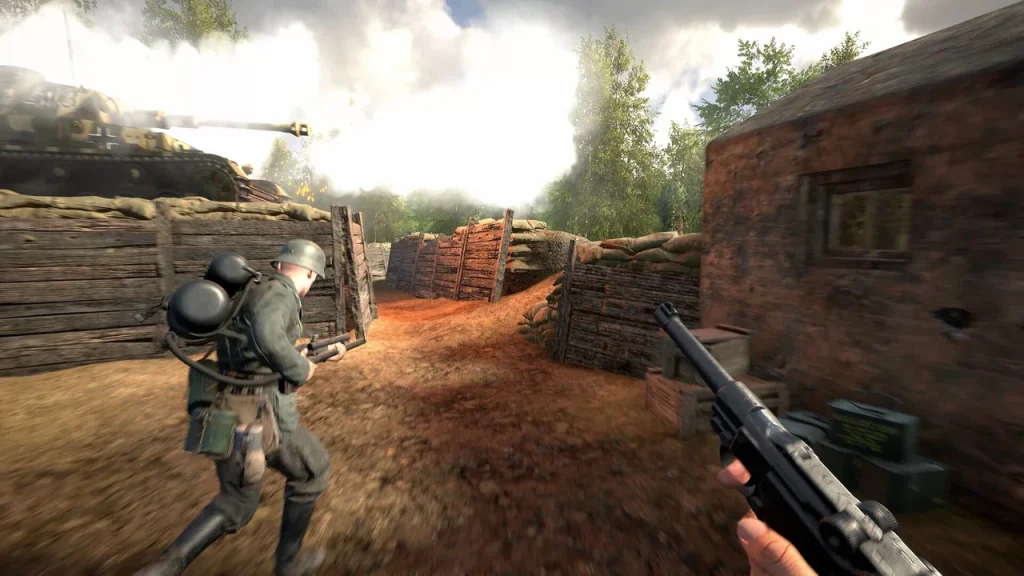
Read November 8, 2026: developer-reviewed community handbook, published by the official game account, its Update 10 mode pages; official Update 9, Update 15.2 and Update 21 changelog; Dev Brief 221. Historical rule values are attributed to their documents. The four images are official original-game screenshots and do not claim to show our own live HUD testing.
Sources and further reading
- https://steamcommunity.com/games/686810/announcements/detail/2998819983302580038
- https://steamstore-a.akamaihd.net/news/externalpost/steam_community_announcements/4048146376728233445
- https://steamstore-a.akamaihd.net/news/externalpost/steam_community_announcements/4038024692303996817
- https://steamstore-a.akamaihd.net/news/externalpost/steam_community_announcements/5842939267334576245
- https://steamstore-a.akamaihd.net/news/externalpost/steam_community_announcements/6240387642450207343
- https://www.hellletloose.com/blog/hll-u21-changelog
- https://www.hellletloose.com/blog/dev-brief-221-u21-community-update