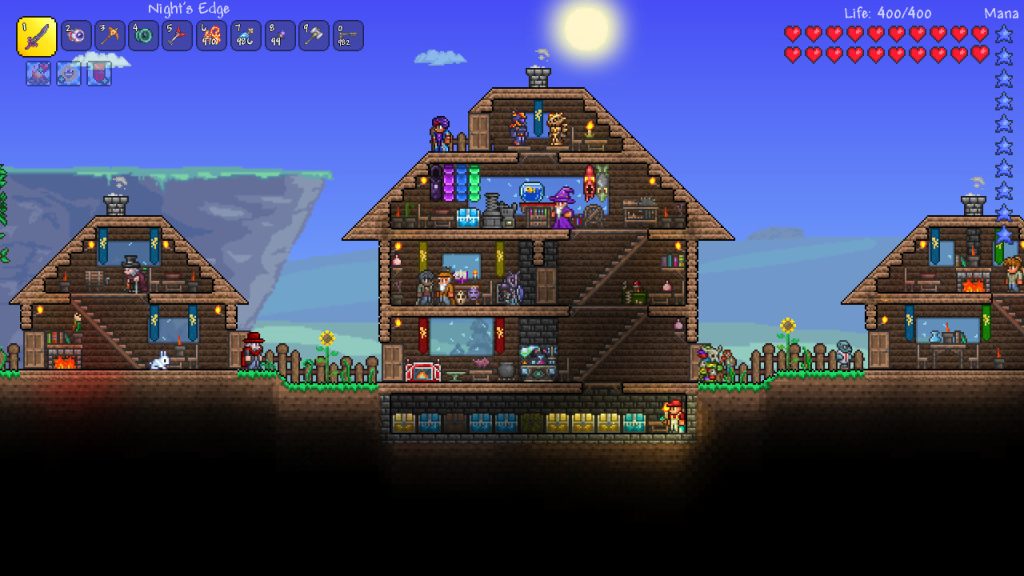
Quick answer: Buy Teleporters from the Steampunker, place two of them on solid blocks or platforms, and connect both to the same trigger with wire. Stepping on the trigger swaps whatever stands in the three-by-three space above each Teleporter – instantly, with no cooldown, no mana and no distance limit. To stop enemies following you home, use a pressure plate that only players can activate.
Teleporters are the point where Terraria’s wiring system stops being a novelty and starts replacing travel. A base entrance, a boss arena escape, a link between two distant farms, a minecart network with gaps in it – all of it runs on the same two-part rule: two pads, one signal.
How do you buy and place a Teleporter?
Teleporters come from the Steampunker, who moves in during Hardmode after you have defeated a mechanical boss. They are expensive – expect to pay a couple of platinum per unit – so plan your network before you start buying. Each Teleporter is three tiles wide and counts as a foreground object, which means it needs a solid block or a platform underneath and it occupies the space like furniture rather than like background wall.
You can hammer a Teleporter into half-blocks and slopes. That changes the height of the three-by-three reception area, which is occasionally useful for lining a pad up with a doorway, but it does not break the device. You can also place furniture on top of a Teleporter; the furniture is not teleported and does not block a player standing in the reception zone.

What is the minimum working setup?
Two Teleporters, one colour of wire, and one trigger. That is the whole recipe.
- Craft or buy a Wrench, and stock up on wire. Wire is consumed as you place it.
- Place the first Teleporter where you want to arrive from, and the second where you want to leave from.
- Run wire from the first Teleporter to the second, then run a spur from that wire to a Switch, Lever, Pressure Plate or Timer.
- Activate the trigger while standing on either pad, and you arrive on the other.
Because both pads share one signal, the link is always two-way. That is worth repeating: the same wire that sends you from the base to the arena also sends you from the arena back to the base. There is no “one-way” Teleporter unless you build separate circuits.
The reception area is the three-by-three space directly above the pad. You can stand up to three tiles above the device and still be caught by it, and a Teleporter buried two tiles deep will still pull a player walking over the ground above it. Anything standing in that zone when the signal fires gets moved.
What can and cannot be teleported?
Players, NPCs and most enemies travel. Critters, dropped items, liquids, boulders and placed furniture do not. Bosses are excluded, and so are worm-type enemies that move through blocks. That last exclusion matters when you are trying to build a cheese route past a worm boss – it will simply follow you through the terrain instead.
There is no range limit, which makes Teleporters the standard answer to long-distance travel before you have a full set of pylons or a Rod of Discord. They also work while you are riding a minecart, which is how players bridge gaps in a rail line or jump a track over an obstacle.
Two restrictions catch people out. First, you cannot teleport into the Jungle Temple before Plantera is defeated – pads placed against the temple’s natural walls simply will not fire. Second, activating a Teleporter releases any grapple you are holding, so do not rely on a grapple to hold position across a jump.
How do you stop enemies using your Teleporter?
Pressure plates are the convenient trigger and the dangerous one, because enemies step on them too. The fix is plate colour. Only some plate types respond to players alone; use those at base entrances and anywhere a stray zombie could otherwise walk into your storage room.
Placement matters as much as colour. If you put the plate on the middle of the pad, you will often land back on it and immediately re-trigger, bouncing between destinations. Put the plate on the left or right tile of the three-tile pad and walk off in the direction you want; that single-tile offset solves most accidental loop-backs.
A second safety habit: never leave a Teleporter pair connected to a plate that anything can step on inside your base. If a Blood Moon starts, you want the base sealed, not wired open.
How do you build a multi-destination network?
One pad can serve several destinations, using wire colours to separate the circuits. Each end of a Teleporter accepts one connection per colour, so with all four colours available you can give a single pad up to eight destinations. Every destination needs its own trigger on its own colour, and every pair must share exactly one colour.
That gives you a hub-and-spoke design: a central pad in your base wired to four outbound pads on four colours, each of which returns on the same colour. Keep a written map of which colour goes where, because debugging a mis-wired network by eye is miserable – the wire overlay is only visible while you hold a wiring tool.
| Setup | Pads needed | Best use |
|---|---|---|
| Single pair, one colour | 2 | Base to arena, or base to a distant farm |
| Hub with four outbound pads | 5 | Base linking four biomes or farms |
| Two-column pad bank | Many | Dense destination lists in a small room |
What are the best practical uses for Teleporters?
Boss arenas. A pad at each end of a long runway turns a dodge into a teleport. Put plates on the outer tiles so you launch away from the plate you land on, and keep the two pads far enough apart that you get real recovery time.
Base entrances. A pad outside and a pad inside a sealed room is a doorway that no enemy can follow you through, provided the outside trigger is player-only. This is more reliable than a door during events.
Farm loops. Link a herb farm, a money farm and your crafting room. The travel time saved adds up faster than any single upgrade, and it costs no inventory slot.
Minecart repair. Rails break at ravines and corruption chasms. A pad pair spanning the gap keeps a long line usable instead of forcing a detour.
Frequently asked questions
Do Teleporters need to be the same distance apart?
No. Distance was removed as a limitation, so a pad next to your bed and a pad at the far edge of the world link exactly like a short hop.
Can NPCs use them?
Yes, NPCs in the reception zone are moved by the signal. Players use that to pull wandering NPCs into housing at night, and to move them out of danger during events.
Are pylons better than Teleporters?
Pylons are cheaper and available earlier, but they only connect fixed biome sites and depend on NPC happiness. Teleporters cost platinum and wiring time but go anywhere you can place a pad, which is why most players end up with both.
Why does nothing happen when I flip the switch?
Check for a missing wire segment, a second colour accidentally crossing the run, or a pad inside the Jungle Temple before Plantera. Also confirm you are standing within the three-by-three zone above the pad rather than beside it.
Sources and Version Notes
- Terraria Wiki (Chinese mirror of the official wiki): Teleporter page covering purchase, wiring, reception area, entity restrictions, multi-colour destinations and known limits.
Read on November 11, 2026. Prices, plate colours and multi-colour behaviour follow current PC-version mechanics; console and mobile builds have historically supported fewer wire colours. No prices are quoted as fixed, and no measured test results are claimed.