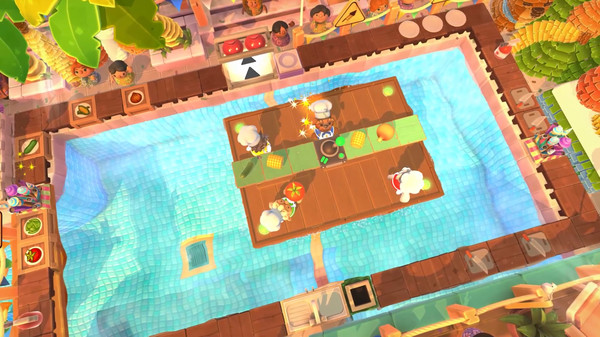
TL;DR: The documented crossplay route in Overcooked! 2 connects compatible PC storefront releases, including Windows Steam and Epic Games Store. Steam players may need the crossplay_branch build and the in-game Team17 friend system. This does not make Overcooked 2 a PC-to-PlayStation, Xbox or Nintendo Switch crossplay game.
The useful Overcooked 2 crossplay explained distinction is between PC storefront crossplay and cross-console play. Team17 documented the former for this title. Overcooked! All You Can Eat provides a different cross-platform system and is a separate game, not a setting that can be enabled inside Overcooked 2.

On this page
1. Check the full title on both launch screens
Both people need Overcooked 2 for this setup. A friend launching the first Overcooked or All You Can Eat cannot join your Overcooked 2 lobby simply because the games share chefs and kitchens. Confirm the title before changing network settings or buying another copy.
Gourmet Edition packages Overcooked 2 with its additional content; it is not All You Can Eat. Team17’s current product page also advertises a separate Nintendo Switch 2 Edition. Do not assume every function of that release applies to the original Switch edition or that every edition pair was verified by this article.
| Your pair | What to use | Important limit |
|---|---|---|
| Windows Steam + Windows Steam | Same Steam branch | Match default or crossplay branch |
| Windows Steam + Epic Games Store | Steam crossplay_branch + in-game Team17 friends | PC storefront crossplay, not console crossplay |
| PC + PlayStation/Xbox/Switch | Do not expect an Overcooked 2 mixed-platform lobby | All You Can Eat is a separate crossplay product |
| Overcooked 2 + All You Can Eat | No shared edition lobby | Both people must use the same game |
| Mac/Linux Steam or other PC stores + Epic | Verify current publisher support first | Old launch promises and controller updates do not establish every pair |
| Original Switch + Switch 2 Edition | Verify the exact edition pair | Do not transfer new-edition features automatically |
2. Use the supported PC storefront route
Team17’s June 2021 PC crossplay announcement explicitly introduced Steam-to-Epic Games Store multiplayer through the Team17 in-game friend system. Its later Steam crossplay branch announcement explains that the update was rolled back on the main Steam build after connection problems, leaving an opt-in crossplay branch for players using that route.
For a Windows Steam and Epic pair, the Steam player should close the game, open its Steam Library properties, select Betas and choose crossplay_branch if it is available in the current menu. Allow Steam to finish downloading the selected build before launching. Use the branch name exactly as shown rather than entering an invented beta password.
The Epic player uses the current Epic release. Once both are in the game, use the Team17 friend interface presented by the crossplay build to add the intended partner and send the game invitation. A Steam friends-list invite alone cannot discover an Epic account that is not a Steam friend.
3. Match Steam branches when both players use Steam
If both people own the Steam release, choose the same branch. One player remaining on the default build while another switches to crossplay can create an avoidable incompatibility. Decide which build the group is using, update both games and then create a fresh lobby.
You do not need to switch builds simply to cook beside someone using the same PC. Local play is a separate route with its own input requirements. Likewise, a working default-branch Steam session is a useful baseline before diagnosing why a non-Steam friend cannot join.
Team17’s later OSX controller update references both default and crossplay branches, so it would be misleading to describe every later Mac build solely through the original 2021 launch exclusions. That controller update does not itself verify every Mac, Linux, GOG or Windows-store crossplay combination. Verify those exact pairs with current publisher support before a purchase; this walkthrough’s concrete mixed-store route is Windows Steam plus Epic.

4. Keep consoles and All You Can Eat separate
The documented PC-store feature should not be used to promise a lobby between Steam and an original Switch, PlayStation or Xbox copy of Overcooked 2. Those consoles have their own online multiplayer arrangements. A product supporting online co-op is not automatically supporting every other platform.
If your group spans several console families and PC, evaluate All You Can Eat separately. Team17 documents cross-platform multiplayer for that collection, but everyone would need legitimate access to that same game. Do not tell a friend to repurchase anything until you have checked their existing edition and the intended platform pair.
A backward-compatible console running an older console release is another distinct question from crossing platform families. Name the installed product when checking support. “We are both on PlayStation” is more useful than “we both have Overcooked,” but the precise edition still matters.
5. Diagnose the invitation before altering the whole installation
Start with the title, operating system, storefront, branch and current download state. Confirm the crossplay Steam update has finished and that the Team17 friend interface is present. Have the host create a new lobby and issue a new invitation rather than retrying an old one after switching builds.
For a campaign session, Team17’s official FAQ says to invite friends; Arcade and Versus can use public matchmaking. The supported total is up to four chefs, so count everyone already sharing the host’s device as well as remote players. A full lobby is not a crossplay failure.
If a base-game kitchen works but a downloadable kitchen does not, check content access and the host’s selected content before investigating the network. Keep the first test simple. If connection failures persist, provide publisher support with the exact platform pair, branch and error text, rather than only saying “crossplay is broken.”
Frequently asked questions
Does crossplay work automatically from the default Steam build?
Do not assume it. Team17 documented an opt-in crossplay branch after rolling back the main update, and later announcements continue to distinguish builds. Check the current Steam Betas menu and match the intended branch before using the documented PC-store friend system.
Does Gourmet Edition add full console crossplay?
Gourmet Edition bundles Overcooked 2 content. It does not convert the game into All You Can Eat’s multiplayer system. Select the collection deliberately if your group needs its separately documented cross-platform feature.
Is an old free Epic offer still a current price promise?
No. The official 2021 announcement records a time-limited promotion as well as the feature launch. This guide uses it for documented PC crossplay history and does not claim that promotion remains available.
Next step: Write down both editions and storefronts, match the Steam branch and test one ordinary kitchen. Use our online co-op setup guide once compatibility is confirmed, or the crossplay game list for a mixed-console group.
Sources and version notes
- Save 66% on Overcooked! 2 on Steam
- Overcooked! 2 – Team17 Digital LTD – The Spirit Of Independent Games
- Overcooked! 2 – FAQ
- Overcooked! 2 – Free on Epic Games and PC Crossplay Patch
- Overcooked! 2 PC Crossplay Branch
- Overcooked! 2 l OSX Controller Update
Official developer, publisher and storefront pages plus separately identified community references read November 11, 2026. Recommendations reflect documented features and editorial fit; no personal playtest, price comparison, benchmark or measured SEO score is claimed. Platform and mode limits refer to the editions named in the article.