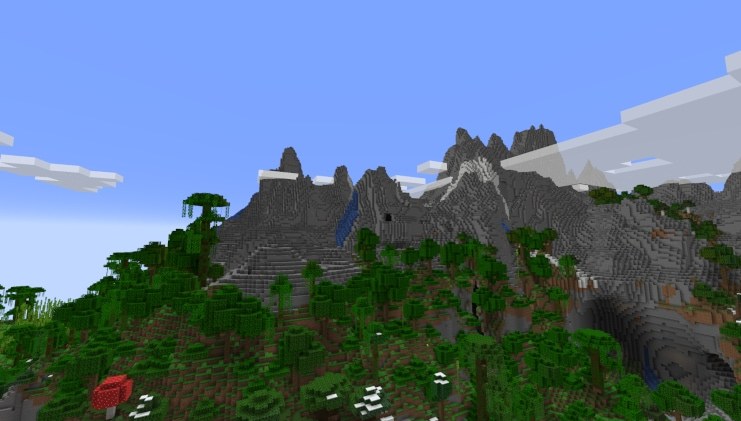
TL;DR: Choose Bedrock when you want to play with friends on consoles, phones, and Windows, or you prefer native controller support. Choose Java for a Windows, macOS, or Linux group that wants Java mods, community servers, and the ability to select older releases. Windows players with the Java & Bedrock PC package can use both, but must launch the edition their friends use.
The Minecraft Java vs Bedrock decision is mainly about who you will play with and which devices they own. The editions share the basic building and survival game, but their multiplayer connections, customization systems, controls, and some mechanics differ. A friend owning Minecraft is not enough to establish compatibility; ask for the edition name.
For an ordinary mixed-device family or friend group, Bedrock is the practical choice. For a desktop group organized around a specific modpack or Java server, Java is the practical choice. Neither verdict says one edition is better at every part of Minecraft.

On this page
Minecraft Java vs Bedrock: Quick Comparison
| Decision | Java Edition | Bedrock Edition |
|---|---|---|
| Desktop operating systems | Windows, macOS, Linux | Windows; additional supported devices vary |
| Console and phone friends | No native Java-to-Bedrock crossplay | Crossplay across supported Bedrock devices |
| Controls | Keyboard and mouse by default | Native controller support; touch on mobile |
| Customization | Java mods, data packs, resource packs | Add-ons, resource packs, Marketplace content |
| Older game releases | Selectable launcher installations | Official play generally targets stable or preview builds |
| Local split screen | No native split screen | Supported console versions |
| Technical builds | Use Java-specific designs | Use Bedrock-specific designs |
| Official hosted worlds | Java-compatible Realms | Bedrock-compatible Realms |
The official Minecraft Java & Bedrock PC product page lists edition features and supported platforms. Check the listing for your exact device before buying; a bundle for PC does not mean every console or mobile store grants you the same entitlement.
1. Your Devices Can Decide Before Features Do
Java Edition runs on Windows, macOS, and Linux. That makes it the direct option for a group whose desktop computers include a Mac or Linux machine and whose members all intend to play Java. A console friend cannot simply install the same Java launcher and join.
Bedrock is available on supported consoles, mobile devices, and Windows, with other device support described on the relevant store listing. If your group has a PlayStation, an Xbox, a Switch, and a Windows computer, Bedrock is the edition designed for that cross-platform situation.
Check the actual installed edition rather than relying on the title printed on a purchase receipt. On Windows, a player can have access to both editions and still launch the wrong one. On consoles, an old legacy console release is not automatically interchangeable with the modern Bedrock application.
Do not treat purchasing through one storefront as proof of ownership on every device. Account access, edition entitlement, and the platform’s own license are separate issues. Confirm those before planning a group world that requires everyone to buy or download something new.
2. Native Crossplay Stays Within an Edition
Bedrock players can join compatible Bedrock multiplayer sessions across supported devices. Java players can join compatible Java servers across their supported computer operating systems. A normal Java server and a normal Bedrock client do not speak the same multiplayer protocol.
That means a Java owner and a console Bedrock owner cannot solve the problem by typing the same world name. Windows players with both editions should select Bedrock to join that console friend. If everyone wants Java instead, every player needs a device and license that can run Java.
Some community servers use third-party compatibility software to admit both types of clients. That is a server-specific arrangement, with potential feature limitations, and is not native crossplay you can assume exists on every server or Realm. Check the server’s own connection instructions if it advertises that setup.
Account privacy settings can also block multiplayer even when editions match. Family settings, platform requirements, network access, and version compatibility all need to allow the connection. Diagnose these separately from the edition choice; buying another copy will not repair a blocked account setting.
3. Mods and Add-ons Are Different Ecosystems
Java is the better fit when you have a named Java modpack in mind. A modpack may require a particular Minecraft release, loader, loader version, and set of dependency mods. “It is a Minecraft mod” does not mean it can be installed into Bedrock or into any Java release.
Java customization offers extensive community options, but involves managing files and compatibility. Back up the world before adding or removing mods, especially ones that add blocks, items, or dimensions. Removing a content mod can leave a world without the data it previously relied on.
Bedrock supports add-ons and a curated Marketplace. These can change content and behavior, and are more substantial than a simple skin swap. They are still not the same packages as Java mods. Look for an explicit Bedrock version and installation method when following a download guide.
Device restrictions matter within Bedrock, too. A Windows user may have more convenient file access than a console user, while console players can browse content through the in-game Marketplace. Before choosing an add-on for a shared world, check how the host and each participant will use it.
A Marketplace purchase is optional content rather than a requirement to build a normal survival world. Compare the actual package description before spending money: a cosmetic pack, adventure map, and behavior-changing add-on solve different problems. This guide does not assume that a paid pack is necessary or better than a default world.
4. Controls and Couch Multiplayer Change the Experience
Bedrock has native support for compatible controllers, and mobile versions provide touch controls. That makes it easier to keep a familiar input method when moving between supported devices. Check the selected control settings rather than accepting a layout that makes building or combat uncomfortable.
Java’s ordinary controls center on keyboard and mouse. Community modifications can add other input options, but that creates another compatibility requirement. A guide that uses such a mod should identify it instead of presenting controller support as an unchanged Java feature.
Split screen is another reason to check platform details. The supported console versions of Bedrock allow local split-screen play; that does not mean the Windows or phone application provides the same feature. Java does not include native split-screen multiplayer.
For two children sharing one console and television, this can settle the decision immediately. For two people with separate computers, split screen contributes little, so compare online access and customization instead. Buy for the way you will actually sit down and play.
5. Servers and Realms Have Different Requirements
Both editions support multiplayer hosting, and both have official Realms options. The hosted world must be compatible with the edition your group uses. An official Java Realm does not become a Bedrock Realm because you sign in with the same Microsoft account.
Realms can be useful when you want a persistent private world without administering a separate server. A self-hosted or third-party server offers another set of options and responsibilities, including configuration, version management, backups, and moderation. Those differences matter more for a long-running community than for a one-evening building session.
Java’s community server ecosystem is a major reason to choose it, particularly when friends have already selected a specific server. Bedrock also has servers, including featured options, but methods for joining other servers vary by device. Do not assume a server address workflow shown on a computer is identical on a console.
Console online multiplayer can require a platform subscription in addition to the game or a Realm subscription. Check your platform’s current terms instead of relying on an old service name or a quoted historical price. This article intentionally does not publish a universal multiplayer cost.

6. Older Releases and Testing Builds Need Separate Worlds
Java’s launcher installations let you select older releases and create profiles for different setups. This is useful for a server or modpack that has not moved to a newer release. Keep its world files and installation settings separate so that launching a different profile does not accidentally alter an important save.
Java snapshots and Bedrock previews or betas are testing builds. They can expose unfinished features, but they can also change world data or create bugs. A testing build is a poor default for the only copy of a long-term survival world.
Use a backup or a disposable new world when experimenting. Check which devices and multiplayer arrangements a particular preview supports; eligibility changes over time. Do not assume everyone on the stable game can join a friend who has switched to a beta.
World experiments are another separate setting. An experimental trading rule can change villagers inside one world even if another world on the same installation behaves normally. “We use the same edition” therefore does not guarantee identical mechanics in every save.
7. Redstone and Farms Must Match the Edition
Basic blocks and survival goals are shared, but redstone behavior, mob rules, and technical details have important differences. A farm copied block for block from the wrong edition can look correct and produce nothing. The video’s publication date alone is not enough; read its edition and release requirements.
Iron farms are a clear example. Java commonly uses villagers’ sleep, fear or gossip, and nearby-golem detection. Bedrock village-based iron farms rely on a different set of population, bed, and work conditions. Adding a zombie to a Bedrock copy of a Java farm does not convert its rules.
Our iron farm troubleshooting guide separates those checks. The same habit applies to item sorters, piston contraptions, mob farms, and trading halls: identify the edition before gathering materials for an exact design.
If your goal is learning a particular technical community’s designs, choose the edition those designers use. If you only want a small survival base, these differences are less likely to dominate your decision. You can still build, mine, and explore in either edition.
8. Performance Depends on the Device and World
The official PC comparison describes Bedrock as generally less demanding, but no edition can promise smooth play on every device and world. Render distance, simulation distance, shaders, resource packs, mods, background applications, and large entity counts all affect the result.
Begin with ordinary settings and an unmodified world when diagnosing stutter. Lowering simulation or render distance can answer whether the world workload is a problem. Comparing a heavily modded Java installation against a simple Bedrock world does not isolate the engine difference.
Do not choose Java solely because someone reports a high frame rate on unrelated hardware, or Bedrock solely because it has a reputation for running well. If you already own the PC package, try the same kind of activity in each edition on your computer before committing a long-term group save.
Which Edition Fits Your Situation?
Mixed consoles, phones, and Windows: Start with Bedrock and confirm everyone’s multiplayer account settings. Mac and Linux desktops with PC friends: Start with Java. A specific modpack: Choose its required edition and release. A Windows player joining different friend groups: Keep both installations available and label their worlds clearly.
For a new long-term world, agree on edition, host, stable release, experiments, and backup responsibility before building the first base. That short conversation prevents the expensive problem of discovering incompatibility after everyone has invested days of work.
Frequently Asked Questions
Can Java and Bedrock players join the same Realm?
No, not through ordinary native Realms compatibility. Choose the Realm edition that matches the players. Third-party cross-edition server software is a separate setup.
Do I need to buy both editions on Windows?
The official Java & Bedrock PC package includes both editions. Check your existing account entitlement and the current store listing before buying again. The package does not imply licenses for every console or phone.
Can I move a world between the editions?
Do not assume a direct, lossless transfer. The editions use different world formats, and third-party conversion can change blocks, entities, or technical builds. Keep an untouched backup and assess conversion separately from the purchase decision.
Does Bedrock have mods?
Bedrock has add-ons and other content systems. A Java mod file is not automatically compatible, so search for the exact Bedrock package rather than treating the two terms as interchangeable.
Next step: Ask your friends for their edition and device, then choose the matching installation. The Minecraft guide hub can help you build a survival plan once compatibility is settled.
Sources and Version Notes
- Minecraft: The Difference Between Java and Bedrock Editions, official guide, read November 10, 2026.
- Minecraft Java & Bedrock Edition for PC, official feature comparison and entitlement listing, read November 10, 2026.
Platform subscriptions, Preview availability, and subscription plans can change. This comparison avoids fixed prices and tests no hardware performance claim.